EducationIn use
K Pusula: screen-by-screen guide
The full version of the short description on the product page: every feature, how each screen is used step by step, all limits and the delivery details.
All features
Features of the version in use.
- Shows the first task of the day with a time and question target
- Timed focus sessions with a sound alert when time is up
- Tracks progress towards a 100-net target in milestones
- The first three practice exams count as a personal calibration; after that a personal score range is shown
Screen by screen: how it is used
The app’s interface is in Turkish and there is no English version; only the captions and explanations on this page are in English. The screens were taken with sample data.
- Who uses it?
- A student preparing for the KPSS exam.
- Where do they start?
- The app opens on the “Bugün” (Today) screen and names the first step of the day.
What do they do on screen? Step by step
-
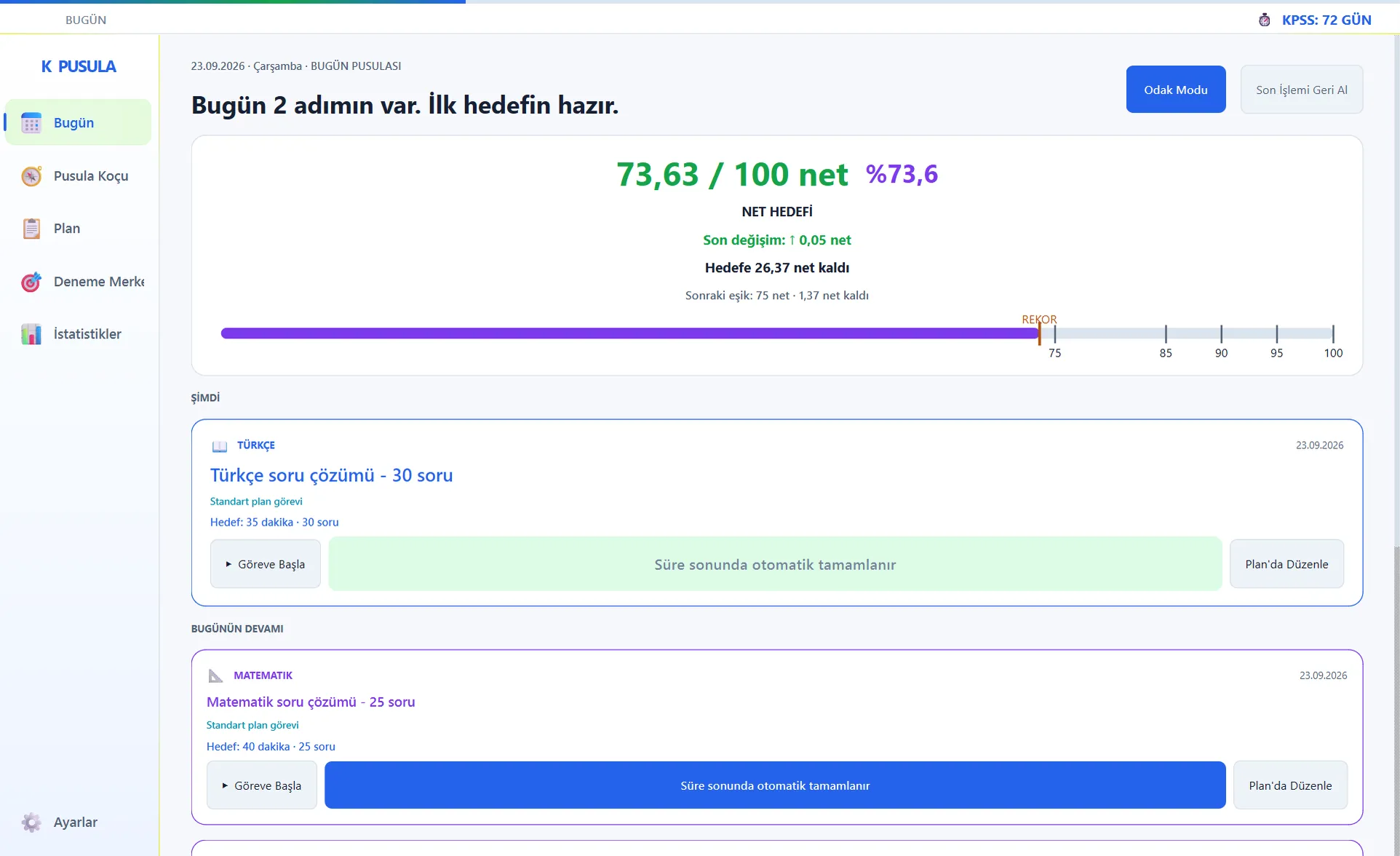
Today
A progress bar towards the target score and the day’s tasks, each with its time and question target. “Göreve Başla” (start the task) begins one.
- On screen (Turkish interface)
- “K PUSULA” — app name (K Compass)
- “KPSS: 72 GÜN” — countdown to exam day
- “Odak Modu” — focus-mode button
- “NET HEDEFİ” — net-score-target label
- “Plan’da Düzenle” — edit in Plan button
-
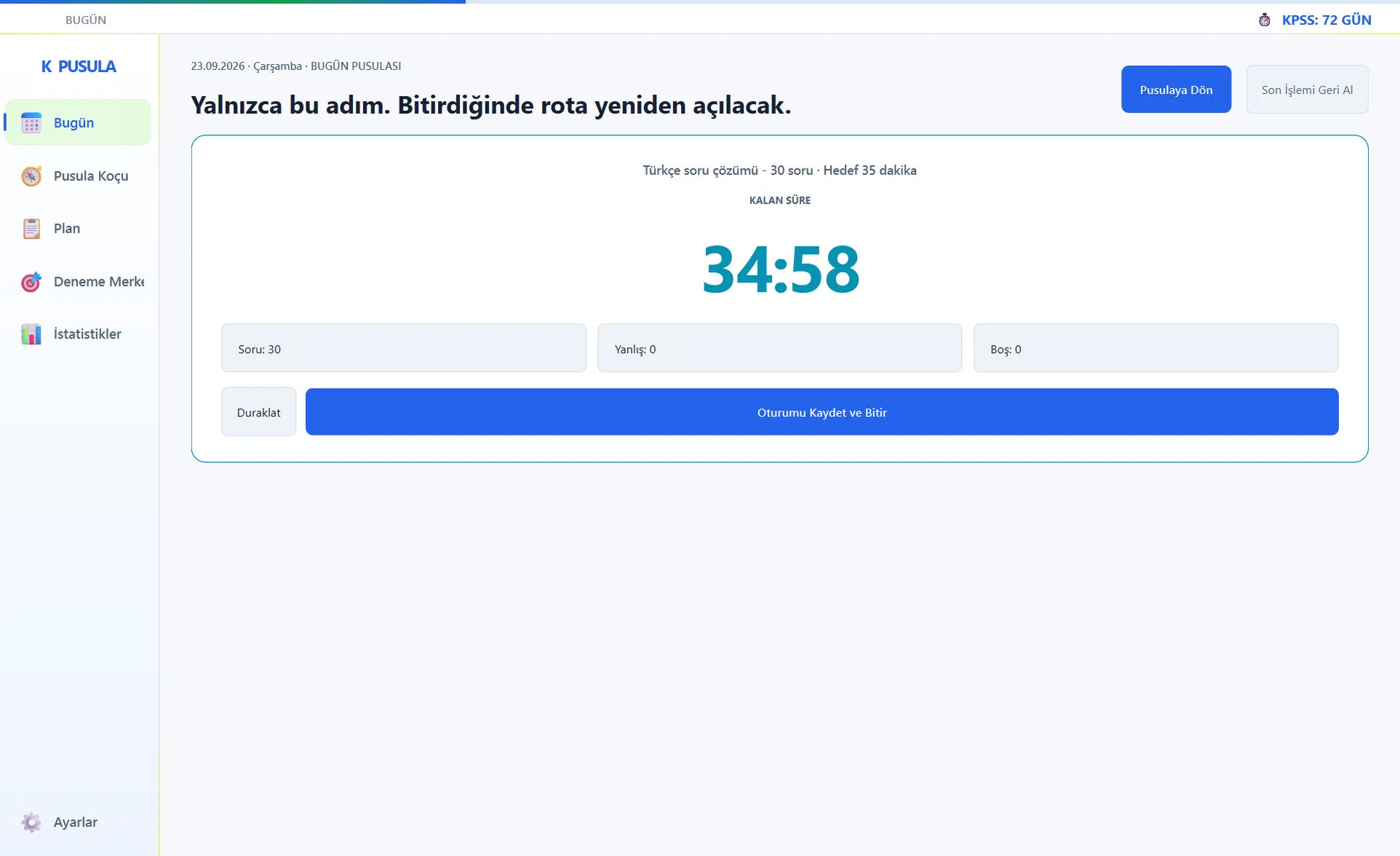
Focus session
The time counts down; solved, wrong and blank questions are entered and “Oturumu Kaydet ve Bitir” (save and finish) records the session. A sound marks the end.
- On screen (Turkish interface)
- “Yalnızca bu adım. Bitirdiğinde rota yeniden açılacak.” — reassurance text: only this one step; the full plan unlocks again once it’s done
- “KALAN SÜRE” — time-remaining label
- “Pusulaya Dön” — back-to-dashboard button
- “Duraklat” — pause button
- “Soru / Yanlış / Boş” — result fields: correct / wrong / blank
-
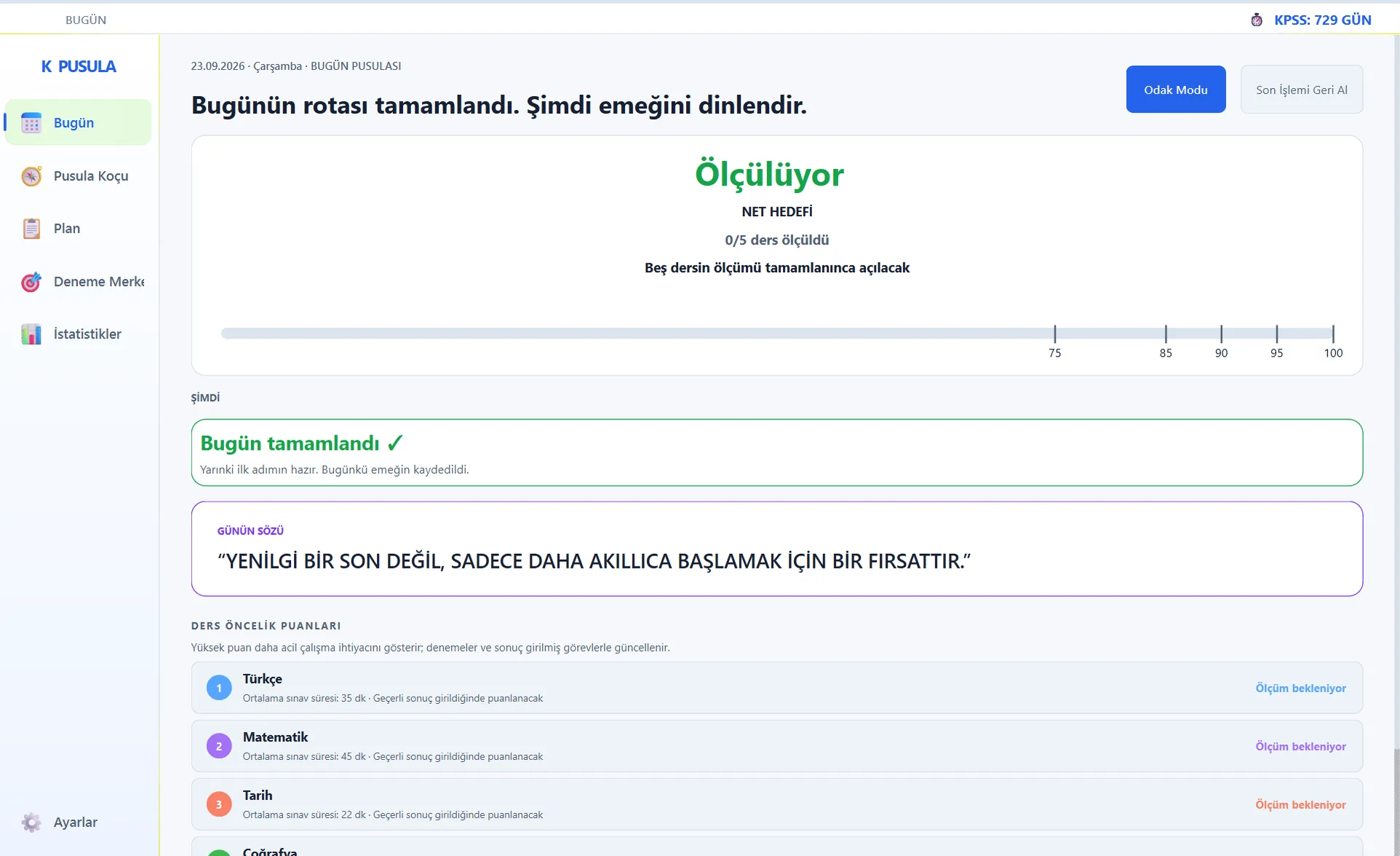
Day complete
The app says so once the day’s tasks are done. Until all five subjects have been measured, the target score shows as “Ölçülüyor” (being measured).
- On screen (Turkish interface)
- “Bugünün rotası tamamlandı. Şimdi emeğini dinlendir.” — completion message
- “0/5 ders ölçüldü” — 0 of 5 subjects measured so far
- “Beş dersin ölçümü tamamlanınca açılacak” — note: unlocks once all five subjects are measured
- “GÜNÜN SÖZÜ” — “quote of the day” label above a motivational quote
-
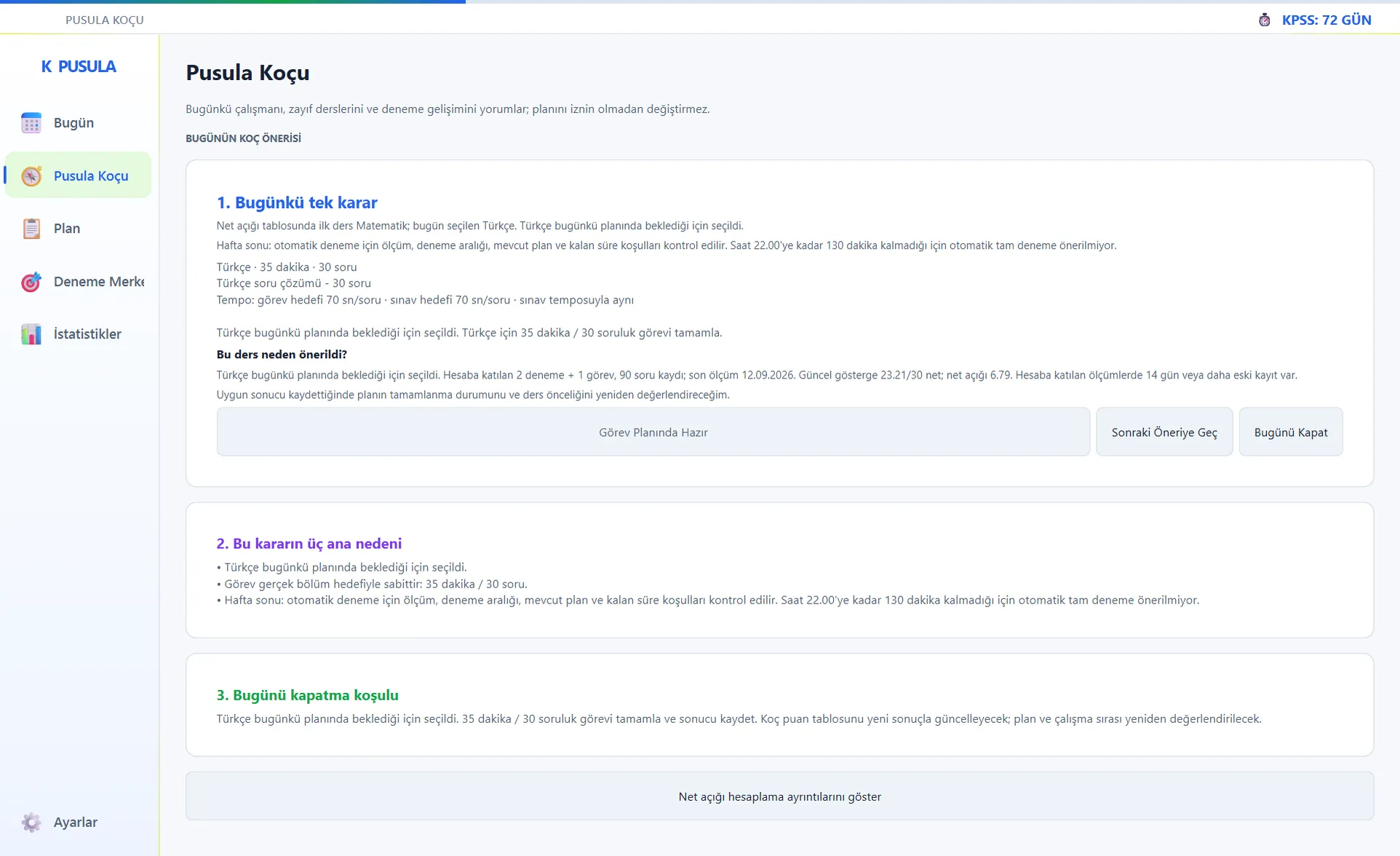
The Pusula Coach
It writes down today’s decision and the reasons for it, for example which subject has the biggest gap. It does not change the plan without your approval.
- On screen (Turkish interface)
- “BUGÜNÜN KOÇ ÖNERİSİ” — “today’s coach recommendation” label
- “Bu ders neden önerildi?” — link: why was this subject recommended?
- “Görev Planında Hazır” — note: already in your plan
- “Sonraki Öneriye Geç” — skip to next suggestion
- “Bugünü Kapat” — close out today button
-
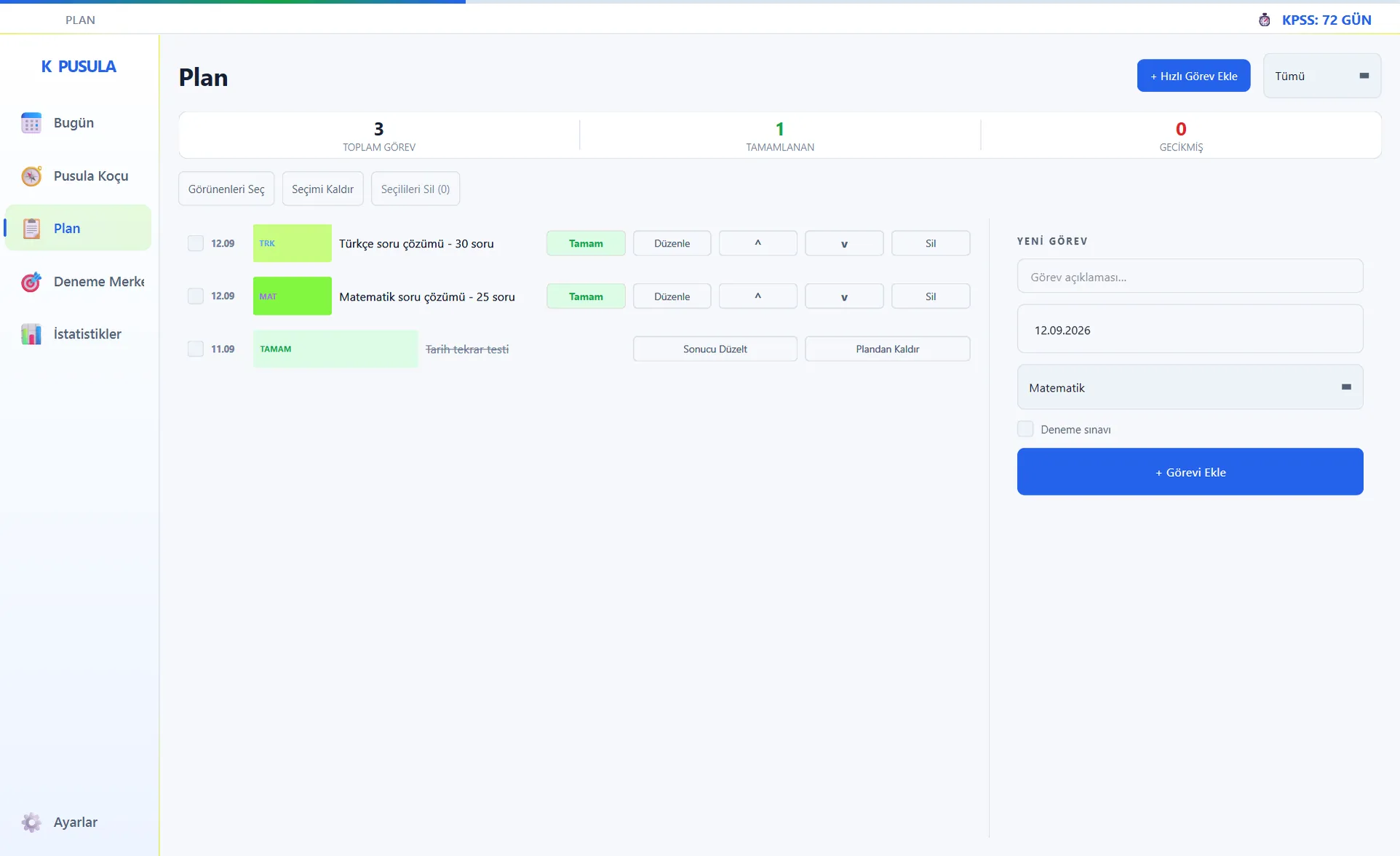
Plan
Tasks are added, edited and deleted by date and subject; a practice exam can be added as a task too.
- On screen (Turkish interface)
- “+ Hızlı Görev Ekle” — quick-add-task button
- “TOPLAM GÖREV / TAMAMLANAN / GECİKMİŞ” — stat labels: total tasks / completed / overdue
- “Sonucu Düzelt” — fix-result button on a completed task
- “Plandan Kaldır” — remove-from-plan button
-
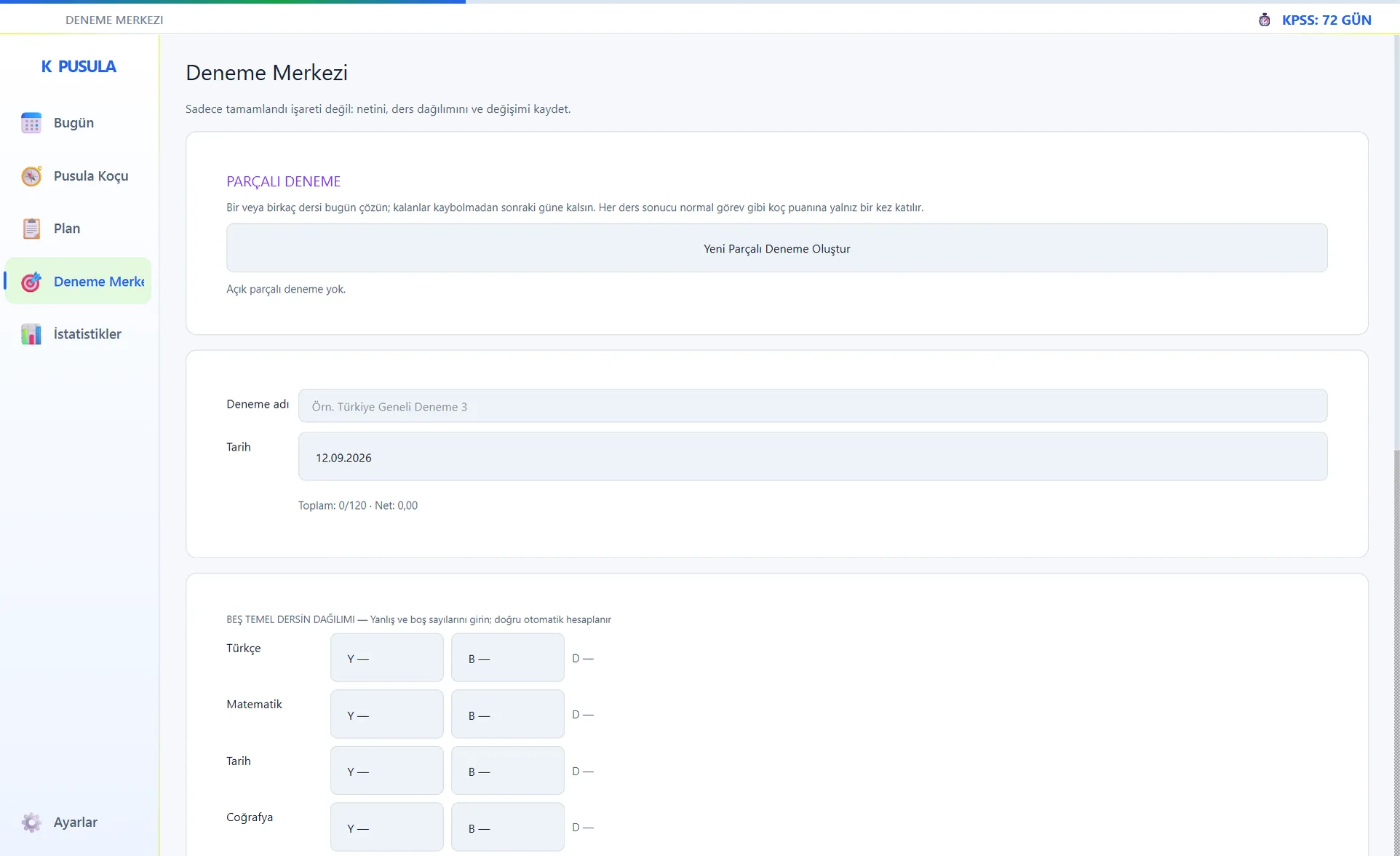
Practice Exam Centre
Enter the exam’s name and date; as the correct, wrong and blank counts are typed in for each subject, the net score is worked out automatically.
- On screen (Turkish interface)
- “PARÇALI DENEME” — “split exam” label: one exam spread across several days by subject
- “Yeni Parçalı Deneme Oluştur” — create-new-split-exam button
- “BEŞ TEMEL DERSİN DAĞILIMI” — breakdown-by-subject label
- “Y — / B — / D —” — column abbreviations: wrong / blank / correct
-
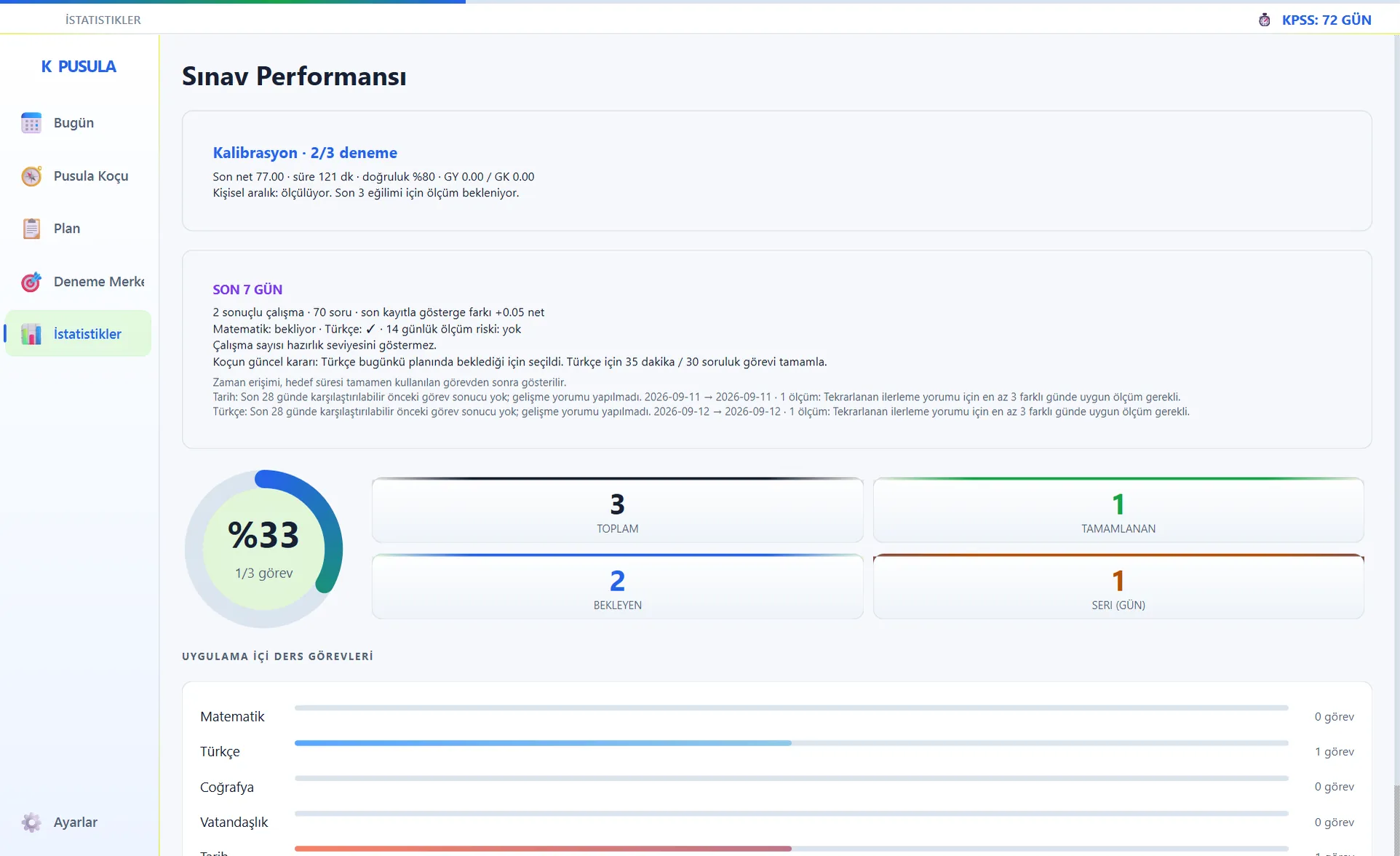
Statistics
Exam performance: the last seven days of study, the number of tasks completed and a breakdown by subject.
- On screen (Turkish interface)
- “Kalibrasyon · 2/3 deneme” — calibration status: 2 of 3 exams entered
- “SON 7 GÜN” — last-7-days label
- “BEKLEYEN” — pending label
- “SERİ (GÜN)” — streak, in days
- “UYGULAMA İÇİ DERS GÖREVLERİ” — in-app subject-task section heading
-
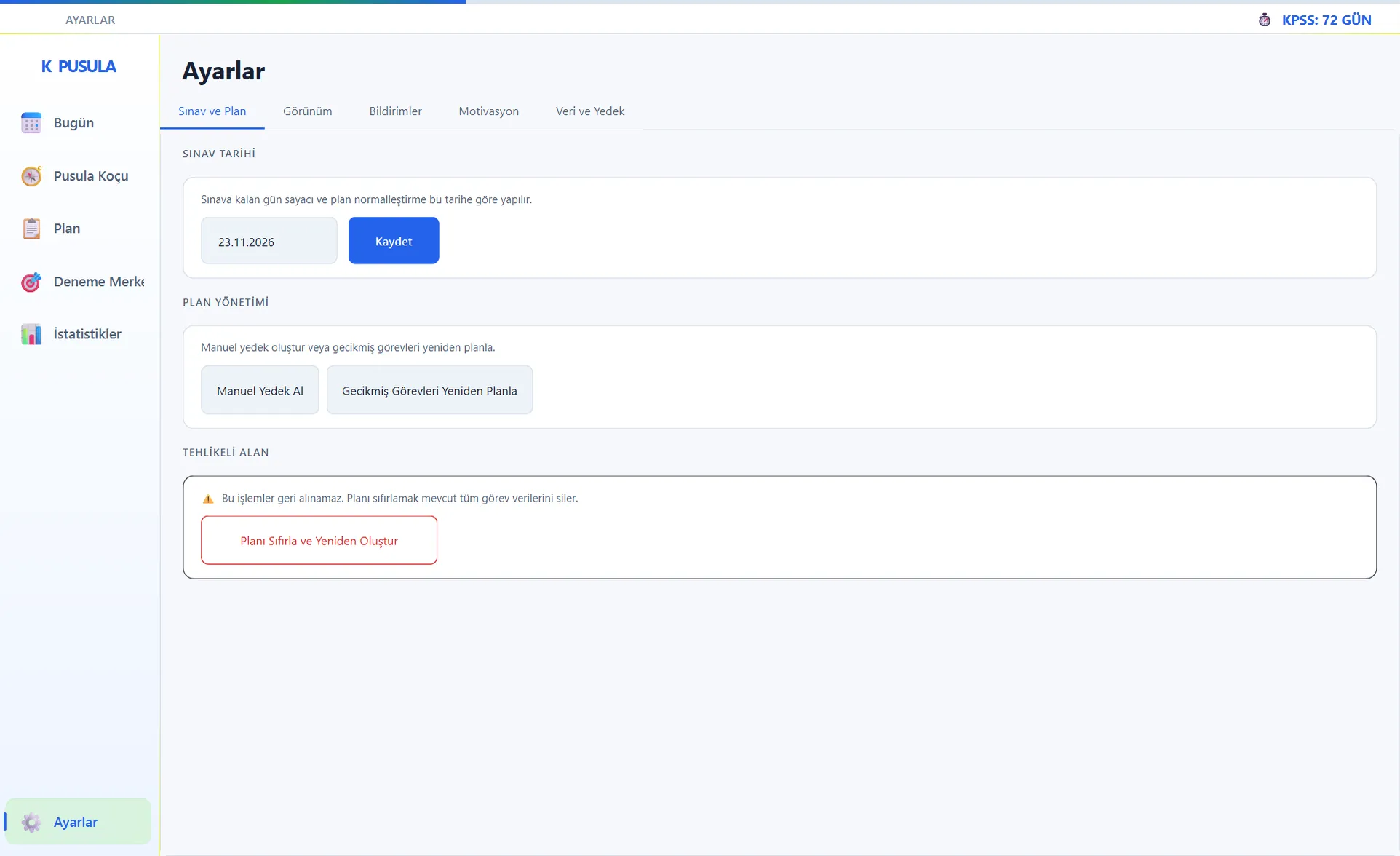
Settings
Exam date, plan management, appearance, notifications and backup settings.
- On screen (Turkish interface)
- “Motivasyon” — settings tab
- “Manuel Yedek Al” — back-up-now button
- “Gecikmiş Görevleri Yeniden Planla” — reschedule-overdue-tasks button
- “TEHLİKELİ ALAN” — “danger zone” label
- “Planı Sıfırla ve Yeniden Oluştur” — reset-and-rebuild-plan button
- What do they see at the end?
- The progress bar updates as tasks are done, and a “Bugün tamamlandı” (Today is complete) message appears when the day’s tasks are finished.
- What is it good for?
- The student starts each day with a ready route instead of working out what to study and for how long, and practice-exam results feed the plan.
Everything that is not included, and all limits
- It is a desktop app; there is no web or phone version.
- The interface is in Turkish, with no English version, and built around the KPSS exam.
- There is no sales package at the moment and no download link is offered: the app’s delivery package is not complete (details: the “Delivery and sales status” section).
- The screenshots were taken with sample data.
Delivery and sales status
There is no cart, customer account or online payment on this site for now. Reach out by phone, WhatsApp or the form; in a first conversation your need and the software’s fit are reviewed. The form does not create an order, a contract or a payment.
Possible delivery options
Price
There is no package on offer right now, so there is no list price. If a package is defined, the price and payment method are settled then.
Requirements and version history
Decisions not made yet
- Whether this app will be offered as a product has not been decided yet.
- Rights to use, modify, transfer and receive the source code: to be set in a written agreement; not decided yet.
- The price and payment method have not been decided yet.