Renewal and expiry trackingDemo with sample data
Renewal and Expiry Reminder Automation: screen-by-screen guide
The full version of the short description on the product page: every feature, how each screen is used step by step, all limits and the delivery details.
All features
The package reached version 1.1.2 and passed 364 automated checks locally. The gallery screens come from the live demo; sends in the demo are simulated.
- A 14-day default rule; configurable 7-day, expiry-day and post-expiry reminders
- SMS, WhatsApp and e-mail channels, with a configured fallback when consent is missing
- Marking a record renewed closes its old period and schedules reminders for the new expiry date
- A customer link records callback requests and opt-outs in the panel
- CSV import, channel templates, a delivery log and daily skip reasons
- “WhatsApp’ta kendiniz gönderin” (send it yourself on WhatsApp, the free way) on the record page: the message comes ready with the customer’s name, expiry date and personal link, your WhatsApp opens and you press “send”; the panel does not count it as sent and does not write it to the message history
- In the package, a password-protected backup and restore from the panel (the file is checked before a restore and a safety backup of the current state is taken); this section does not show in the live demo’s settings
- From the demo strip the sample calendar moves forward one or seven days, the scheduler is run by hand and the sample environment is reset
- Record types can be changed for policies, memberships, maintenance, rent or domains
Screen by screen: how it is used
Screens come from the live demo running version 1.1.2. Records and contact details are examples; the demo strip on top (sample calendar, “Şimdi çalıştır” run now, “Sıfırla” reset) exists only in the demo. The app interface is in Turkish.
- Who uses it?
- A staff member tracking expiry and renewal dates, and a customer opening a reminder link for their own record.
- Where do they start?
- Staff add records in the panel or import a CSV; each record has an expiry date, channel consent and reminder rule.
What do they do on screen? Step by step
-
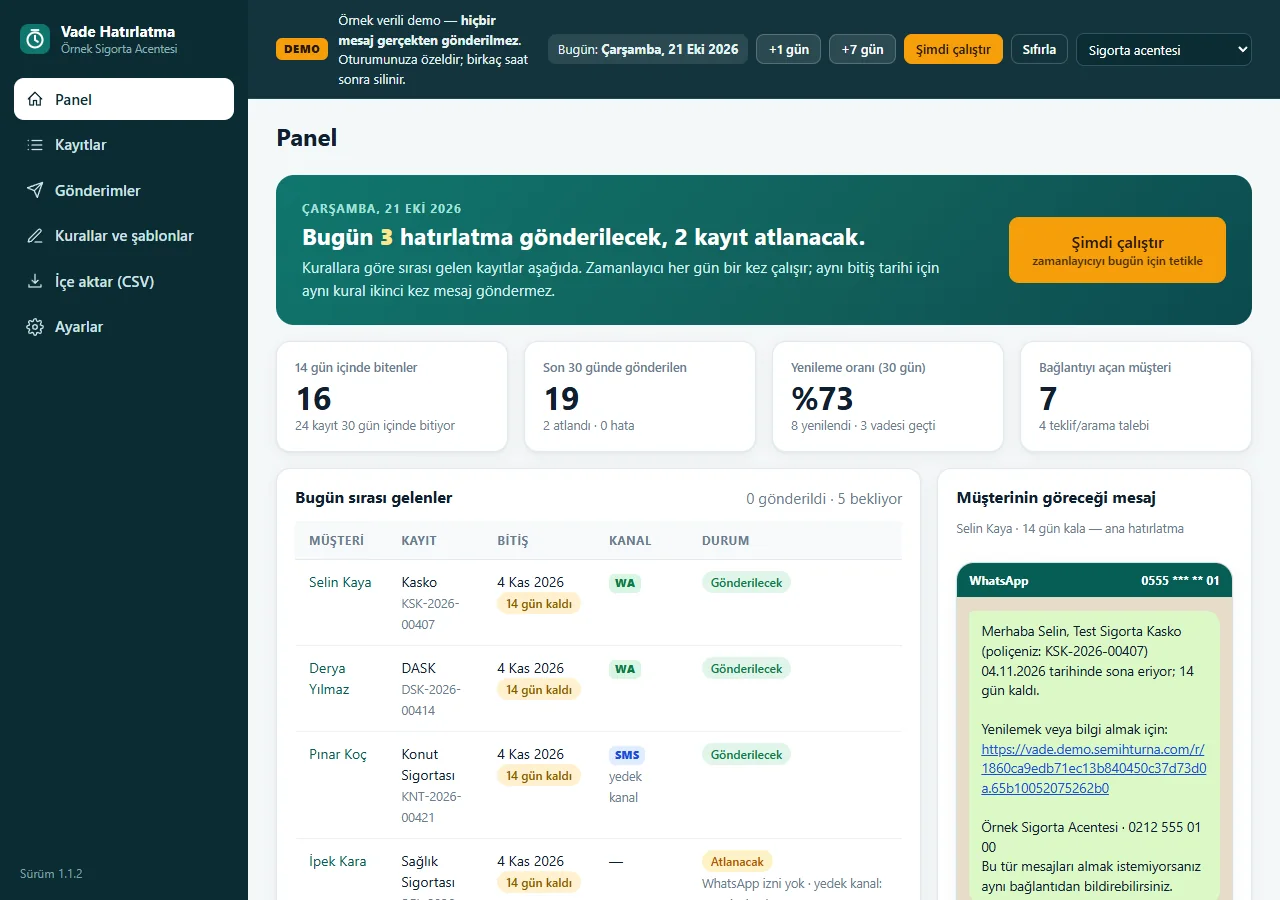
1.1.2 · 21 October 2026 Dashboard
Upcoming expiries, today’s queue and a preview of the customer message. Counts are sample data.
-
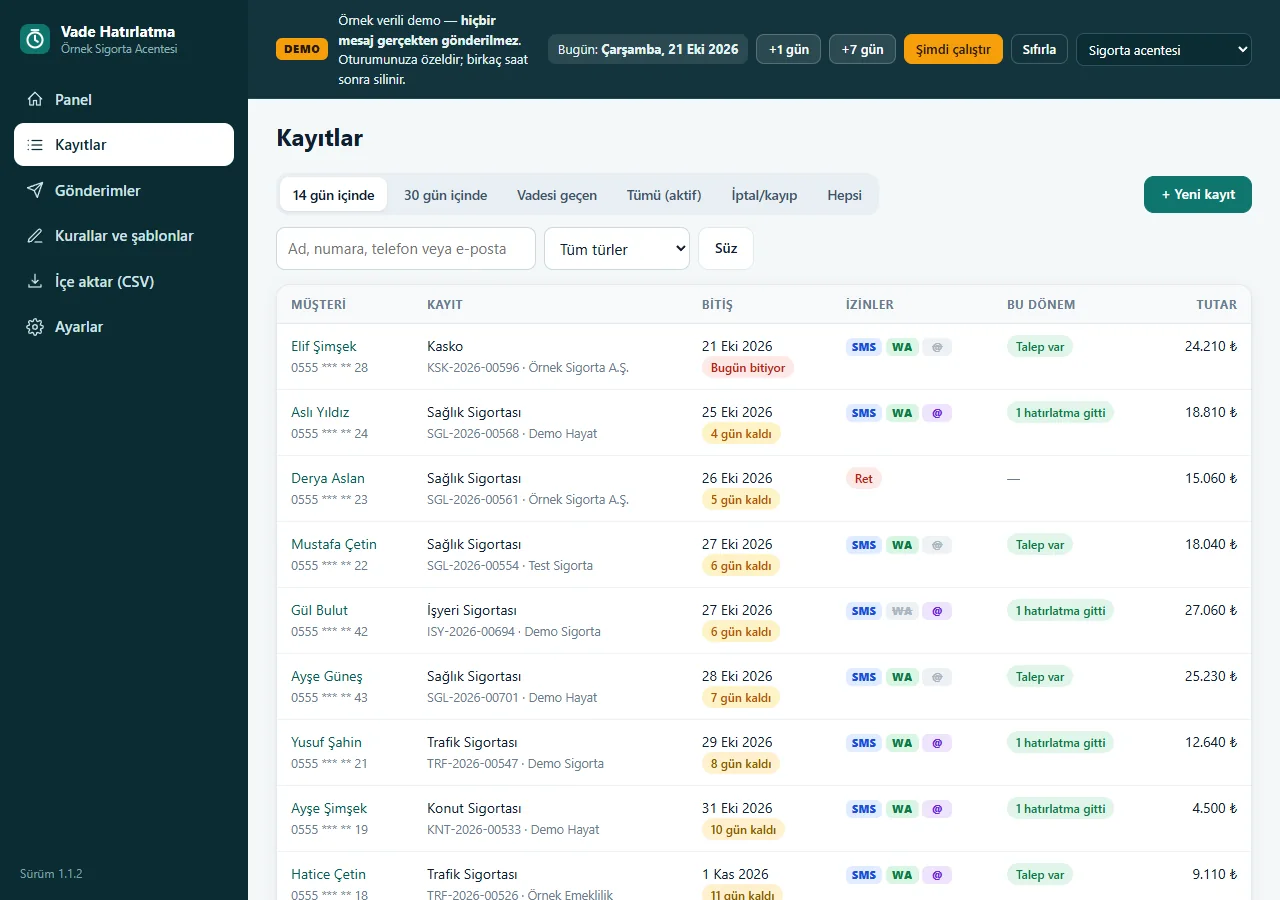
1.1.2 · 21 October 2026 Records
Customers and expiry dates are listed by status; records can be imported from CSV.
-
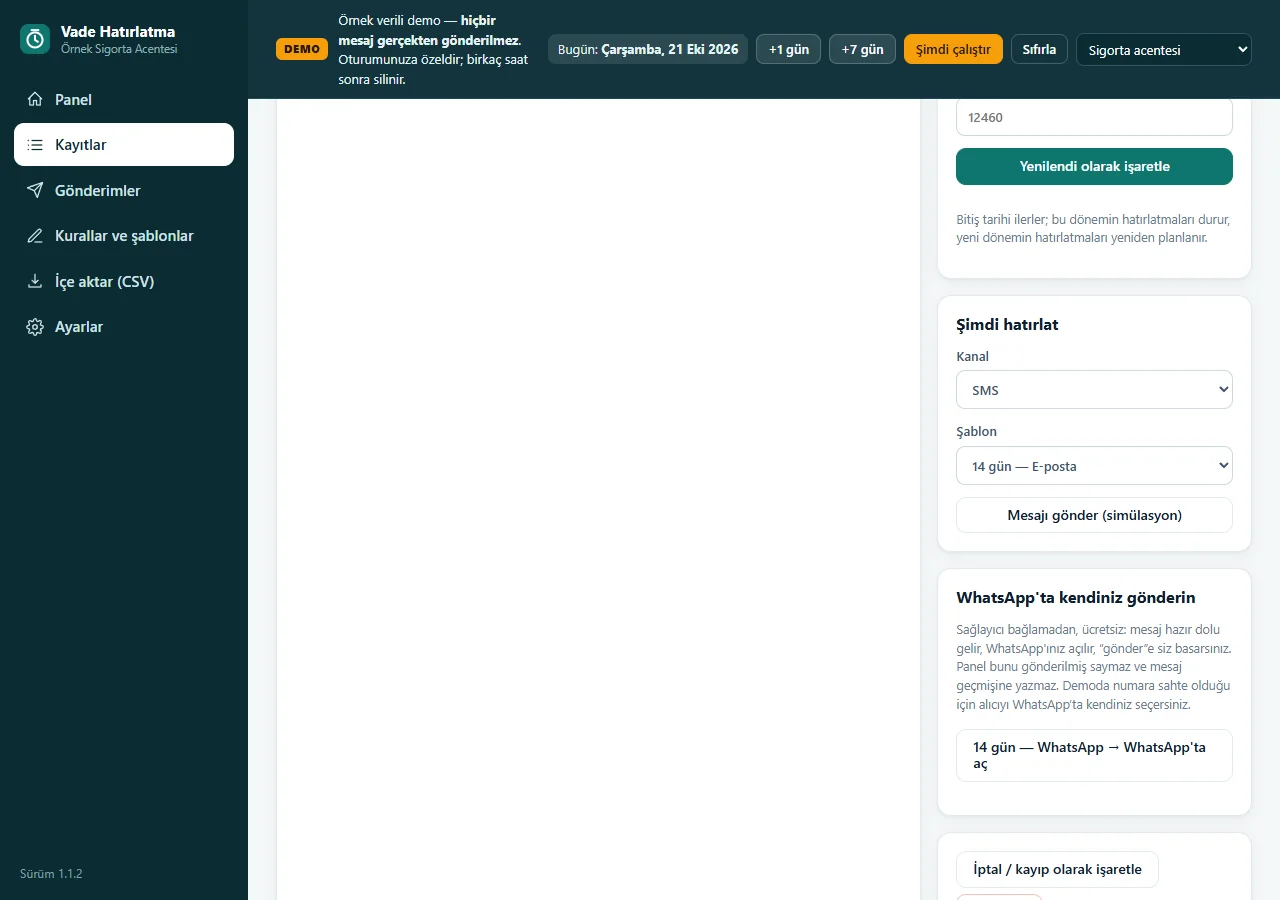
1.1.2 · 21 October 2026 A record: send it yourself on WhatsApp
A record has “Yenilendi olarak işaretle” (mark as renewed), “Şimdi hatırlat” (remind now) and a free “WhatsApp’ta kendiniz gönderin” (send it yourself on WhatsApp) card: the message comes ready, WhatsApp opens and you press “send”; the panel does not count it as sent. In the demo the number is fake, so you pick the recipient yourself.
-
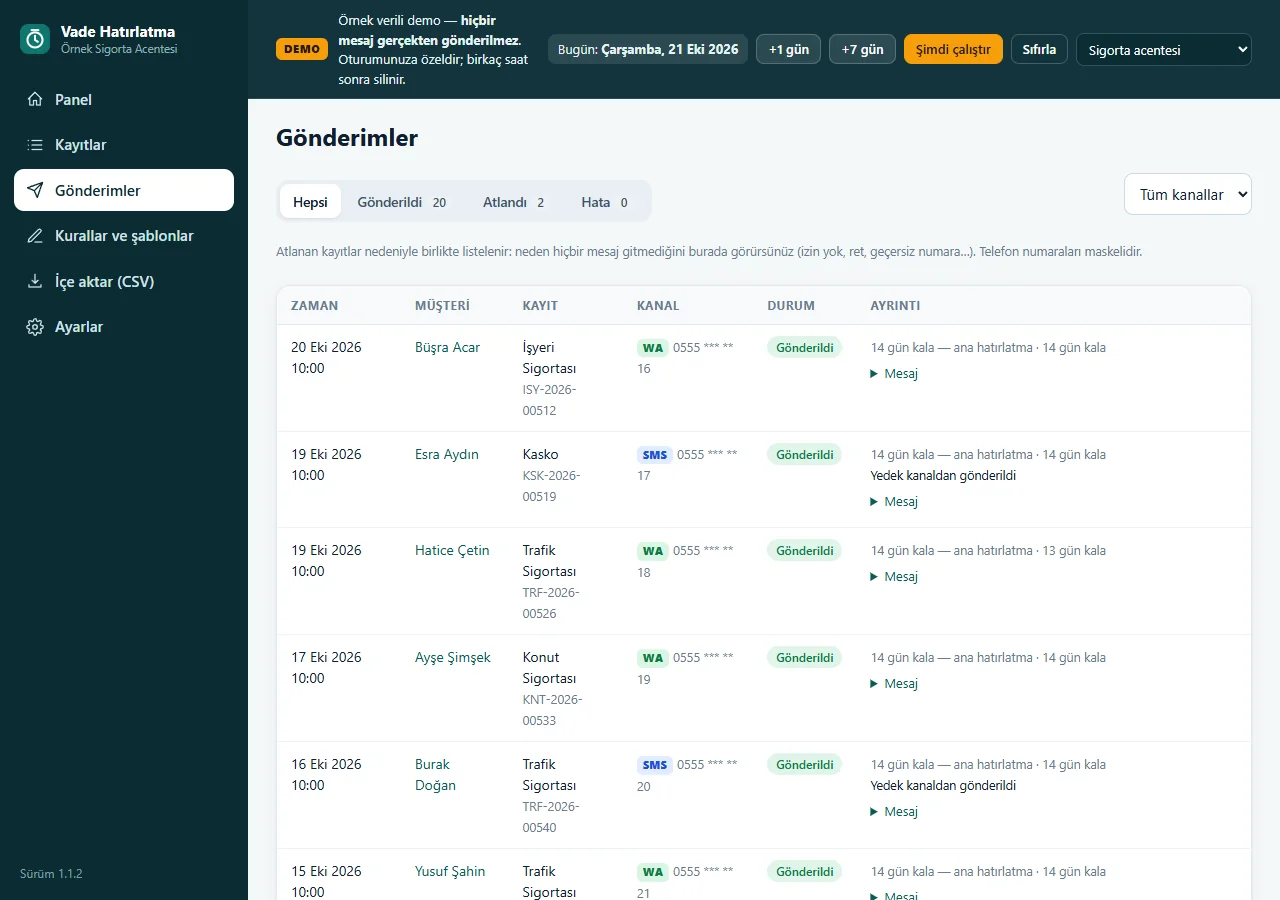
1.1.2 · 21 October 2026 Delivery log
Sent, skipped and failed statuses and skip reasons are shown. Demo sends are simulations.
-
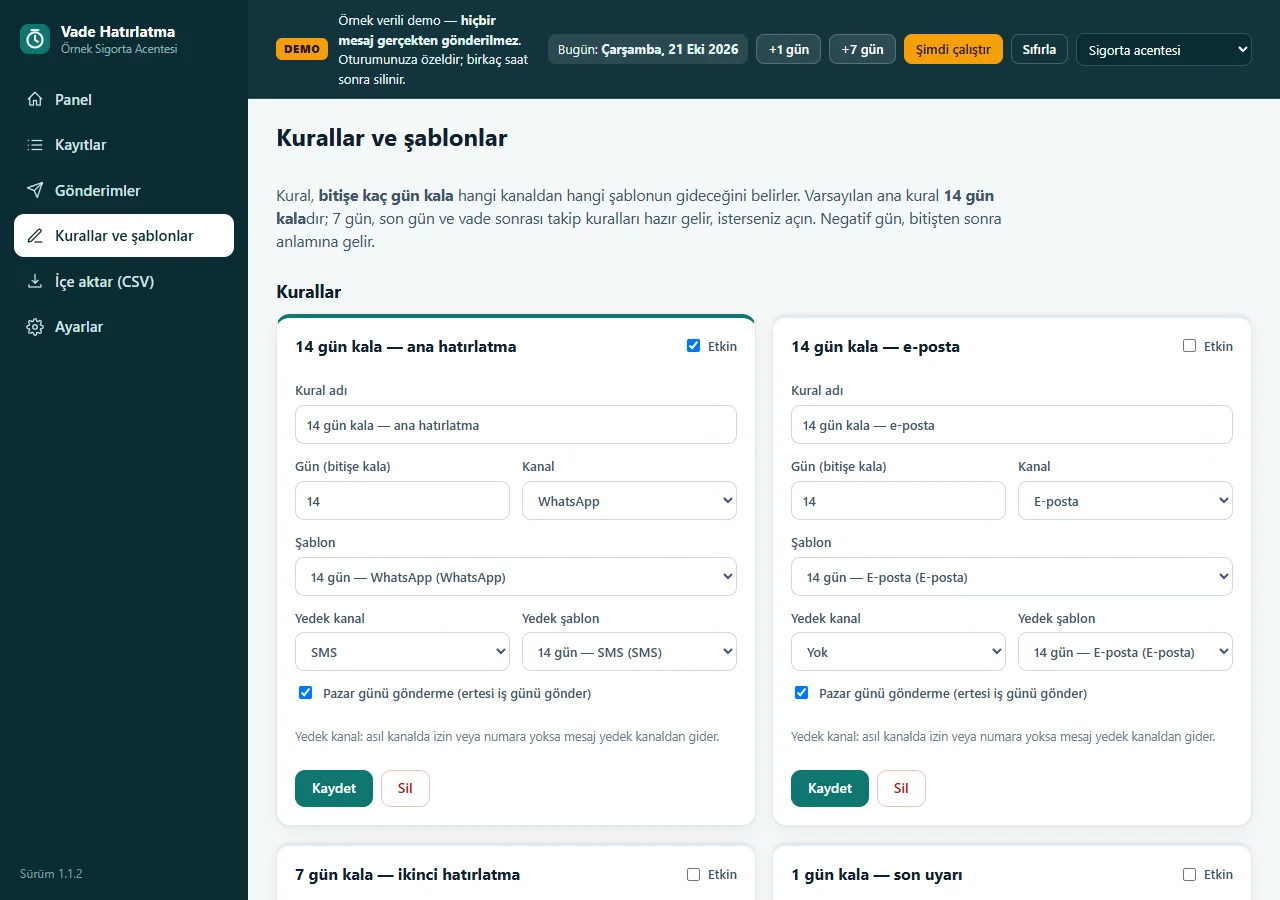
1.1.2 · 21 October 2026 Rules and templates
Set the reminder day, channel, fallback channel and message text.
-
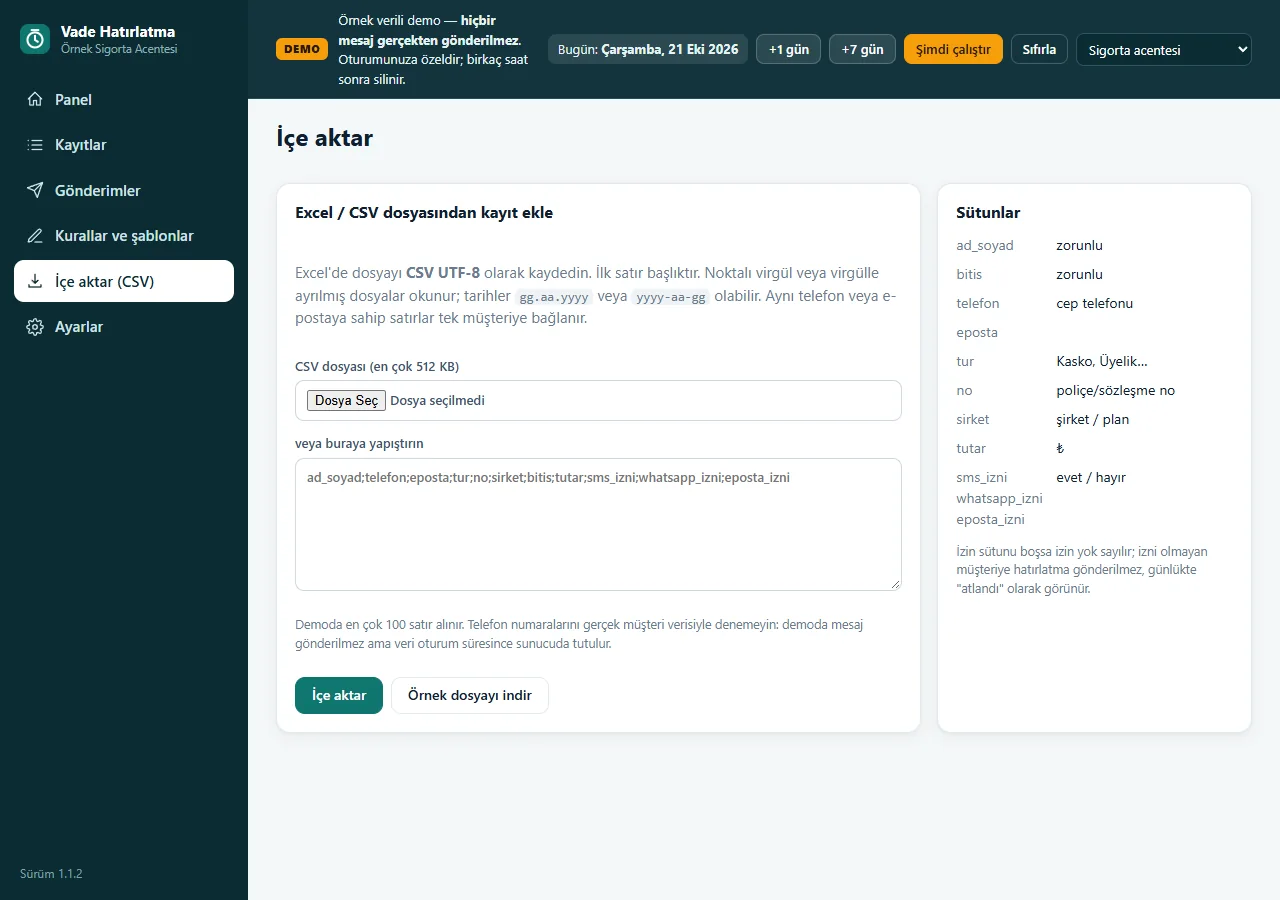
1.1.2 · 21 October 2026 CSV import
Map table columns to import customer and record rows.
-
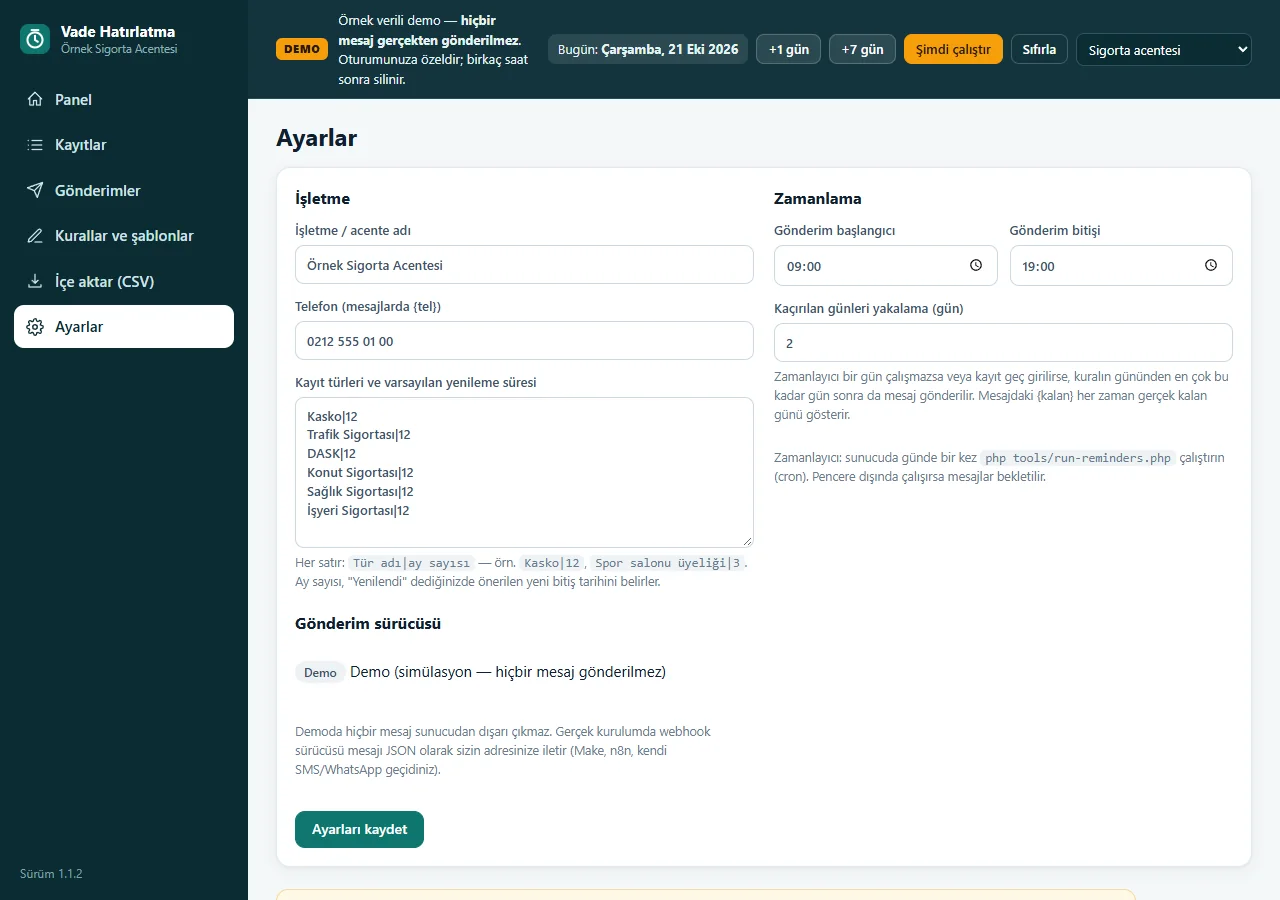
1.1.2 · 21 October 2026 Settings
Change record types and general behavior from the same panel.
- What do they see at the end?
- The daily run schedules records that are due; the log shows why each skipped record was skipped. Renewing a record closes the old period and starts a plan for the new date.
- What is it good for?
- Dates, channels and customer responses stay in one workflow; demo mode never sends a real message.
Everything that is not included, and all limits
- A sample-data demo; not delivered to a client or used by a real business. Records and contact details shown are examples.
- In demo mode, all sends are simulated. No real SMS, WhatsApp or e-mail provider is connected; a webhook and provider agreement are separate.
- The live demo runs version 1.1.2 and the app is still a candidate. Customer-host installation and real-device acceptance are incomplete; the “WhatsApp’ta kendiniz gönderin” way has not been tried on a real phone (the demo numbers are fake, so you choose the recipient in WhatsApp yourself).
- The screens come from the live demo running version 1.1.2; the demo is private to your session and is deleted after a few hours. The app interface is in Turkish; there is no English interface.
Delivery and sales status
There is no cart, customer account or online payment on this site for now. Reach out by phone, WhatsApp or the form; in a first conversation your need and the software’s fit are reviewed. The form does not create an order, a contract or a payment.
Possible delivery options
What the package contains
- Candidate software: Renewal Reminder 1.1.2 (PHP and SQLite)
- Rule-based reminders, CSV import, templates and delivery log
- A real messaging provider, installation and licence handover are not included in this candidate.
Price
There is no package on offer right now, so there is no list price. If a package is defined, the price and payment method are settled then.
Requirements and version history
Installation requirements
- The app requires PHP 8.1+ and pdo_sqlite; a customer-host installation has not been tried.
Release notes
- Summarised from the release notes; no version has been delivered to a client. The live demo runs version 1.1.2.
- 1.1.2 (12 October 2026): the cookie of a used demo session is renewed on every request; the limit of new sample sessions per demo opened from the network rose from 30 to 120. Full test 364/364.
- 1.1.1 (12 October 2026): “WhatsApp’ta kendiniz gönderin” (send it yourself on WhatsApp, the free way) on the record page: the ready message opens in WhatsApp and the business owner presses “send”; the panel does not count it as sent.
- 1.1.0 (11 October 2026): a password-protected backup and restore from the panel (the file is checked first and a safety backup is taken), command-line backup tools, a sign-in attempt limit.
- 1.0.1 (10 October 2026, candidate): fixed the post-send panel summary; 220 local automated checks passed.
Decisions not made yet
- Rights to use, modify, transfer and receive the source code: to be set in a written agreement; not decided yet.
- The price and payment method have not been decided yet.
- Messaging provider, İYS and real client installation.