Catering and bulk mealsDemo with sample data
Catering Business Management: screen-by-screen guide
The full version of the short description on the product page: every feature, how each screen is used step by step, all limits and the delivery details.
All features
The flows below were run in the application’s demo mode with sample data, and the screens come from that installation. “Örnek Mutfak”, its clients, people, phones, menus, prices and orders are fictional. The sample-data demo is live; its address is the button below, and the demo opens with three separate roles (owner, staff, client). The live demo is version 1.0.1; the only difference from 1.0.0 is the sign-in page, and its three role buttons were tried on the live demo on 21 October 2026.
- Business panel (owner and staff): today’s orders, orders awaiting approval from clients and client changes on one screen; a button on each order row moves the status by hand through planned, preparing, ready, on the way and delivered
- Client records: contact, phone, delivery point, note, client-specific portion price and payment term; a client set to inactive receives no new orders and its account can no longer sign in
- Ingredient unit price (per kg, litre or piece), dish recipes (grams, millilitres or pieces per portion), allergen note and menus; dish and menu cost per portion are calculated automatically
- Orders: client, date, meal, menu, portions, delivery time and note; a repeat order for the same client, day, meal and menu is blocked; recurring orders are opened for a date range and chosen weekdays
- Price and cost snapshot: stored on the order and frozen once preparation starts; when ingredient prices change, open orders are refreshed with current prices in one step
- Daily production: dishes to cook, portion totals, ingredient requirements (preparation list) and the delivery table by date or range and meal; the preparation and delivery lists can be printed
- Client panel: the client’s own sign-in, menus with allergen information, placing, changing and cancelling orders until the cut-off day and time, step-by-step delivery status, order history and statement; a client sees only its own data and never the business’s costs
- Approval flow: a client order enters production after the business approves it (automatic approval can be switched on in settings); approval, rejection and “seen” are recorded
- Roles: the owner manages prices, cost, profit, payments, reports and settings; staff (kitchen) do not see price, cost or profit; the owner creates, closes and resets the passwords of client accounts
- Payment records, client statement, overdue amount and a receivables list; a report of orders, portions, amount, estimated cost and gross difference over a date range with a breakdown by client, menu and day; CSV download
- A ready notification text for each order (copied and sent by the business itself); a Turkish, light-theme interface used with a bottom menu on phones
Screen by screen: how it is used
The screens were captured on 21 October 2026 from the live demo (version 1.0.1) with sample data; “Örnek Mutfak”, its clients, people, phones, menus, prices and orders are fictional. All screens, including the business panel sign-in page, are from the same capture. The interface is in Turkish.
- Who uses it?
- The catering owner, kitchen staff and a contracted client placing orders from its own panel.
- Where do they start?
- In the sample-data demo, sign in without a password as owner, staff or client.
What do they do on screen? Step by step
-
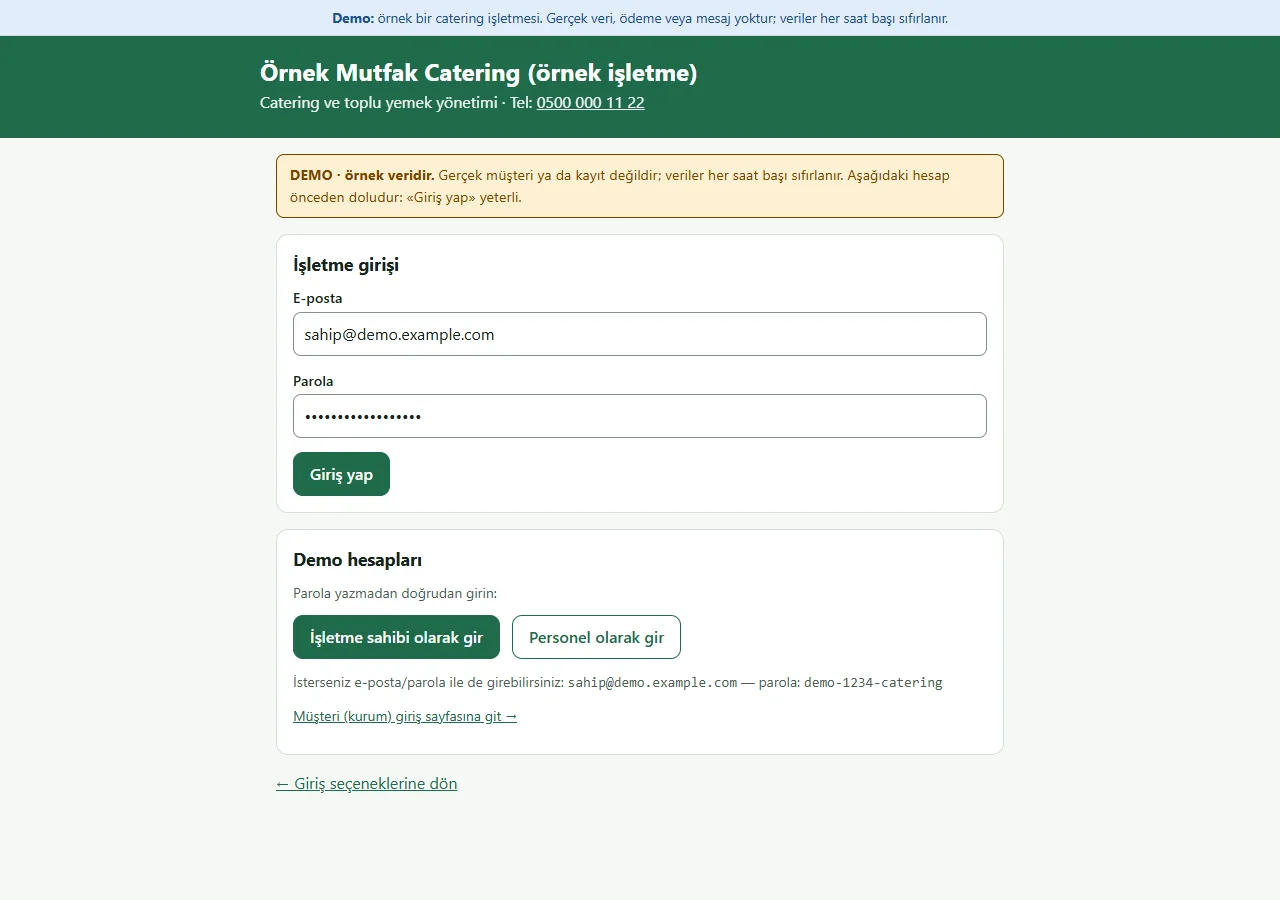
1.0.1 · 21 October 2026 Panel sign-in
On the business sign-in page of the demo (version 1.0.1) a “DEMO · örnek veridir” notice sits at the top, the e-mail and password fields come prefilled with the owner account, and a “Demo hesapları” (demo accounts) box holds password-free “… olarak gir” buttons for owner and staff and a link to the client sign-in page. Both show only in the demo; a normal installation has empty fields. Staff do not see price, cost or profit.
- On screen (Turkish interface)
- “DEMO · örnek veridir” — DEMO · sample data
- “Demo hesapları” — demo accounts
- “İşletme sahibi olarak gir” — enter as owner
- “Personel olarak gir” — enter as staff
- “Giriş yap” — sign in
-
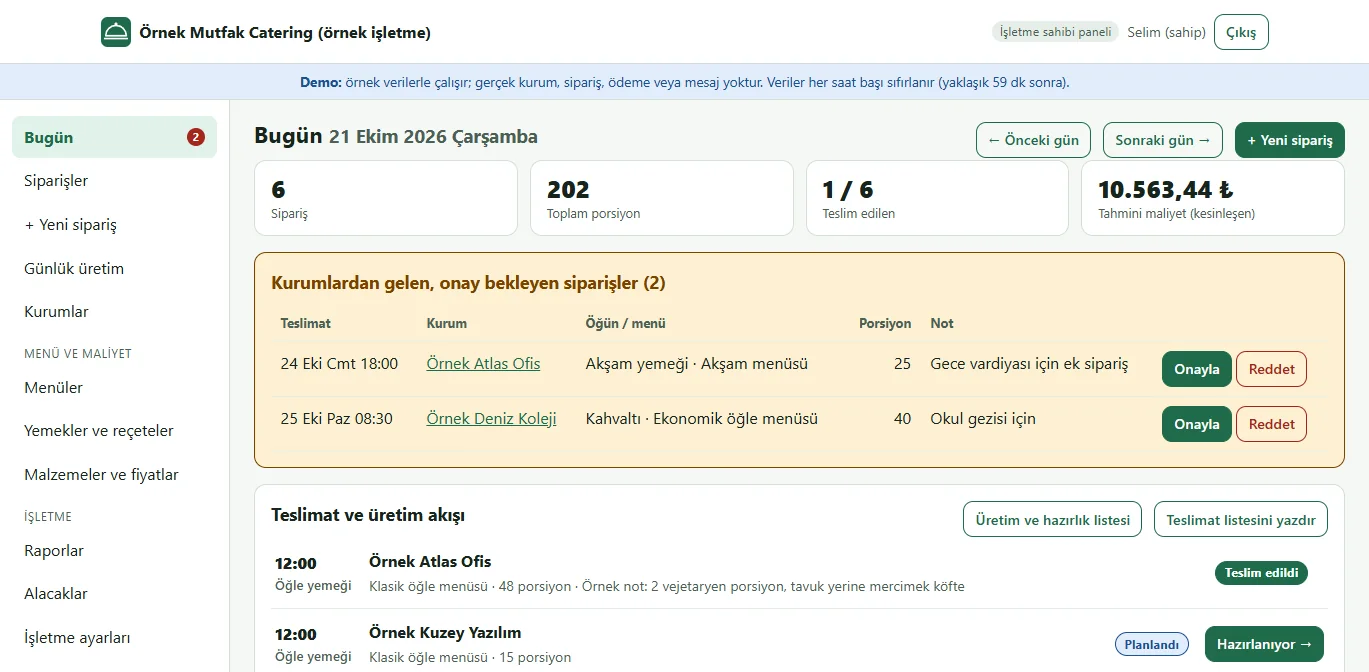
1.0.1 · 21 October 2026 Today screen (business panel)
Today’s orders, portion total, delivered count, estimated cost, client orders awaiting approval and receivables on one screen; the button on each order row moves the status by hand.
- On screen (Turkish interface)
- “Bugün” — today
- “Onay bekleyen siparişler” — orders awaiting approval
- “Alacaklar” — receivables
-
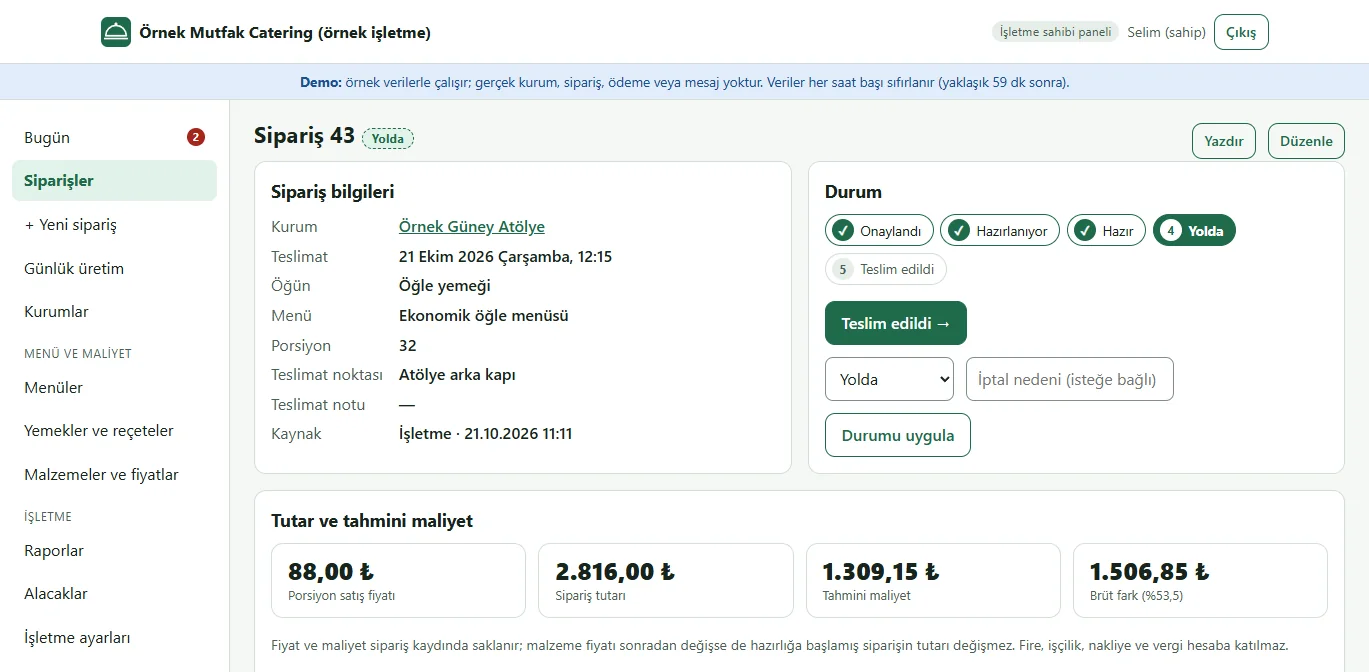
1.0.1 · 21 October 2026 Order page
Client, delivery, menu, portions and note; order amount, estimated cost and gross difference, menu contents and allergens, a ready text to send to the client and the order history.
- On screen (Turkish interface)
- “Tutar ve tahmini maliyet” — amount and estimated cost
- “Menü içeriği” — menu contents
- “Geçmiş” — history
-
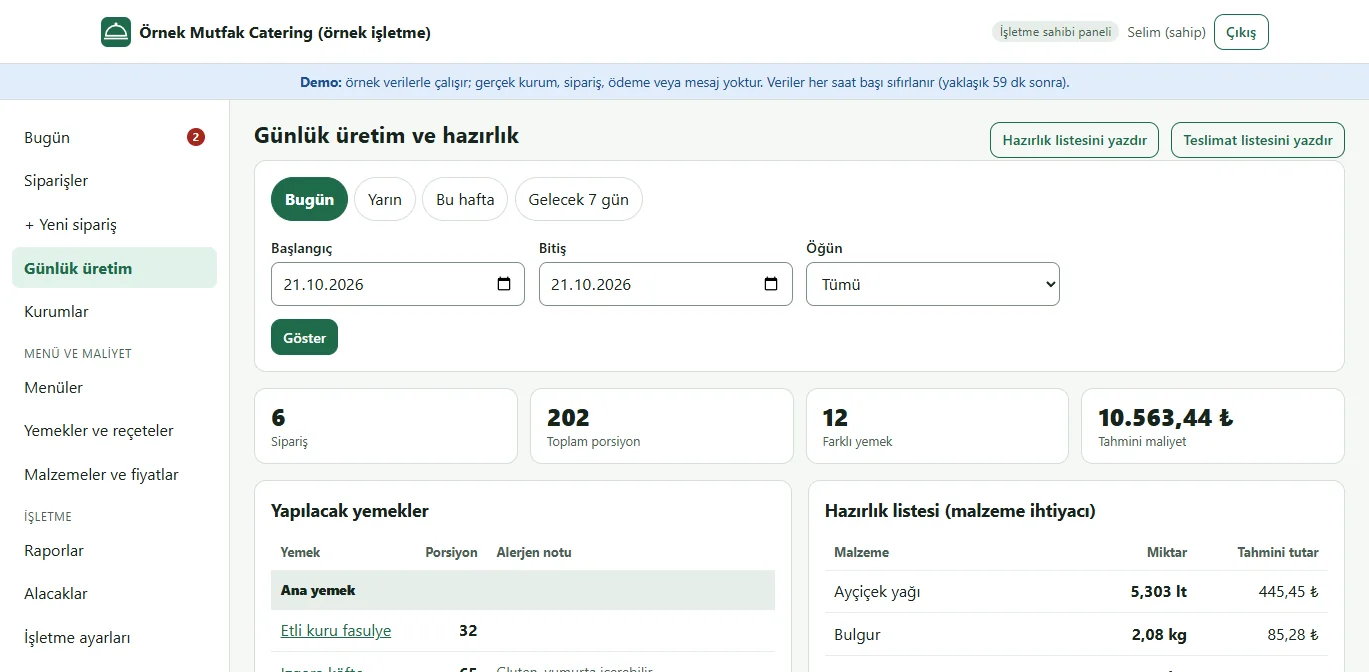
1.0.1 · 21 October 2026 Daily production
For the chosen day or range and meal: dishes to cook, portion totals, an ingredient preparation list and the delivery table; the preparation and delivery lists can be printed.
- On screen (Turkish interface)
- “Yapılacak yemekler” — dishes to cook
- “Hazırlık listesi” — preparation list
- “Teslimatlar” — deliveries
-
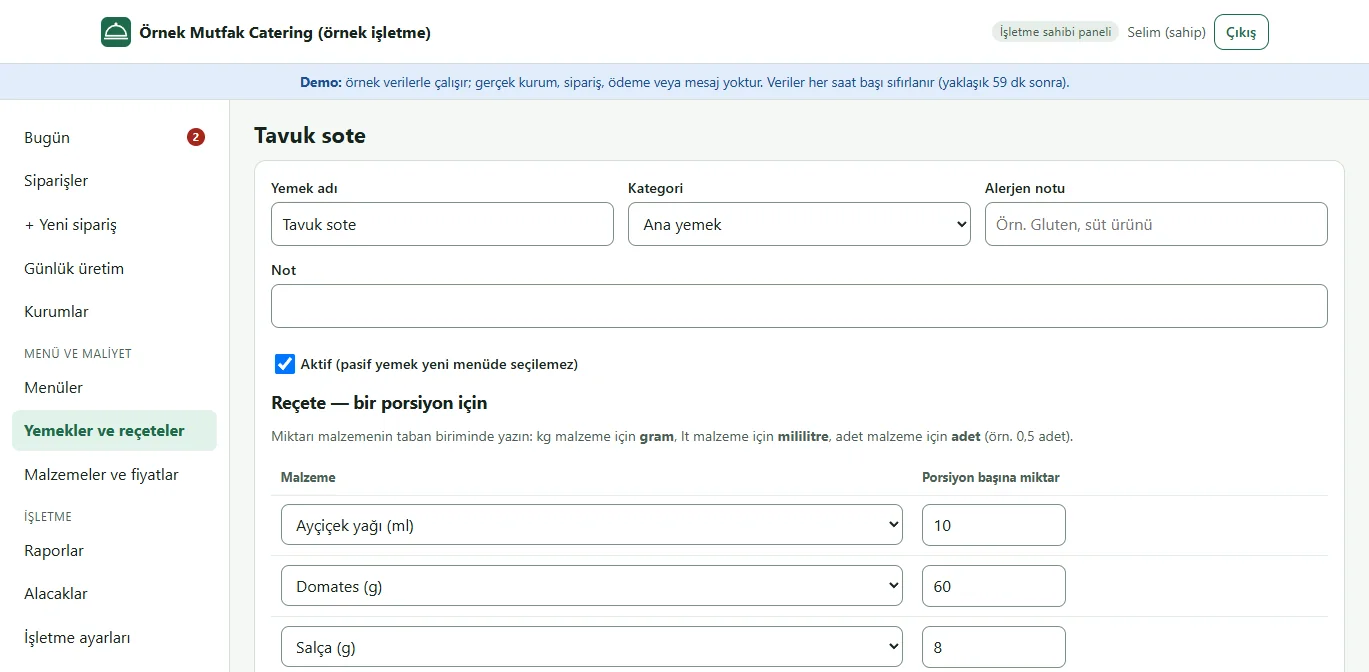
1.0.1 · 21 October 2026 Dish and recipe
Per-portion ingredient quantity (grams, millilitres or pieces), an allergen note and the portion cost at current prices.
- On screen (Turkish interface)
- “Reçete” — recipe
- “Porsiyon maliyeti” — cost per portion
-
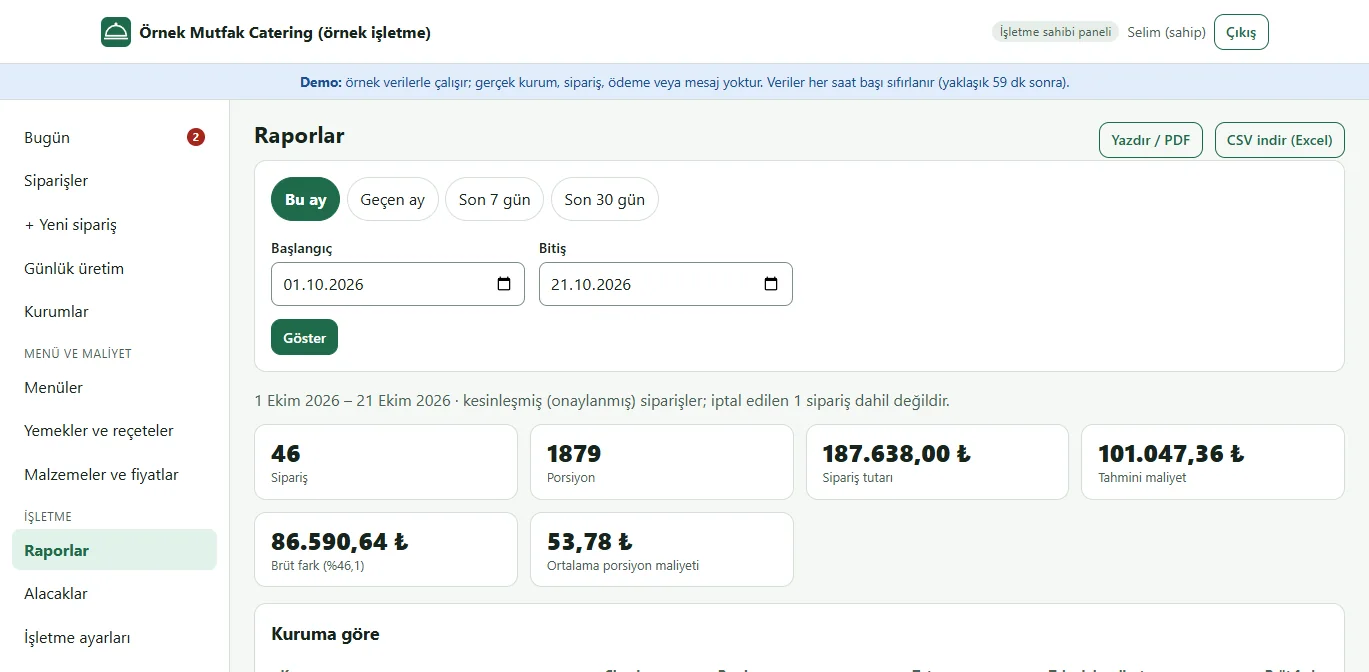
1.0.1 · 21 October 2026 Reports
Orders, portions, amount, estimated cost and gross difference over a date range; a breakdown by client, menu and day, ingredient requirements and CSV download.
- On screen (Turkish interface)
- “Raporlar” — reports
- “Kuruma göre” — by client
- “Menüye göre” — by menu
-
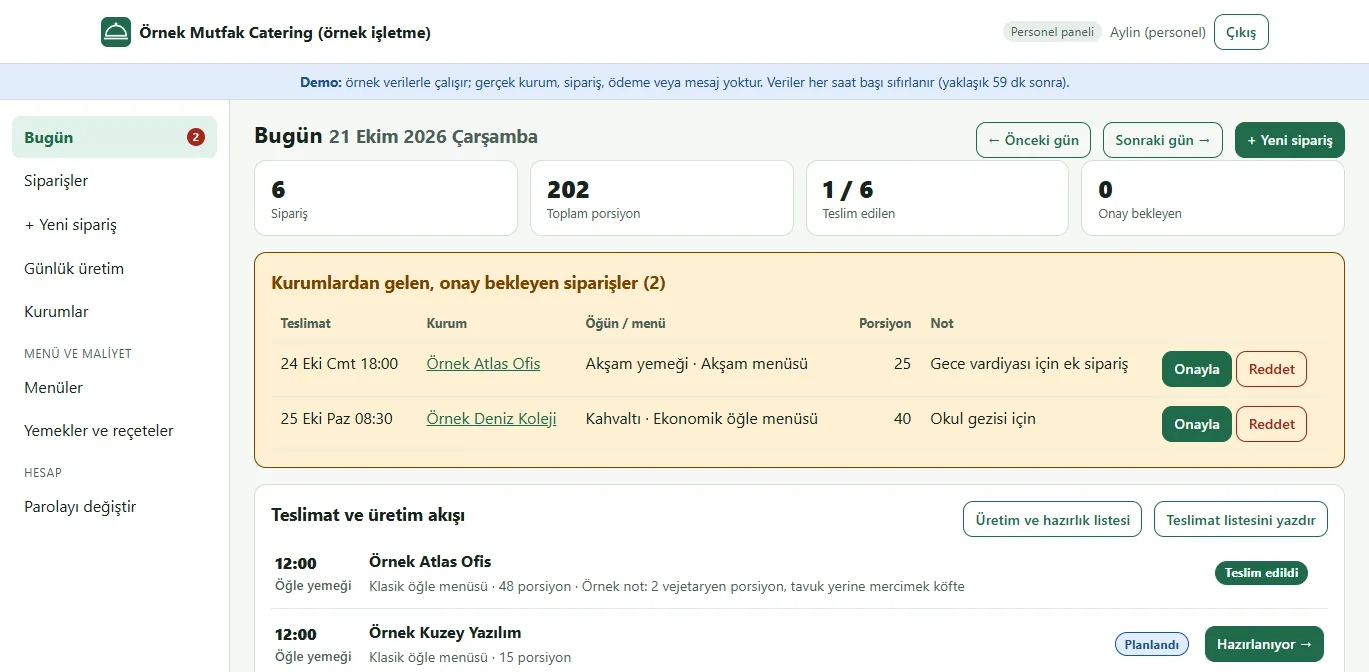
1.0.1 · 21 October 2026 Staff view
Kitchen staff manage orders, production and delivery; they do not see price, cost, profit or receivables.
- On screen (Turkish interface)
- “Personel” — staff
-
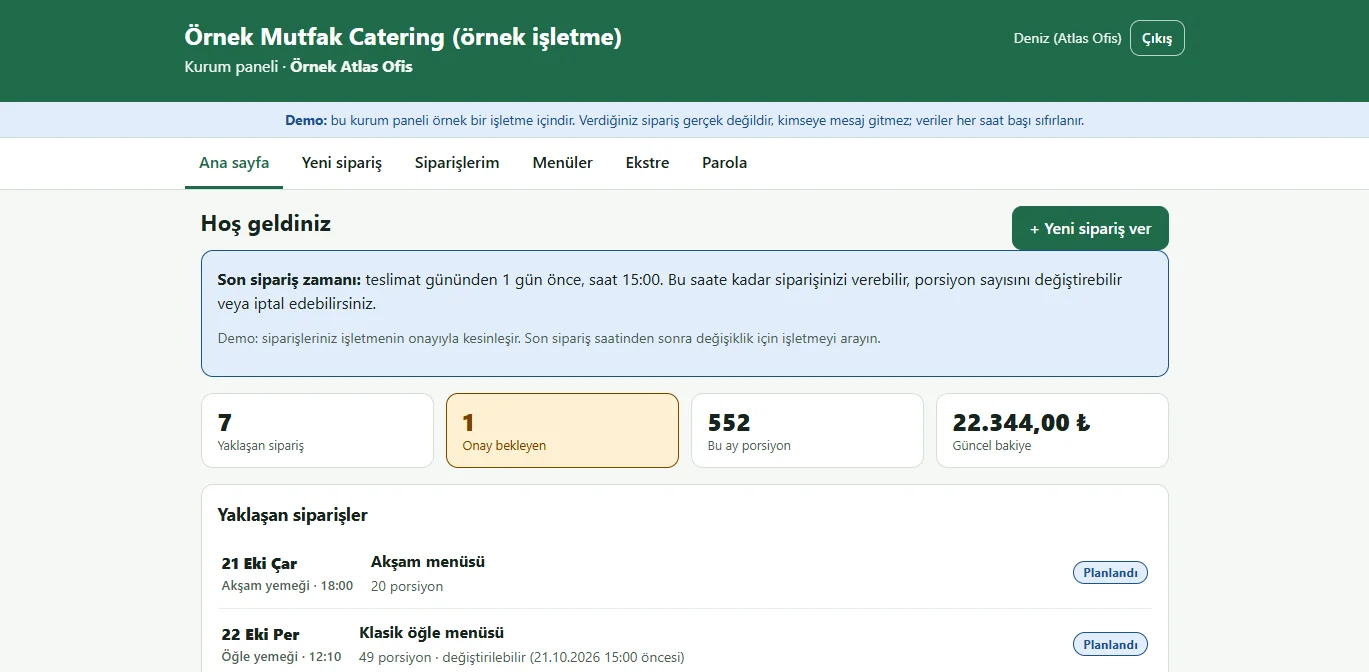
1.0.1 · 21 October 2026 Client panel: home
A client signs in with its own account and sees the cut-off rule, its upcoming orders, this month’s portions and its balance.
- On screen (Turkish interface)
- “Kurum paneli” — client panel
- “Yaklaşan siparişler” — upcoming orders
-
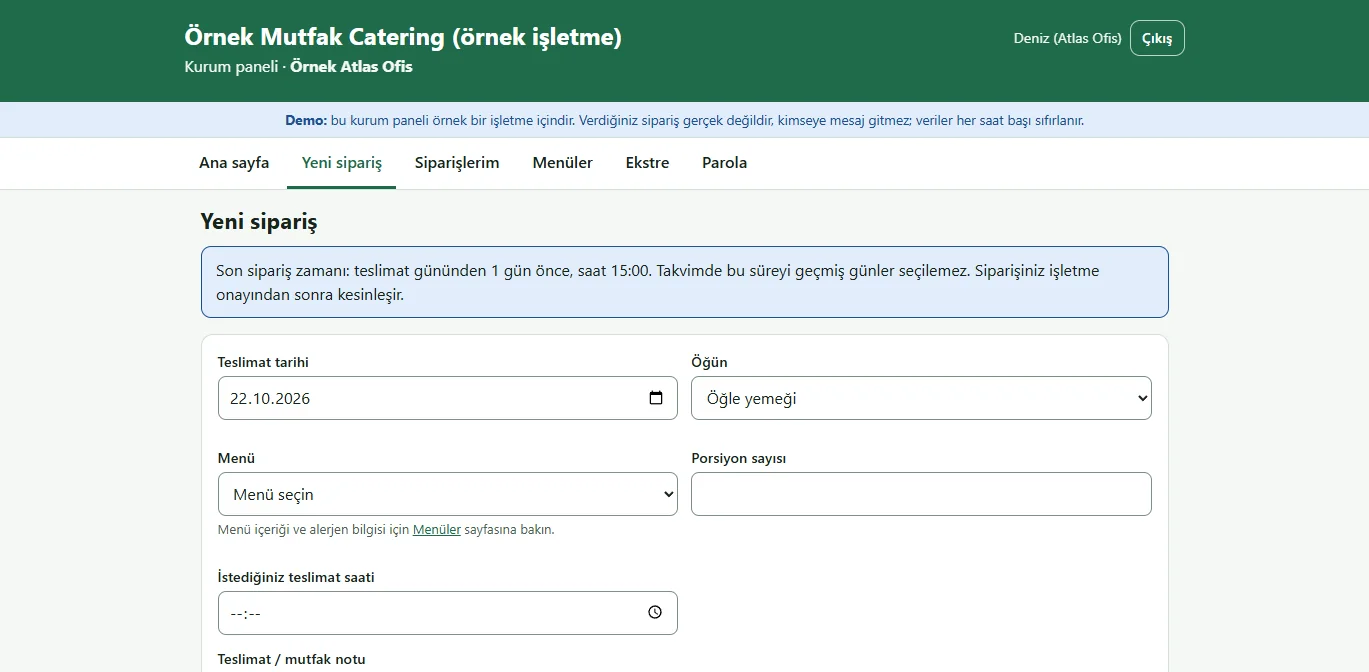
1.0.1 · 21 October 2026 Client panel: new order
Delivery day, meal, menu, portions, time and note are entered; days past the cut-off cannot be chosen. The order goes to the business for approval.
- On screen (Turkish interface)
- “Yeni sipariş” — new order
- “Son sipariş zamanı” — cut-off time
-
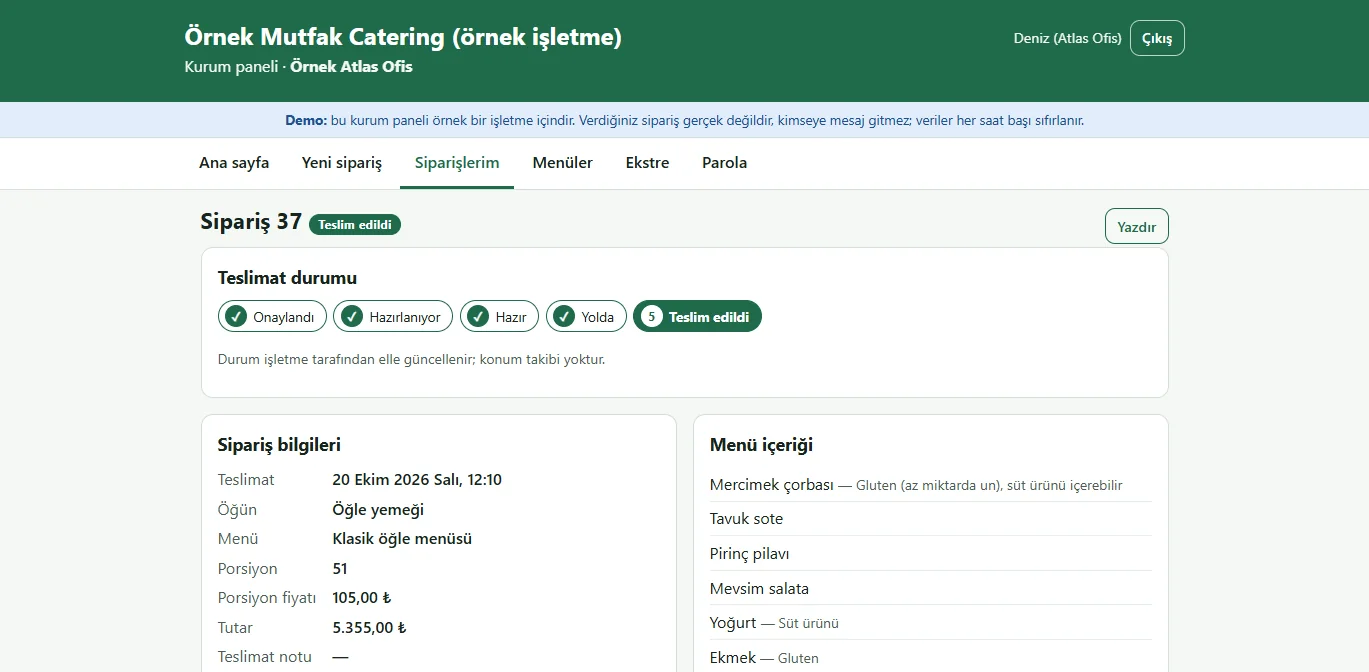
1.0.1 · 21 October 2026 Client panel: delivery status
The client follows approval, preparation, on-the-way and delivered steps, the menu contents and its own price, and changes or cancels the order before the cut-off.
- On screen (Turkish interface)
- “Teslimat durumu” — delivery status
- “Menü içeriği” — menu contents
- What do they see at the end?
- An order placed by a client enters production and the preparation list after the business approves it; delivery steps are visible to the client.
- What is it good for?
- Portions, ingredients, cost and delivery status are not recalculated between phone calls and spreadsheets, and the client manages its own order until the cut-off time.
Everything that is not included, and all limits
- It has not been delivered to a client and is not used by a real business. The business (“Örnek Mutfak”), clients, people, phones, menus, prices and orders on screen are fictional; no real customer data should be entered in the demo. User and password actions are locked in the demo and sign-in uses password-free buttons; a normal installation asks for an email and password.
- It does not take payments and has no virtual POS. Payments are records only. There is no e-invoice, e-archive, e-waybill or accounting link; the statement is not an official ledger document and VAT is not calculated.
- There is no automatic SMS, WhatsApp or email sending: the notification text comes ready and the business sends it itself. There is no password-reset email; the owner resets passwords.
- Cost is an estimate: ingredient unit prices are entered by hand; waste, labour, energy, delivery and tax are not included. There is no stock deduction, purchase ordering or supplier management; the ingredient requirement is recipe times portions.
- Delivery status is updated by hand; there is no routing, map or driver tracking. It is designed for one business and one branch; there is no per-client menu restriction (only a client-specific portion price can be set).
- Tried locally with PHP 8.3 and SQLite; the live demo runs on its own account. Demo data resets every hour; the panel is in Turkish and has no English interface.
Delivery and sales status
There is no cart, customer account or online payment on this site for now. Reach out by phone, WhatsApp or the form; in a first conversation your need and the software’s fit are reviewed. The form does not create an order, a contract or a payment.
Possible delivery options
Price
There is no package on offer right now, so there is no list price. If a package is defined, the price and payment method are settled then.
Requirements and version history
Installation requirements
- It uses plain PHP 8.1 or newer and SQLite; no separate database server is needed, and MariaDB or MySQL are not supported. The product was tried locally and on the demo account with PHP 8.3; it has not been tried on other PHP versions.
Release notes
- No version has been delivered to a client. A live sample-data demo exists.
- 1.0.0 (12 October 2026): a business panel (owner and staff) and a client panel; client, ingredient, recipe and menu records, orders and recurring orders, price and cost snapshots, daily production and preparation list, manual delivery status, cut-off time and business approval for client orders, payment records and statements, reports and CSV, printing, user and client accounts.
- 1.0.1 (18 October 2026): demo sign-in page: a demo notice, fields prefilled with the owner account and password-free “… olarak gir” (sign in as …) buttons for owner and staff, and a client button on the client sign-in page (demo mode only; on a real installation there is no notice, box or prefilled field).