Tailors and alterationsDemo with sample data
Tailor and Alterations Order and Appointment Tracker: screen-by-screen guide
The full version of the short description on the product page: every feature, how each screen is used step by step, all limits and the delivery details.
All features
The flows below were run in the demo with sample data, and the screens were taken from it. The business (“Örnek Terzi Atölyesi”, a made-up name), the people, phone numbers and amounts are made up. The demo runs in the browser and is open to everyone; its address is the button below.
- Order records: customer, type of work (hem shortening and tapering, zip, lining, sewing, made-to-measure and any types the business adds), a fabric or item note, price, deposit and delivery date; picking a type fills in the price and delivery date
- Status flow: Alındı (received), Ölçü/Prova bekliyor (waiting for measurement or fitting), Dikimde (being sewn), Hazır (ready), Teslim edildi (delivered); one-click advance, a coloured label for each status; a warning on delivery if a balance is unpaid
- Measurement card: chest, waist, hip, shoulder, sleeve, length, inseam, hem, collar and neck per customer; each record is dated; two dates are compared with a difference column; the card prints with one button
- Fitting and appointment calendar: day and week views, fitting, delivery, measuring and other appointment types; two appointments at the same time are marked red and warned about on saving; a fitting can be added while saving the order
- Delivery board: due today, due tomorrow and late orders; the number of open orders and the outstanding balance
- Customer list: search by name or phone; a customer’s history shows earlier orders, measurements and upcoming appointments
- Payment tracking: deposit, balance and other payments are recorded with their date; an order shows “Ödendi” (paid) or “Ödenmedi” (unpaid); the daily till summary can be printed
- Message templates: “your order is ready” and “fitting reminder” texts can be edited; the button opens WhatsApp with the ready text through a wa.me link, the business sends the message and the app does not
- Numbered order receipt: the business name and details are set in settings; print it or save it as PDF; it is not a fiscal document
- Reports: monthly collections and order total, spread by type of work, the most frequent job, the number of late orders and the last six months of collections
- Administration: add, edit and delete work types and the price list; business details; back up to JSON and import a backup, download orders and customers as CSV, import a customer CSV; reset the sample data after a confirmation
- Screen layout prepared for use at the counter on a phone; light and dark themes; Turkish interface
Screen by screen: how it is used
The interface in these screens is Turkish; only the captions and explanations on this page are in English. The screens come from the demo itself with sample data; the business (“Örnek Terzi Atölyesi”, a made-up name), the people, phone numbers and amounts are made up. The phone views were taken by setting the browser to a phone size.
- Who uses it?
- The owner and staff of a tailor, alteration or curtain workshop, who take orders, write down measurements and follow deliveries.
- Where do they start?
- Open the demo address; when an order is taken, pick the customer and type of work and enter the price, deposit and delivery date.
What do they do on screen? Step by step
-
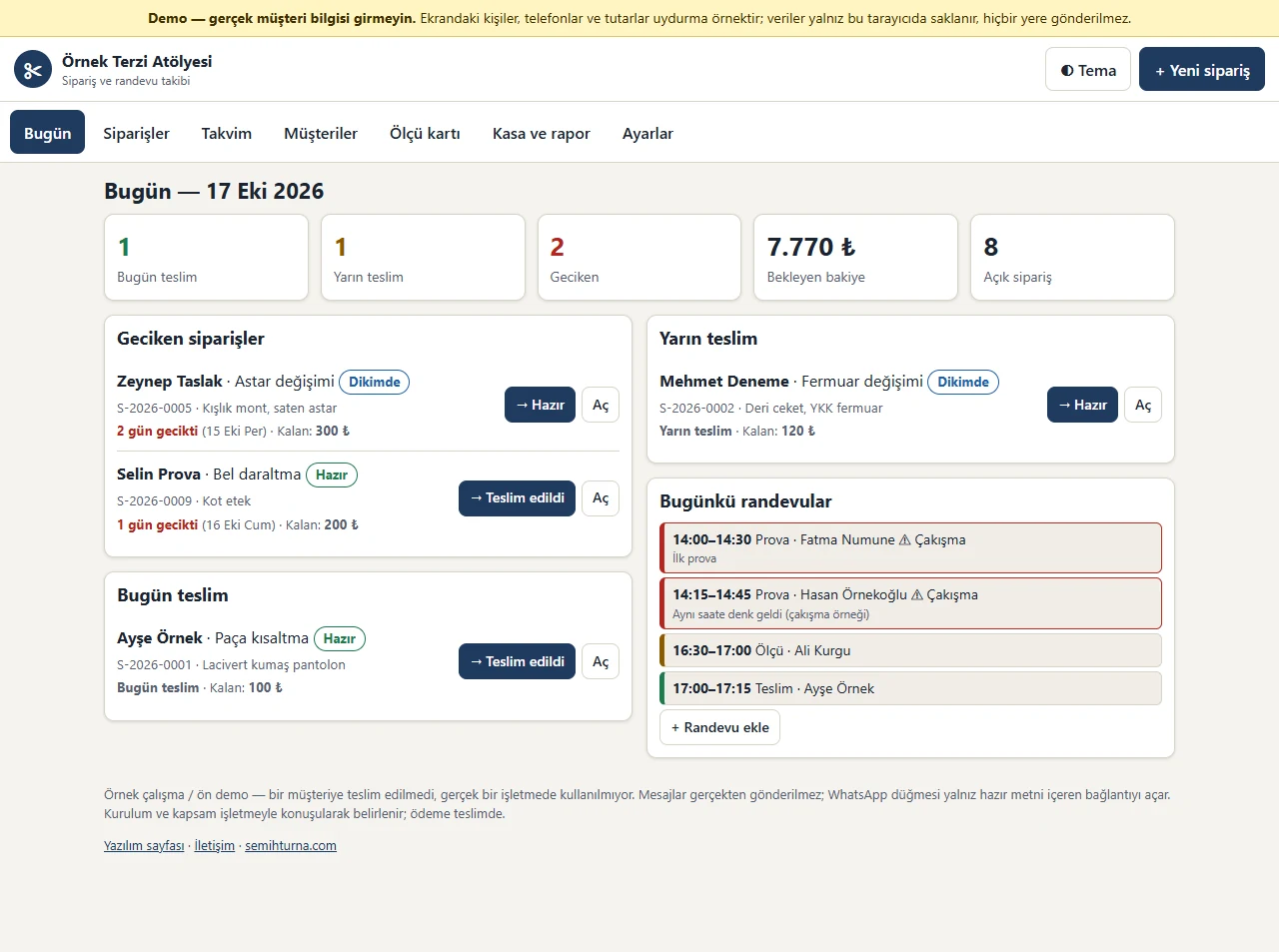
Today board
Due today, due tomorrow, late orders and the outstanding balance in boxes; below them the late and due orders and today’s appointments. Each order has a button that advances its status with one click.
-
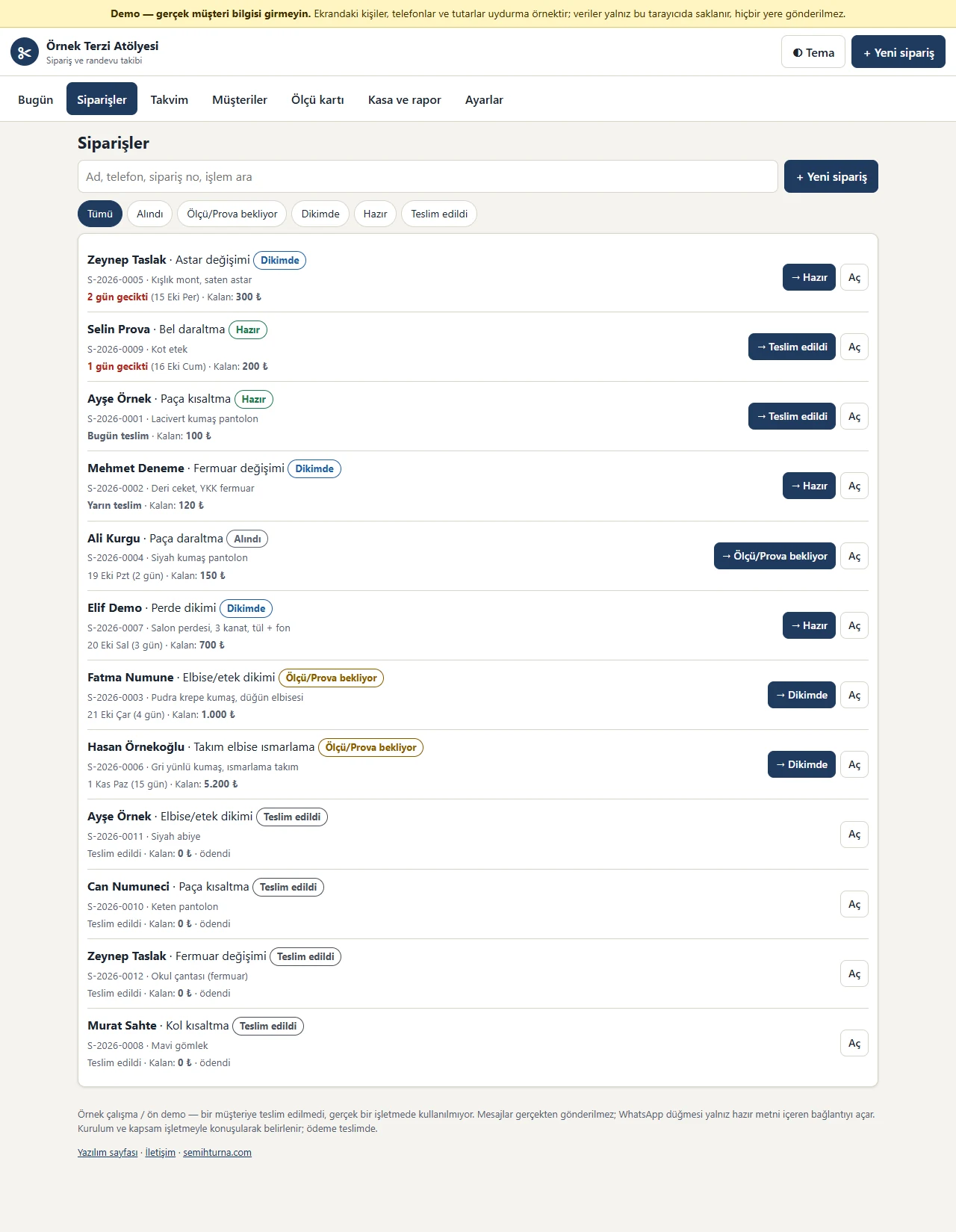
Order list
Filter by status; search by name, phone, order number or type of work. Each row shows the customer, the work, a status label, the delivery date and the remaining amount.
-
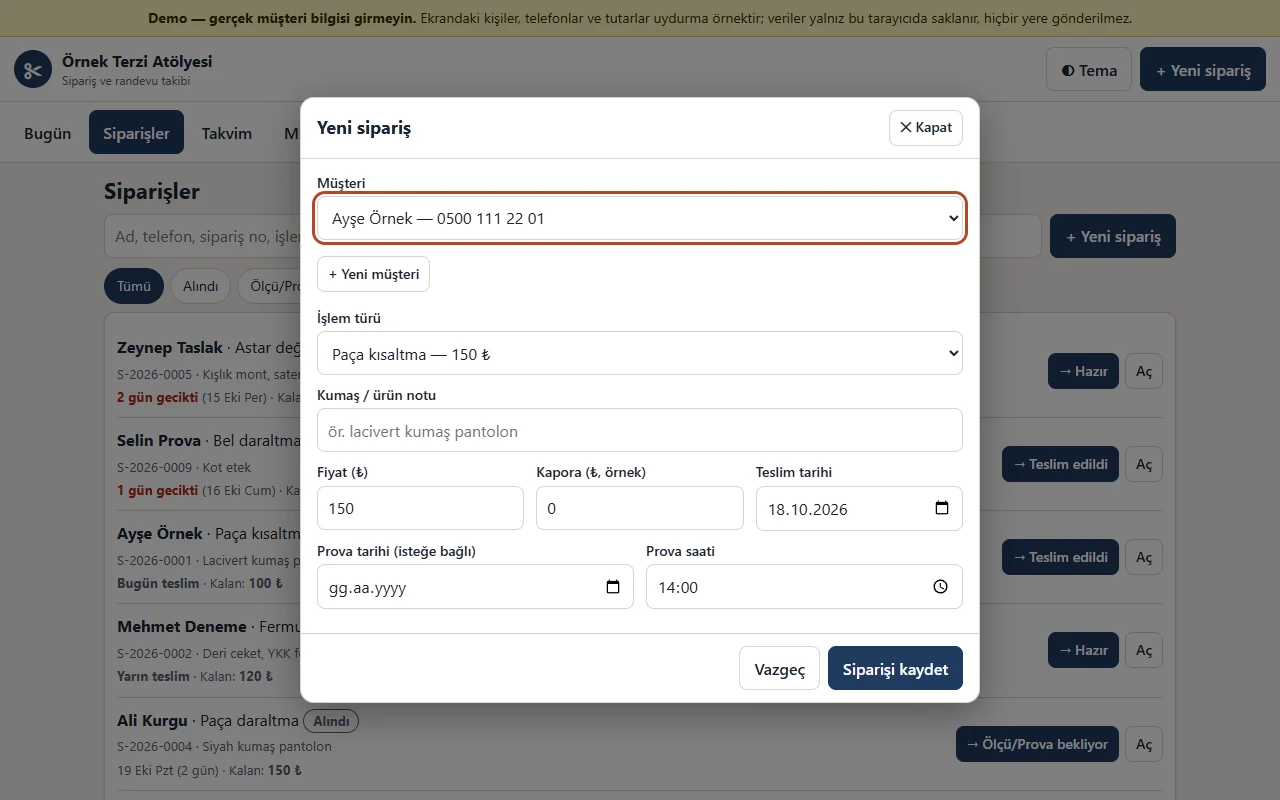
New order
Enter the customer, type of work, a fabric or item note, price, deposit, delivery date and an optional fitting. Picking a type of work fills in the price and delivery date from the list.
-
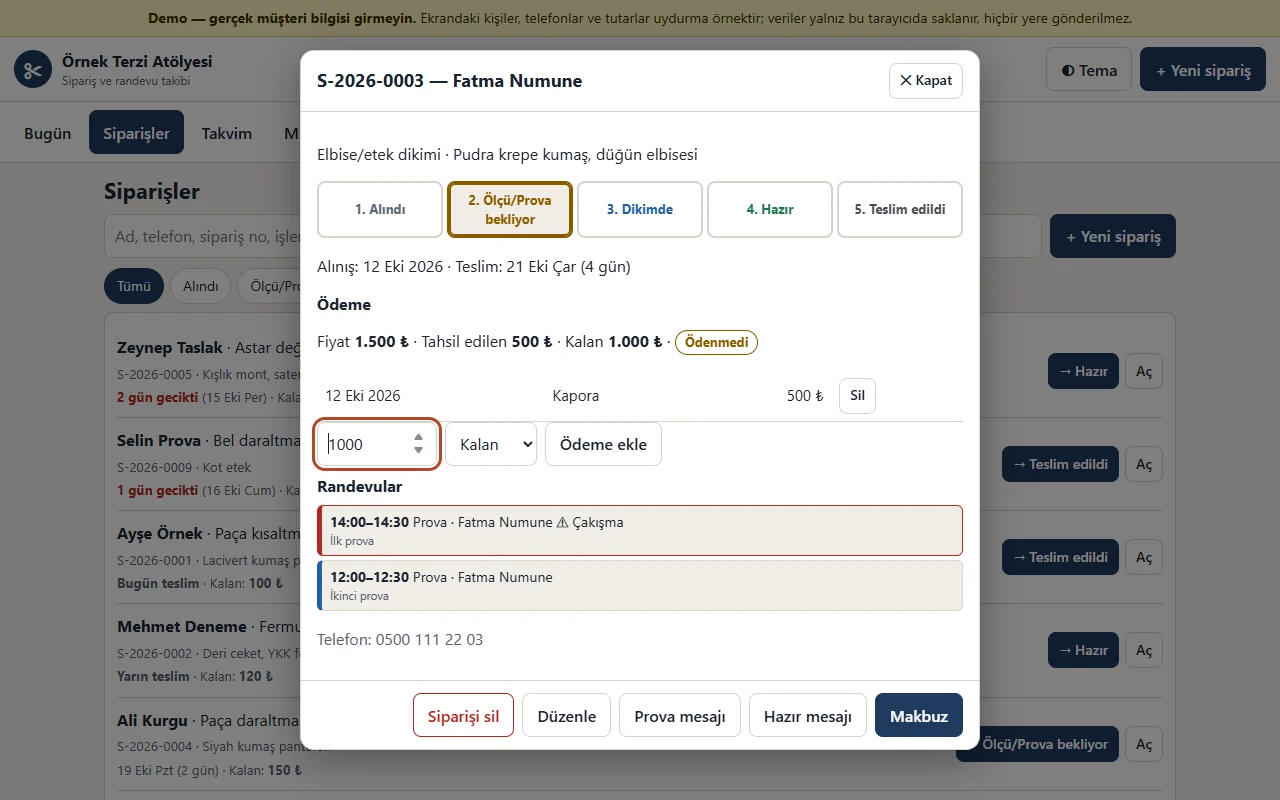
Order detail and status flow
The steps Alındı, Ölçü/Prova bekliyor, Dikimde, Hazır and Teslim edildi are coloured buttons; payments are listed with their dates, “Ödendi” or “Ödenmedi” shows, and the remaining balance is recorded with one button.
-
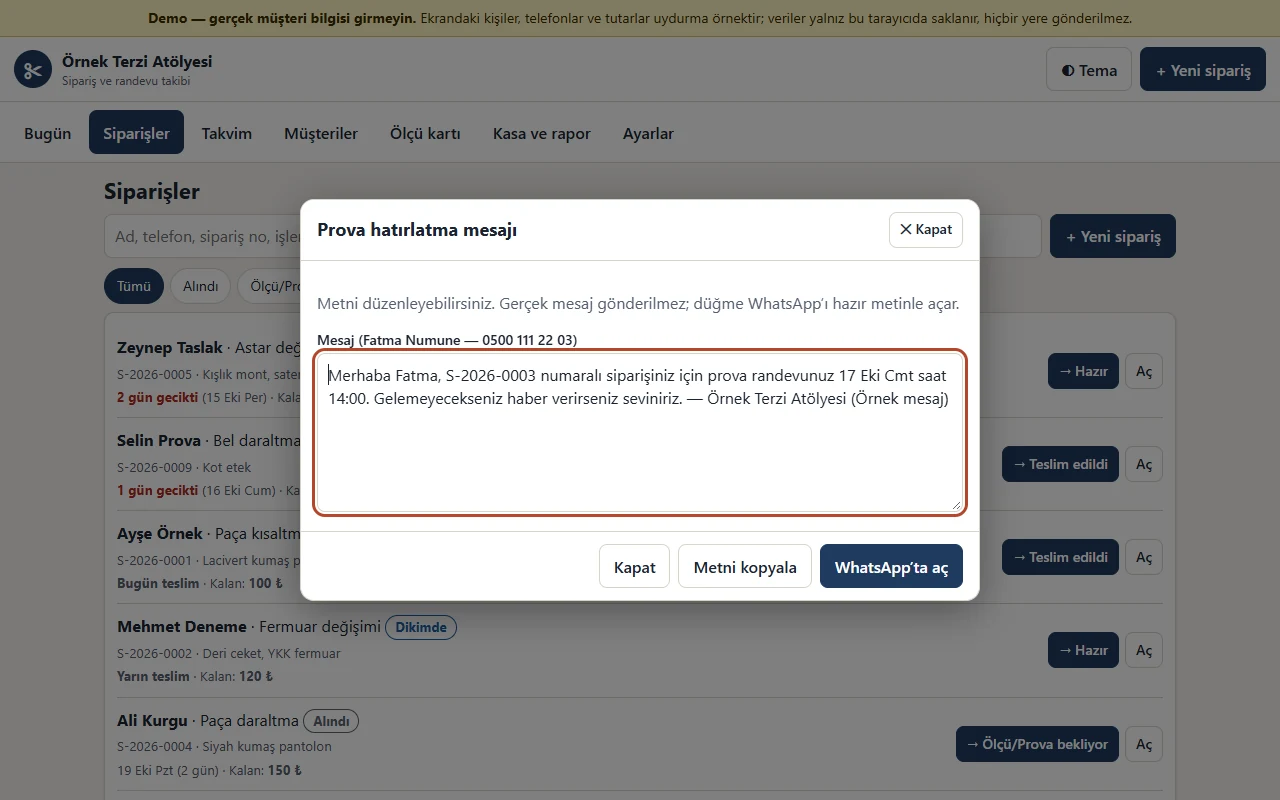
Ready WhatsApp text
The fitting reminder and “your order is ready” texts come ready with the customer’s name, order number, date and remaining amount; edit them and the button opens WhatsApp with this text. The business sends the message; the app does not.
-
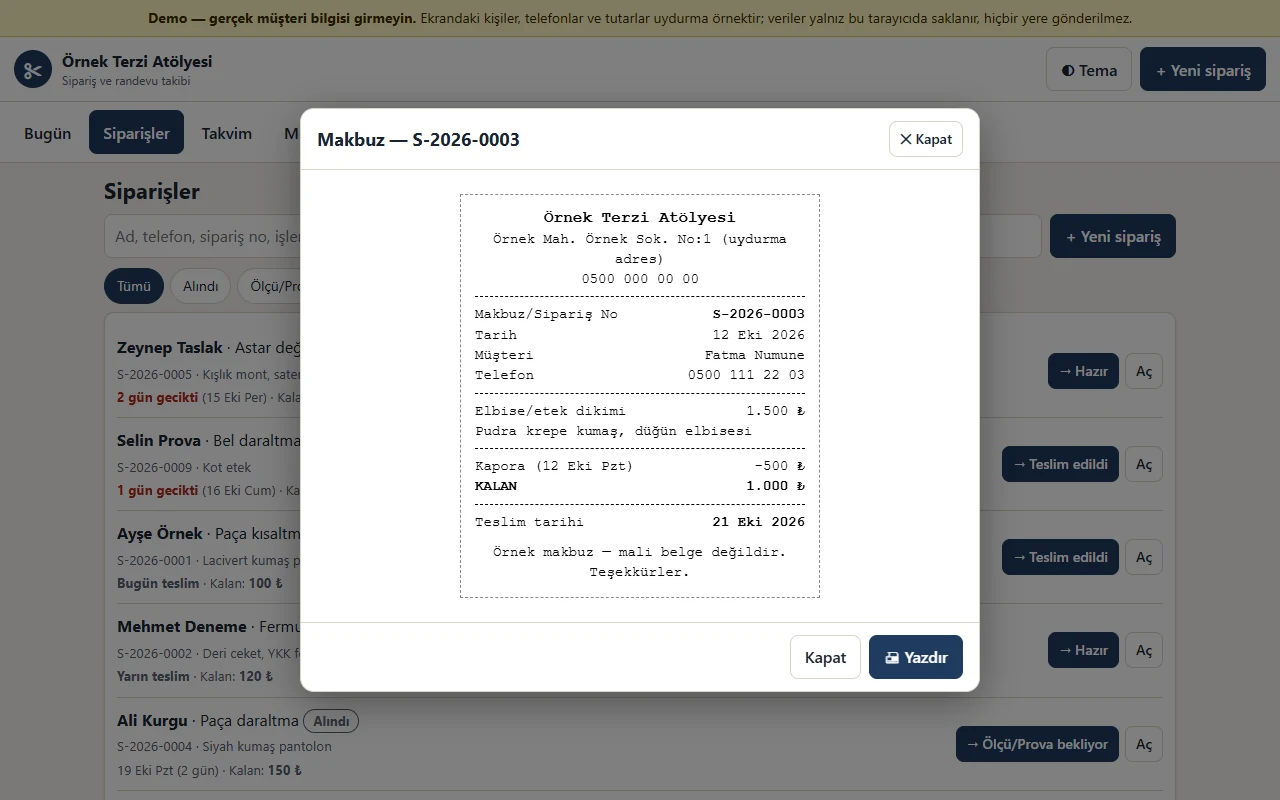
Order receipt
A numbered receipt with the business name and details; the amount, the deposit and payments received, the balance and the delivery date. Print it or save it as PDF; it is not a fiscal document.
-
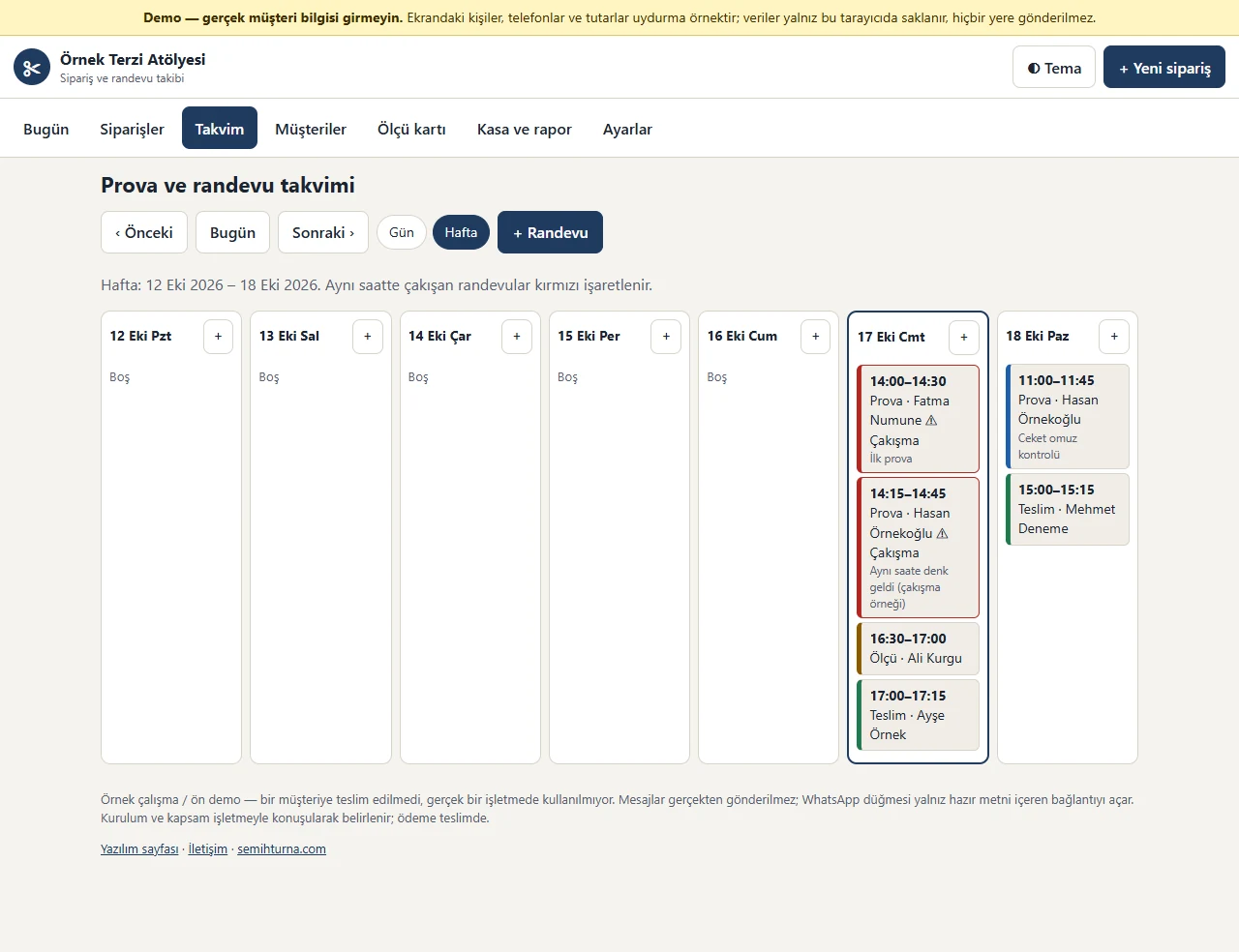
Fitting and appointment calendar
Fittings, deliveries, measurings and other appointments in a week (or day) view; today is outlined. Appointments at the same time are marked red.
-
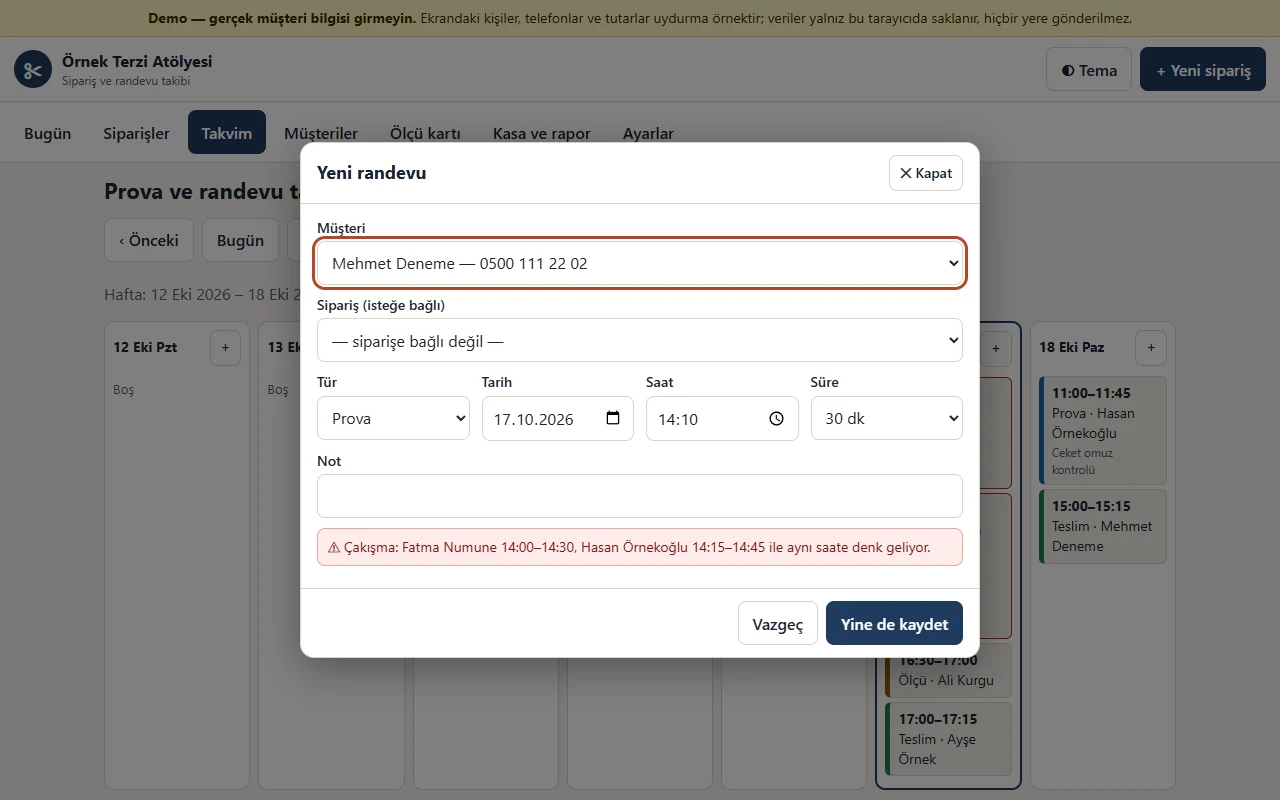
Clash warning
If another appointment is at the same time, the form says which customer it clashes with; change the time or confirm with “Yine de kaydet” (save anyway).
-
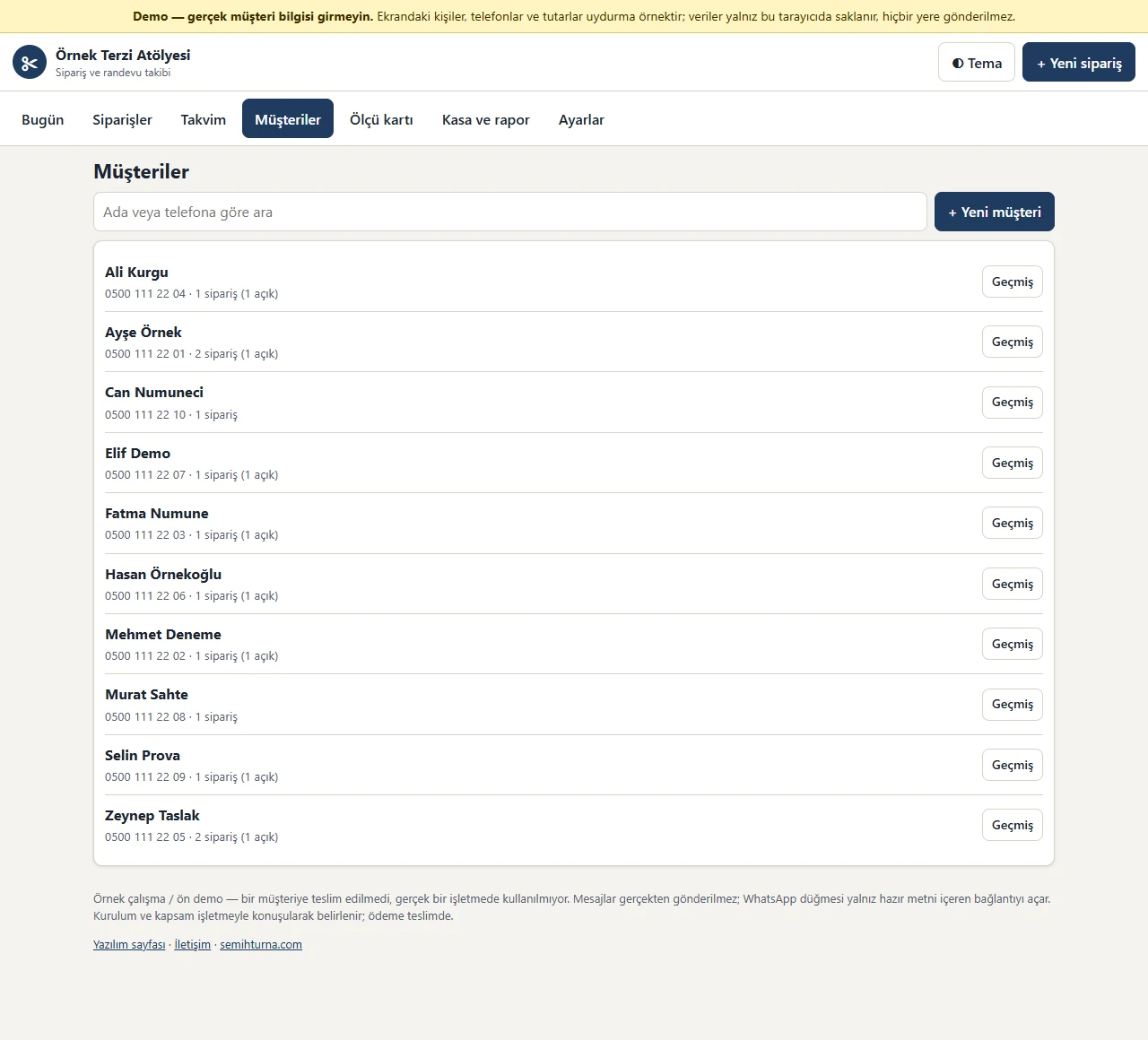
Customer list
Search by name or phone; each customer shows the number of orders and open orders.
-
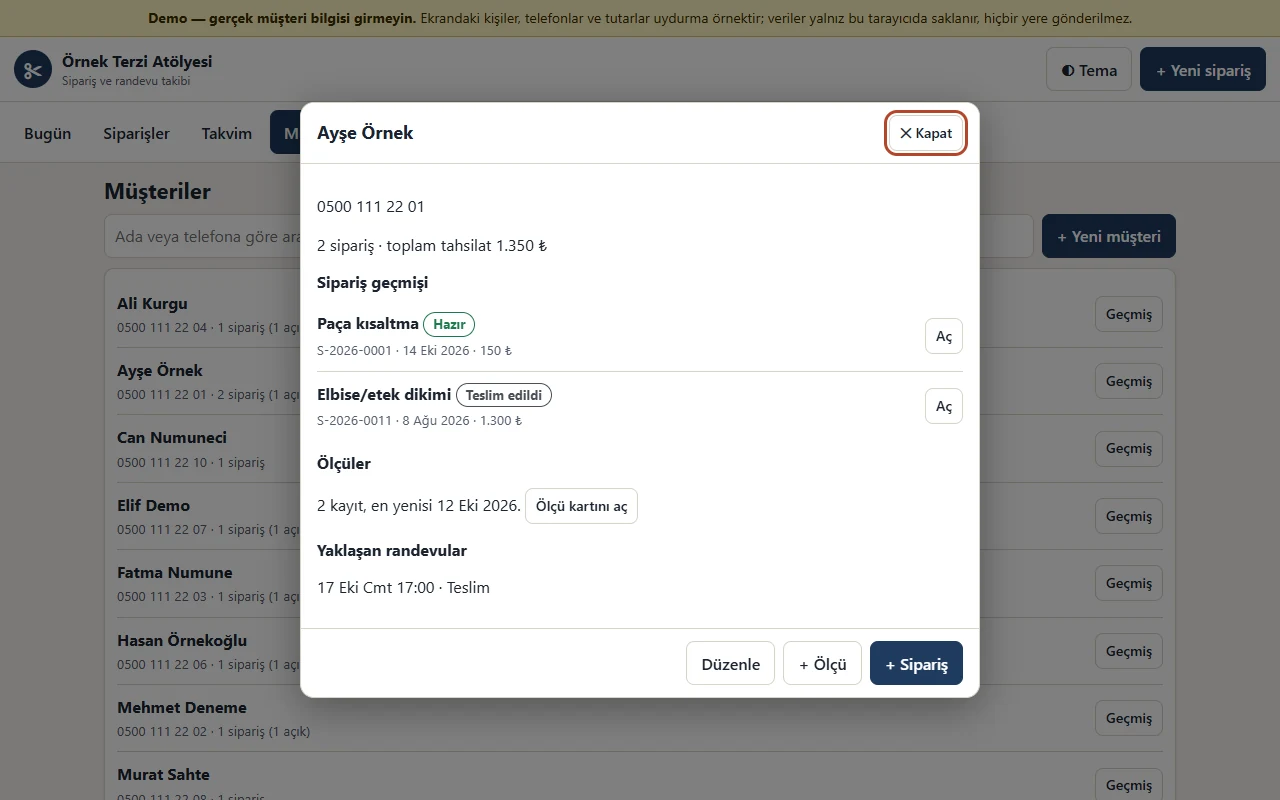
Customer history
A customer’s earlier orders, payments, measurement records and upcoming appointments; add a new order or measurement from here.
-
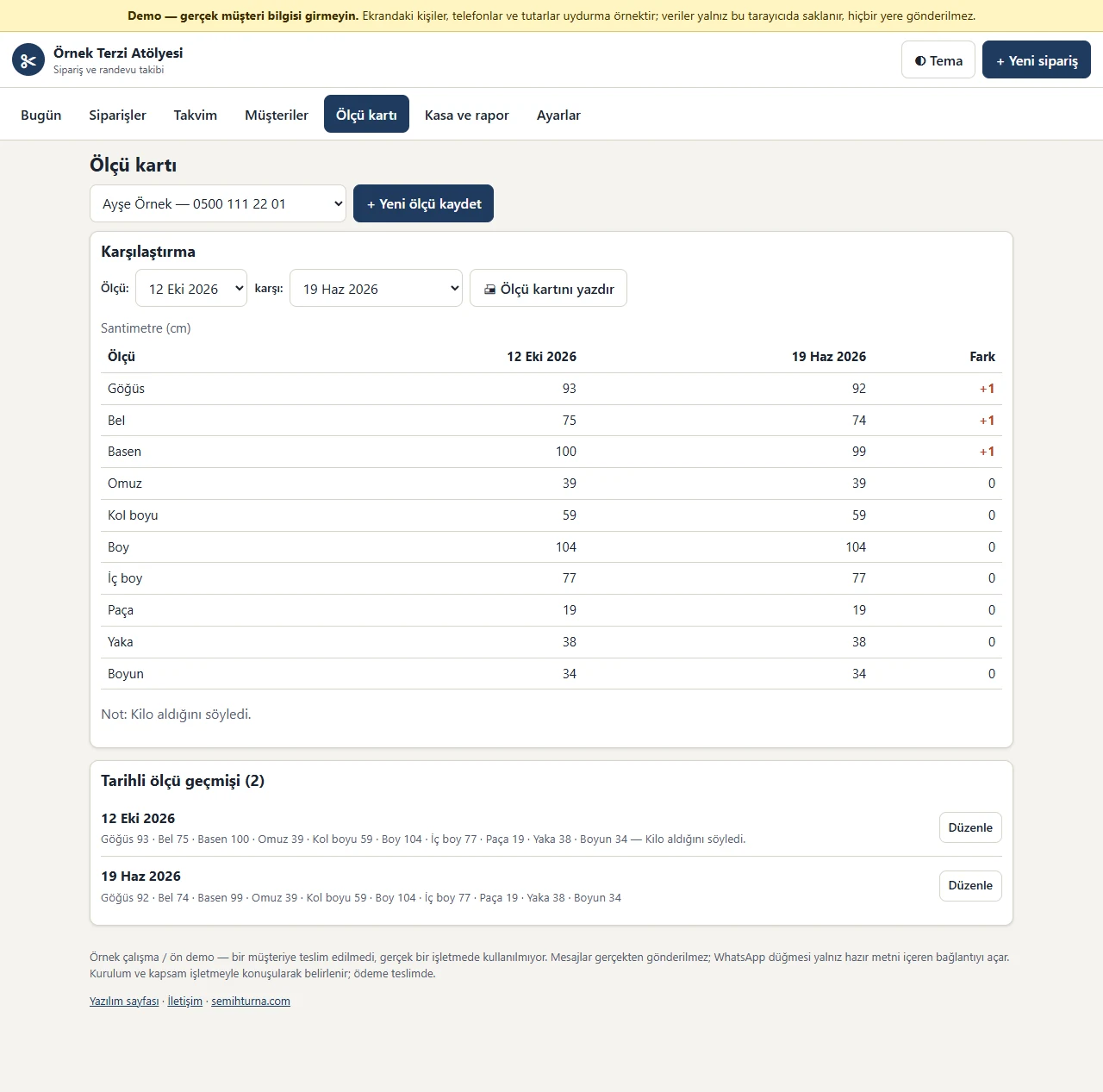
Measurement card and comparison
Dated measurement records per customer; pick two dates and the measurements are compared with a difference column. The card prints with one button.
-
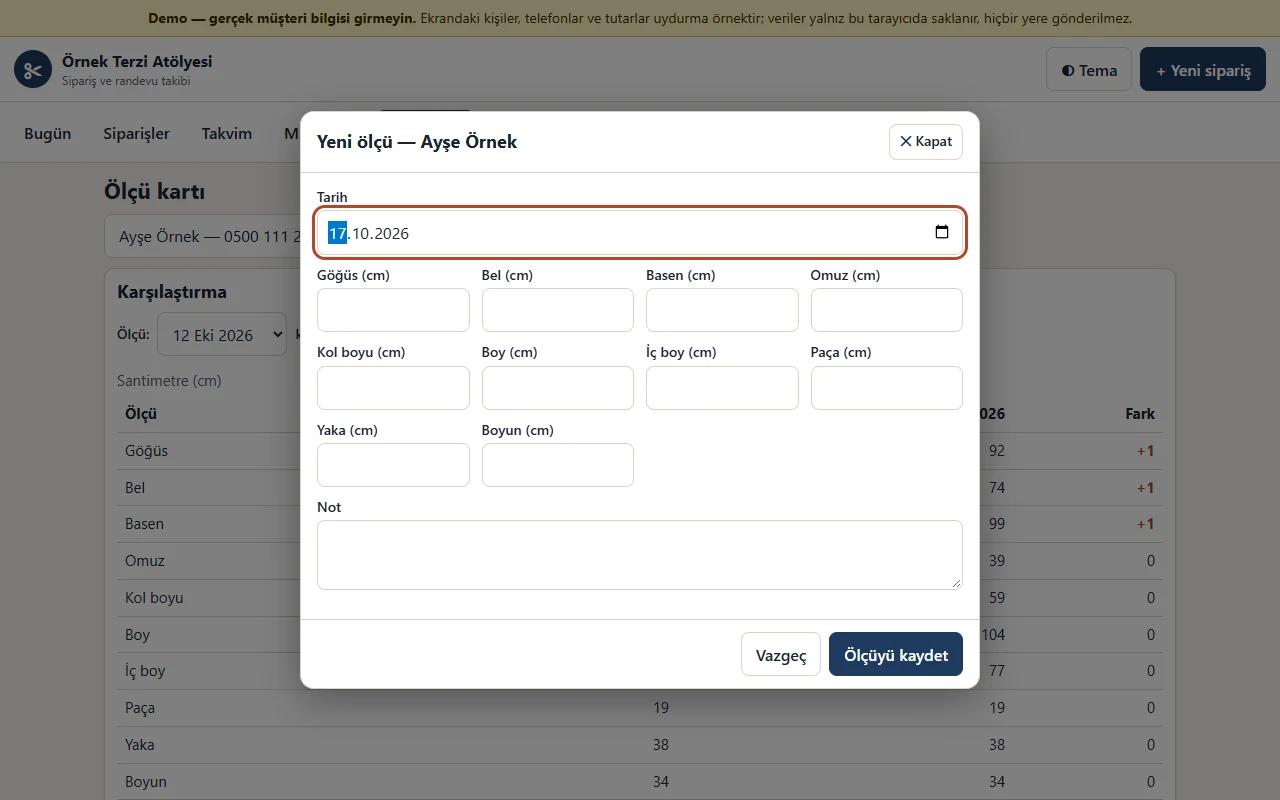
Measurement record
Chest, waist, hip, shoulder, sleeve, length, inseam, hem, collar and neck; a date and a note. Every record is added as a new dated row and the old one is not deleted.
-
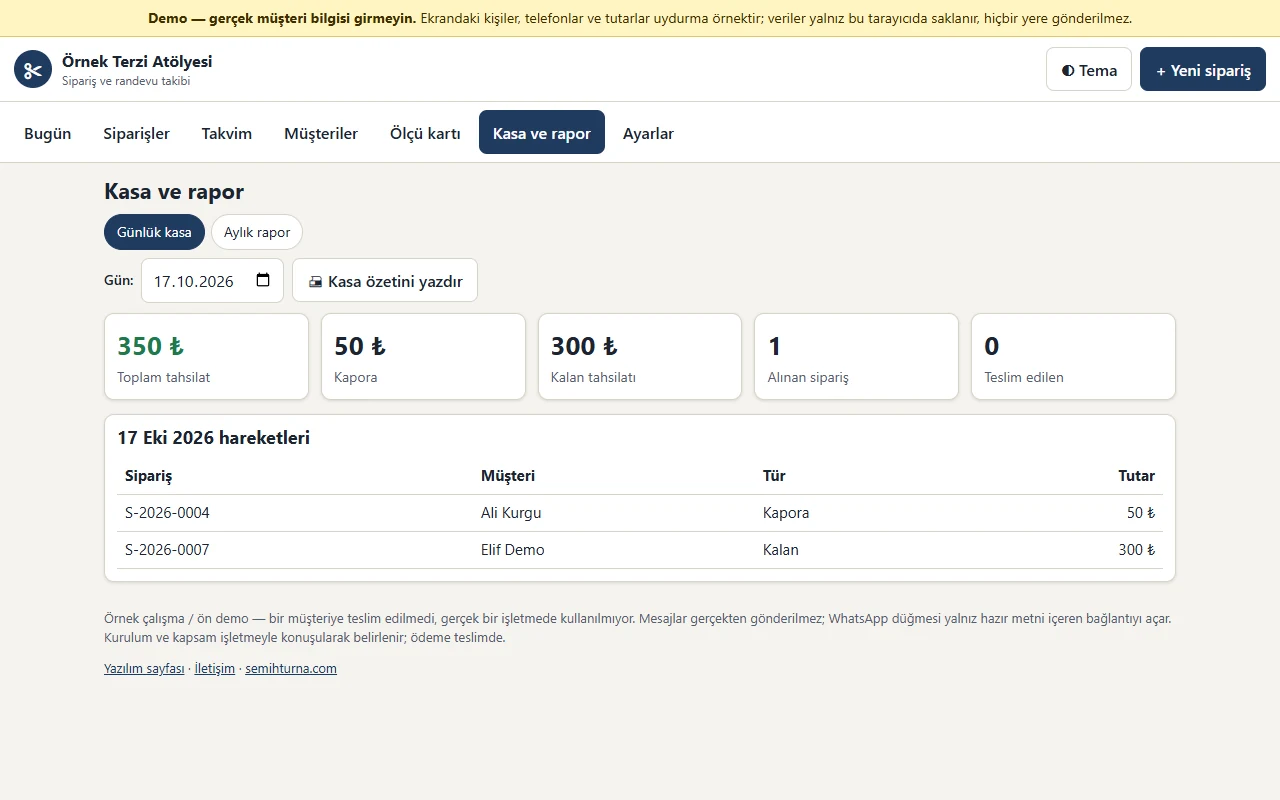
Daily till
The chosen day’s takings are split into deposit, balance and other; the number of orders taken and delivered shows. The summary can be printed.
-
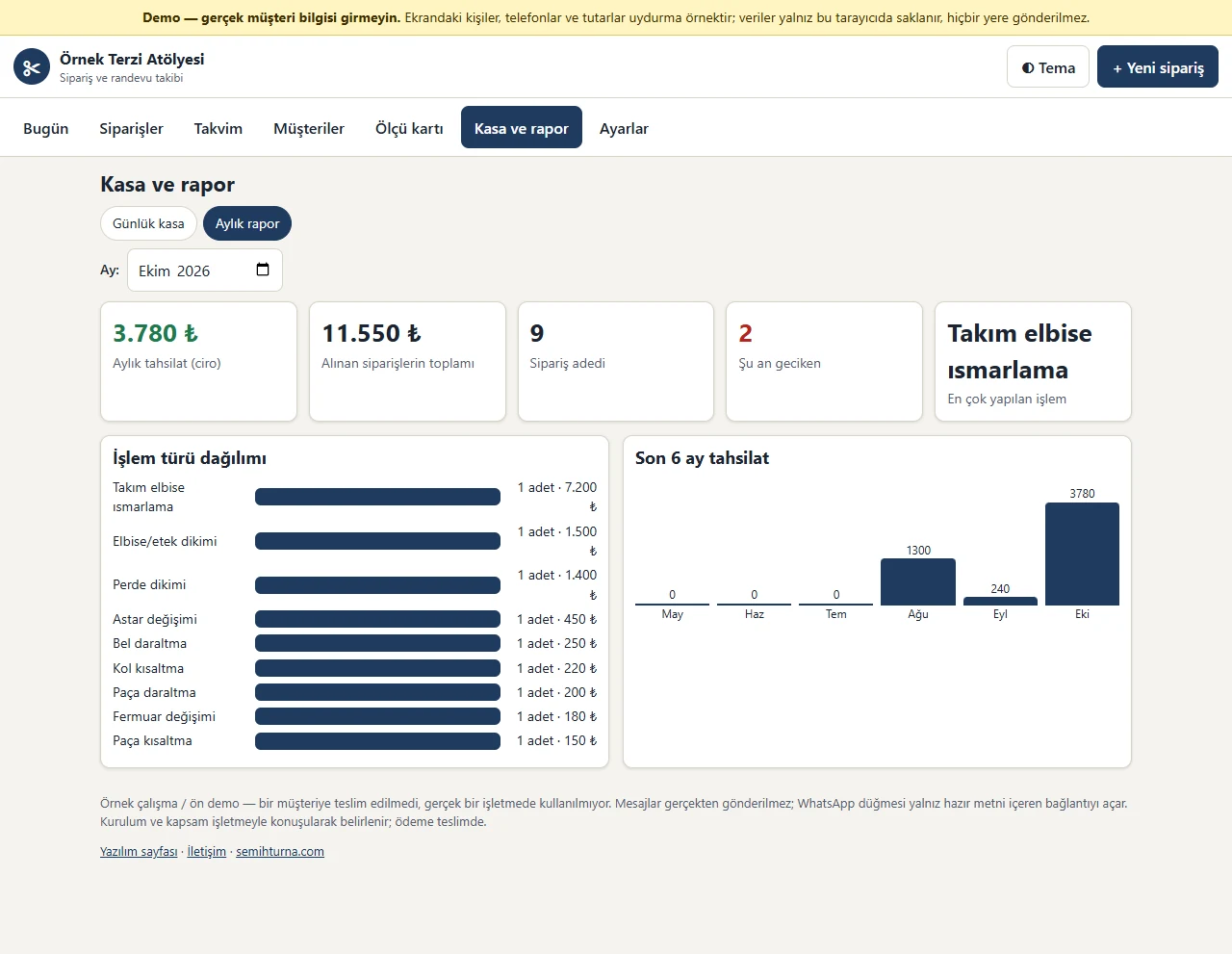
Monthly report
Monthly collections, the total of orders taken, the number of orders, the number of late orders, the most frequent job, the spread by type of work and the last six months of collections.
-
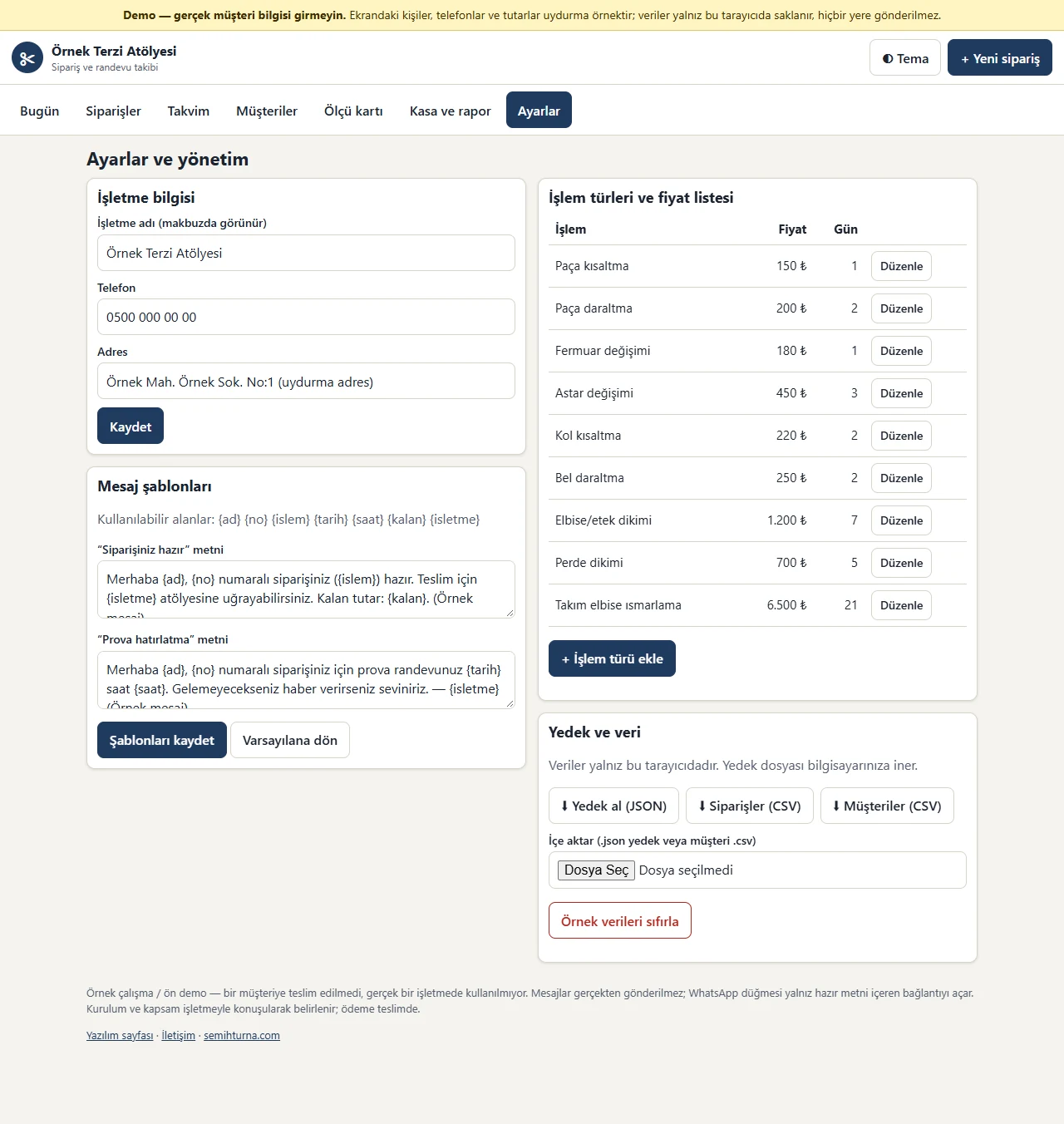
Settings and administration
Business details, message templates, work types and the price list; backing up, importing a backup or a customer CSV, exporting CSV and a confirmed reset.
-
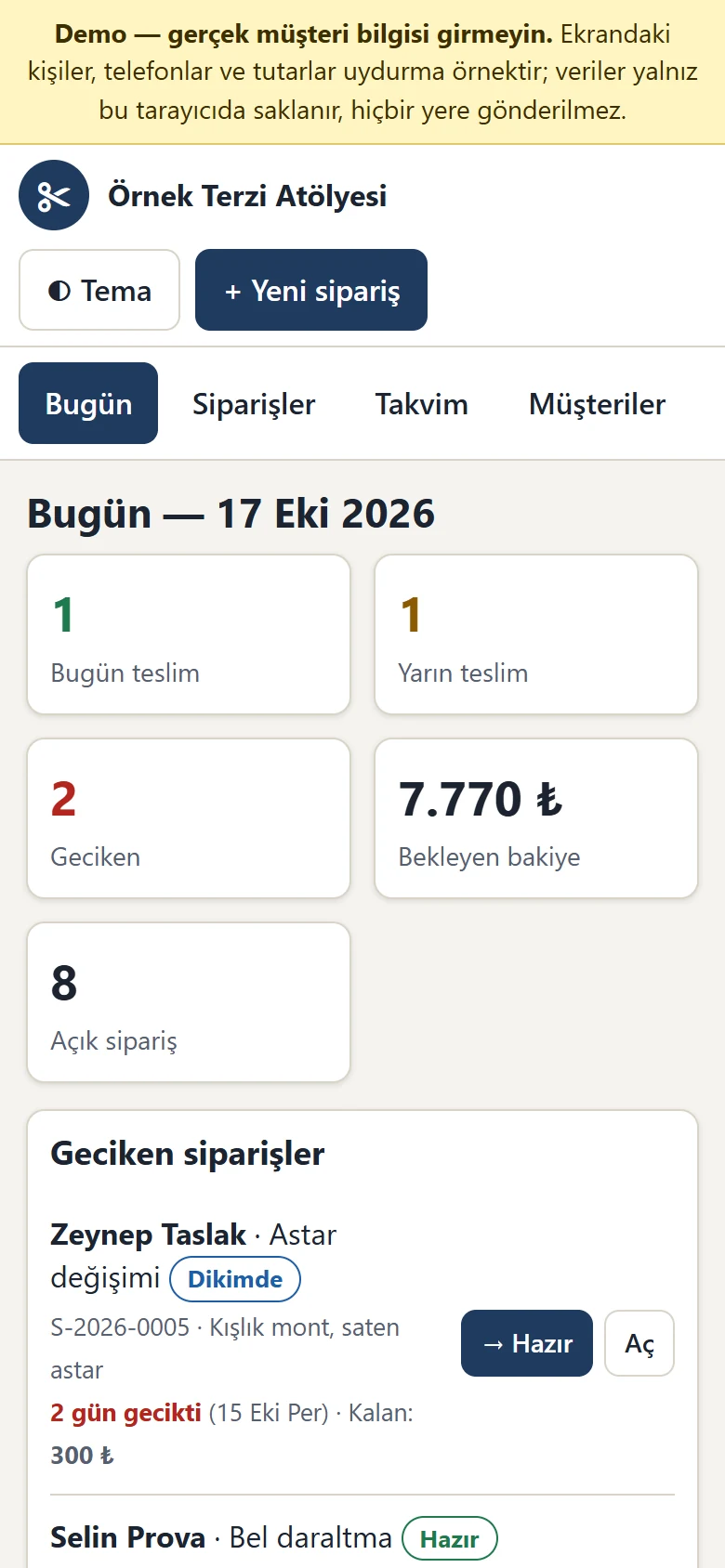
Today board on a phone
Used from a phone at the counter: the boxes and lists fall into one column and the tabs scroll sideways.
-
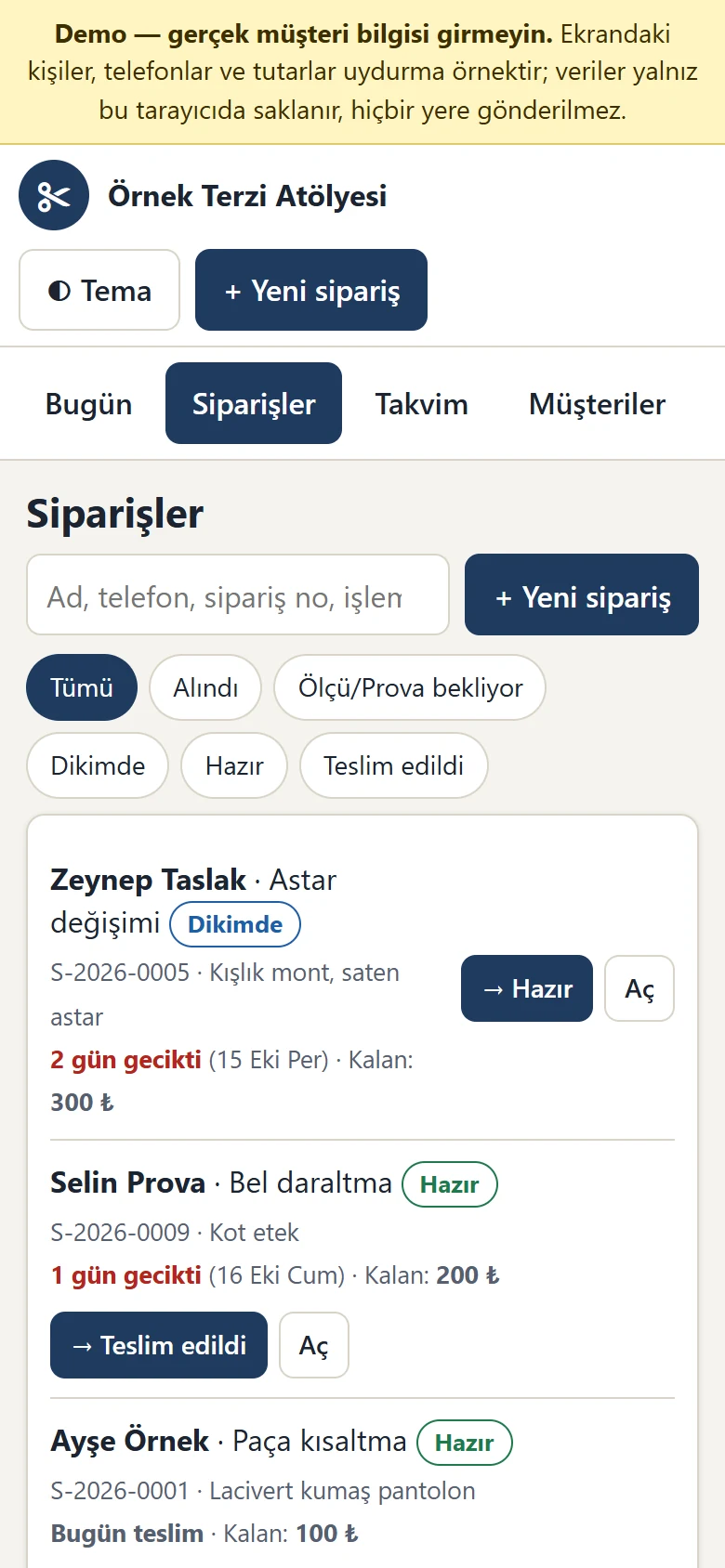
Order list on a phone
The search box, status filters and the buttons that advance a status work the same way on a phone.
-
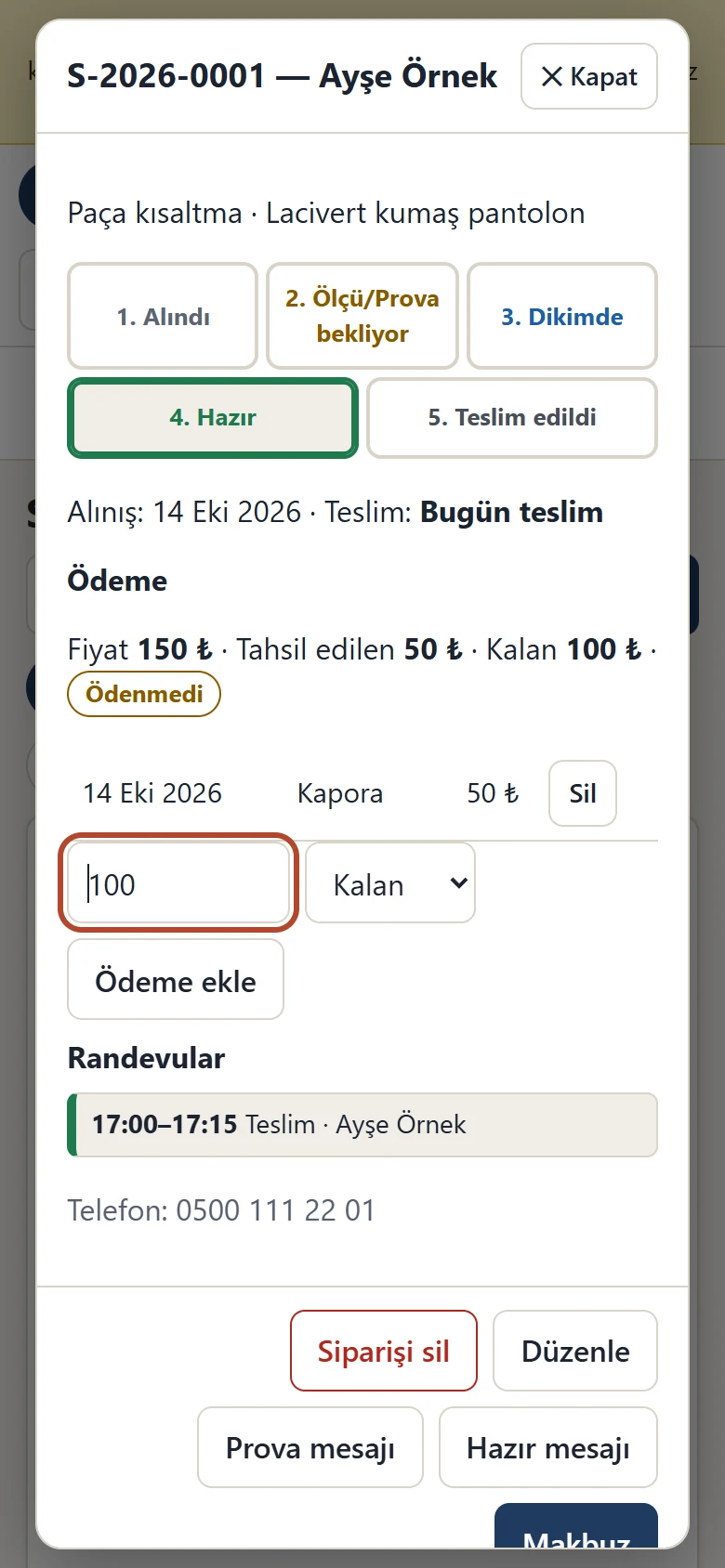
Order detail on a phone
The status steps, payment and receipt buttons in the order detail on a phone.
- What do they see at the end?
- Each order shows its status, remaining balance and delivery date; what is due today, tomorrow and late sits on a board, and fitting and delivery times sit on a calendar.
- What is it good for?
- Orders, measurements, fitting times and deposits do not scatter across a ledger and scraps of paper; what is due when and how much balance is owed can be followed in one place.
Everything that is not included, and all limits
- Not delivered to a client and not used by a real tailor or workshop. The business, people, phone numbers and amounts on the screens are made up; no real customer details should be entered in the demo.
- The demo runs in the browser and its data is kept only in that browser (localStorage); it is not sent to a server. If the browser data is cleared the records are lost, which is why there is a backup button. There is no sync between a phone and a computer or between several staff; it is single-user and has no password.
- No real message is sent: the WhatsApp button only opens the ready text. There is no automatic SMS or WhatsApp reminder, e-mail or notification.
- There is no online payment or virtual POS; deposits and payments are records only. The receipt is a sample printout, not an e-invoice or a fiscal document.
- There is no page where customers book on their own, no storing of photos or fabric pictures, no stock or fabric tracking and no staff commission.
- No server installation, domain or hosting has been prepared; there is no import of existing records other than a customer CSV. The demo was tried only on this site, in current browsers.
- The interface is in Turkish; there is no English interface.
Delivery and sales status
There is no cart, customer account or online payment on this site for now. Reach out by phone, WhatsApp or the form; in a first conversation your need and the software’s fit are reviewed. The form does not create an order, a contract or a payment.
Possible delivery options
Price
There is no package on offer right now, so there is no list price. If a package is defined, the price and payment method are settled then.
Requirements and version history
Installation requirements
- The demo is written in plain HTML, CSS and JavaScript; no server, database or PHP is needed and it runs in a current browser. The data is kept only in that browser; there is no sync and no multi-user use.
Release notes
- No version has been delivered to a client. The sample-data demo is open to everyone on this site.
- 1.0.0 (17 October 2026): first version; order records and a status flow, dated measurement cards and comparison, a fitting and appointment calendar with a clash warning, a delivery board, a customer list and history, deposits and balances, a daily till, ready WhatsApp texts, a numbered receipt, reports, work type and price list management, backup and import.