Electrical and plumbing servicesDemo with sample data
Electrical and Plumbing Service Requests and Job Tracking: screen-by-screen guide
The full version of the short description on the product page: every feature, how each screen is used step by step, all limits and the delivery details.
All features
The flows below were run in the app’s demo mode with sample data, and the screens were taken from that installation (the public pages and some manager screens from version 1.0.x, the renewed ones from 1.2.0 and 1.3.0; the note in the “How it is used” section gives the detail). The firm (“Örnek Elektrik ve Tesisat”), people, phone numbers, addresses, products and testimonials are made up; photos and product pictures are sample drawings, not real images. Photo upload is switched off in the demo; it works in a real installation. The sample-data demo is live (version 1.3.0, 1 November 2026; since 1.0.0 the sign-in page, customer import from Excel/CSV, one-tap role screens from the product page, a setup guide and phone setup, the customer’s own request page, multi-day technician time off, a work order checklist, “Ustamız yola çıktı”, expense records, a labour-warranty record, a customer statement, one-tap backup and area pages were added); its address is the button below.
- Public pages: home (tap-to-call and “Free quote” buttons), six service types each with its own page, completed jobs, references, FAQ, canonical addresses, sitemap and robots; optional clean URLs
- A product catalogue without payment: category and search filters, no prices shown, “add to my quote list”; the list is attached to the quote form and shows up in the business panel as “requested products”; there is no cart or checkout
- A quote form with photos: service type, short description, up to 3 photos (JPEG/PNG), address, service district (from a list), an urgent box, an appointment window, name and phone; a tracking code at the end
- Appointment-window capacity: morning, afternoon and late-afternoon windows per day; how many requests a window takes and the days without service are set in the settings; a full window cannot be chosen, and simultaneous requests never exceed the capacity
- Tracking code and status page: with the code and the last 4 digits of the phone the customer sees the status path, plain-language updates and the quote note; when a quote is ready they can confirm it; wrong attempts are rate-limited and the error message is always the same
- Bot and abuse protection: a hidden field, a timing check, an hourly per-IP request limit, a daily overall limit, a limit on new cookie-less sessions and optional Cloudflare Turnstile
- Photo upload safety: only JPEG/PNG verified by content; location and device data are stripped from the file; the file name is generated at random; fake, GIF, SVG, double-extension and very large files are rejected; photos are served only in the panel, through PHP
- Request inbox and request card: status tabs, search and filters, the customer’s photos, requested products, a survey note (firm only) and a quote note (visible to the customer), history and notes
- Status path and rules: only valid transitions, a quote needs an item or a note, how and from whom approval came is recorded, no closing while a balance is open, a cancellation reason is required, a closed request cannot be changed
- Technician assignment: day, time and duration; if the same technician is booked at an overlapping time it warns and refuses unless “assign despite the clash” is ticked; the calendar shows the day’s schedule and window occupancy
- Part and labour items, discount, VAT and total; a product catalogue and stock: a catalogue product is deducted from stock when the job starts, returned on cancellation or step-back, and insufficient stock blocks the status change; low-stock warnings and a movement history
- Hand-entered payment records (cash, bank transfer, card in hand; partial payments and refunds; an amount above the balance is rejected), open balances, a period report, a printable work order and CSV; the manager sets whether staff see prices and costs; sample data loads and clears in one action
- Work order checklist: when a request is opened, ready items for its service type (for an electrical fault main switch and fuses, residual-current device, earthing and so on) are added; they are ticked with a tap, who ticked and when is recorded, a warning shows if items are unticked at completion, and the printed work order carries the boxes; templates are edited per service in Settings; the customer sees only the ticked ones on their own page, as “Yapılan kontroller” (checks done)
- “Ustamız yola çıktı” (our technician has set off): one tap on a job with a technician assigned, written to the event log and opening a ready WhatsApp message; it shows with its time on the customer’s page. No automatic notification or SMS goes to the customer
- The customer’s own request page: after sending a request it opens with no tracking code or phone number to type, showing the status path, the quote with its confirm button and the history; it has a “Talebimi telefonuma ekle” (add my request to my phone) box, and the link holds no phone number and stays out of search engines. The old way (tracking code and the last 4 digits of the phone) still works
- Expense records and net profit (manager only): amount, category, date and note; a list filtered by month with “Yanlış girdim, sil” (typed wrong, delete); in Reports a “Tahsilat − Gider = Net kazanç” (payments − expenses = net profit) summary with a breakdown by category, and CSV. There is no cash book, bank or accounting; an employee does not see expenses
- Labour-warranty record: once a job has started, a box on the request card takes an end date, or a tap on 3 months, 6 months, 1 year or 2 years (counted from the day the job is completed); the header shows a “Garantide · … tarihine kadar” (under warranty until …) label, and the date appears on the customer’s own page and on the printed work order. If the same fault comes back, a “garanti kapsamında yeni talep aç” (open a new request under warranty) button opens a new request linked to the earlier job (“Garanti kapsamında” in its header, a list on the earlier job); Reports show how many such requests there are. The firm sets the period; the app suggests no period and produces no warranty promise
- Customer statement (for those with price access): the customer card shows an account summary and a “Hareket dökümü” (statement) page; jobs (debit) and payments and refunds appear in date order with a running balance, and jobs still at the quote stage or cancelled are not counted as debt. It is printed, sent from your own phone with a ready WhatsApp text, or the message is copied; the app never sends it by itself
- One-tap backup download (manager only; in the “Daha fazla” menu): a copy of the database downloads as a single file. In a real installation the manager’s own password is asked for; photos are not in the file. In the demo no password is asked and password hashes are removed from the downloaded copy
- Area pages: every service area in Settings gets its own public page by itself (“Örnek Bölge A elektrik ve tesisat servisi”); it is linked from the services page and the home page, the quote form arrives with the area pre-selected, and in a real installation it enters the sitemap. The page carries no time, warranty or certificate promise
- Multi-day technician time off: a first day, a last day and all day or the same hours every day; assigning to a technician who is off gives a warning, the “Yaklaşan izin ve kapalı saatler” (upcoming time off and closed hours) list has “Yanlış girdim, sil” on each row, and if every technician is off all day the day shows as closed on the customer side. No remaining-leave counter is worked out
- Guidance: a six-step setup guide with a progress bar, a closed “Bu ekran ne işe yarar?” (what is this screen for) box on every main screen, and in the demo “Boş siteyle yeniden başla” (start again with an empty site) and “Örnek veriyi geri yükle” (restore the sample data); the name and address fill in by themselves when a saved customer’s phone is typed, several technicians can be added at once, and errors come with a link to the fix
- Phone setup and alerts: a sign-in-free setup page, a ready WhatsApp message, copy-the-link and a QR code A4 card and poster; the panel icon opens the panel sign-in directly. When a customer leaves a request a free instant phone alert (Web Push) goes to the phone and an e-mail to the optional address in Settings; there is no SMS and no automatic notification to the customer
Screen by screen: how it is used
The interface in these screens is Turkish; only the captions and explanations on this page are in English. The screens come from the app’s own demo mode with sample data; the firm (“Örnek Elektrik ve Tesisat”, a made-up name), people, phone numbers, addresses, products and amounts are made up; photos and product pictures are sample drawings, not real images. The first five screens show what version 1.3.0 added (the labour warranty, the customer statement, the area page, one-tap backup, a request under warranty); the next four show what 1.1.0 and 1.2.0 added (the technician has left, the checklist, the customer’s own page, net profit); then come the public side customers see, the business panel (administrator account), four screens titled “employee” that show how the employee account differs from the administrator, and the phone layout. The administrator and employee panel screens, the customer’s own page and the phone screens were captured from the live demo (version 1.3.0) on 1 November 2026; the public pages, the quote form, the items and payments, the stock and the calendar screens come from the 1.0.x demo, and the boxes added since (the checklist, the technician-has-left button, the labour warranty) do not show on them.
- Who uses it?
- On the customer side, the person leaving a request; on the business side, the firm’s owner or manager and the staff who handle requests.
- Where do they start?
- The customer presses “Free quote” on the home page, fills in the form and gets a tracking code; a staff member signs in to the panel and sees the request in the inbox.
What do they do on screen? Step by step
-
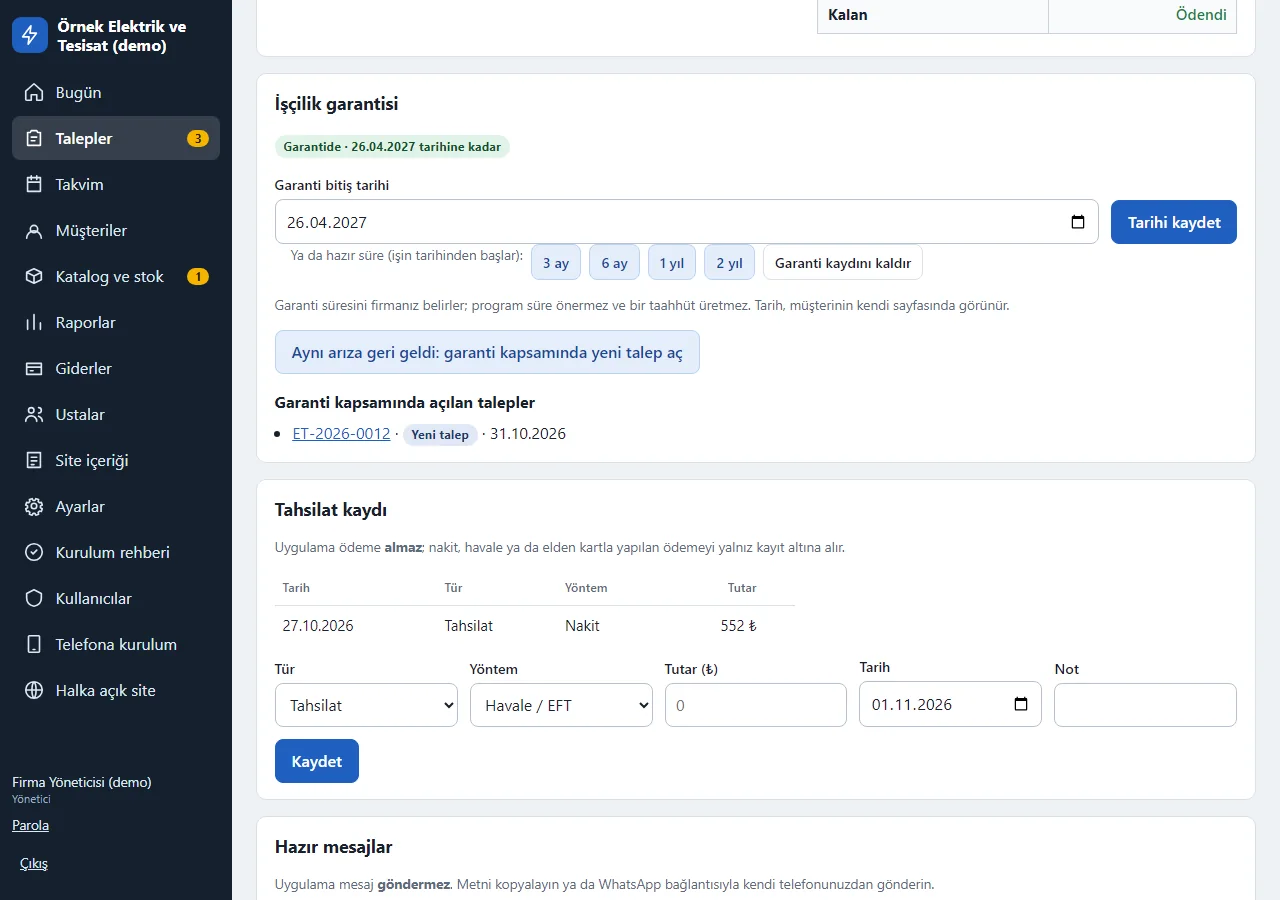
1.3.0 · 1 November 2026 Labour-warranty record
Once a job has started, an “İşçilik garantisi” (labour warranty) box opens on the request card: you type the end date or tap 3 months, 6 months, 1 year or 2 years (counted from the day the job is completed). A “Garantide · … tarihine kadar” (under warranty until …) label appears in the header; the date also shows on the customer’s own page and on the printed work order. The firm sets the period; the app suggests no period and produces no warranty promise. On a closed job only the manager can change the warranty.
- On screen (Turkish interface)
- “İşçilik garantisi” — labour warranty
- “Garantide · … tarihine kadar” — under warranty until …
- “Garanti bitiş tarihi” — warranty end date
- “Tarihi kaydet” — save the date
- “3 ay / 6 ay / 1 yıl / 2 yıl” — 3 months / 6 months / 1 year / 2 years
- “Garanti kaydını kaldır” — remove the warranty record
-
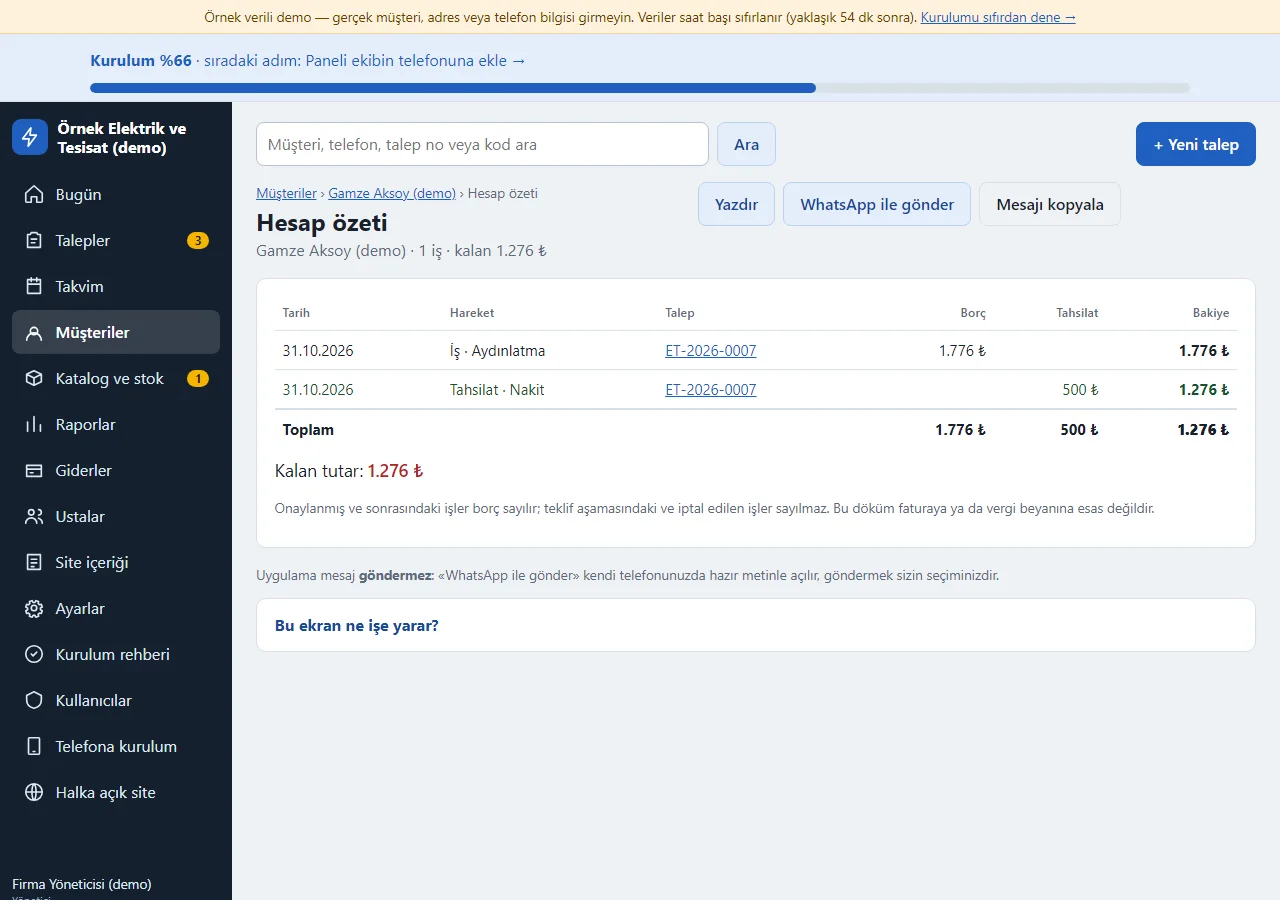
1.3.0 · 1 November 2026 Customer statement
For those with price access, the customer card shows a “Hesap özeti” (account summary) and from there a “Hareket dökümü” (statement): jobs (debit) and payments and refunds in date order with a running balance; jobs still at the quote stage or cancelled are not counted as debt. There are “Yazdır” (print), “WhatsApp ile gönder” (send on WhatsApp; the ready text opens on your own phone) and “Mesajı kopyala” (copy the message) buttons; the app never sends it by itself. An employee without price access sees neither the page nor the link. The statement is not an invoice or a tax document.
- On screen (Turkish interface)
- “Hesap özeti” — account summary
- “Hareket dökümü” — statement
- “Borç” — debit
- “Tahsilat” — payment
- “Bakiye” — balance
- “Kalan tutar” — amount remaining
- “Yazdır” — print
- “WhatsApp ile gönder” — send on WhatsApp
- “Mesajı kopyala” — copy the message
-
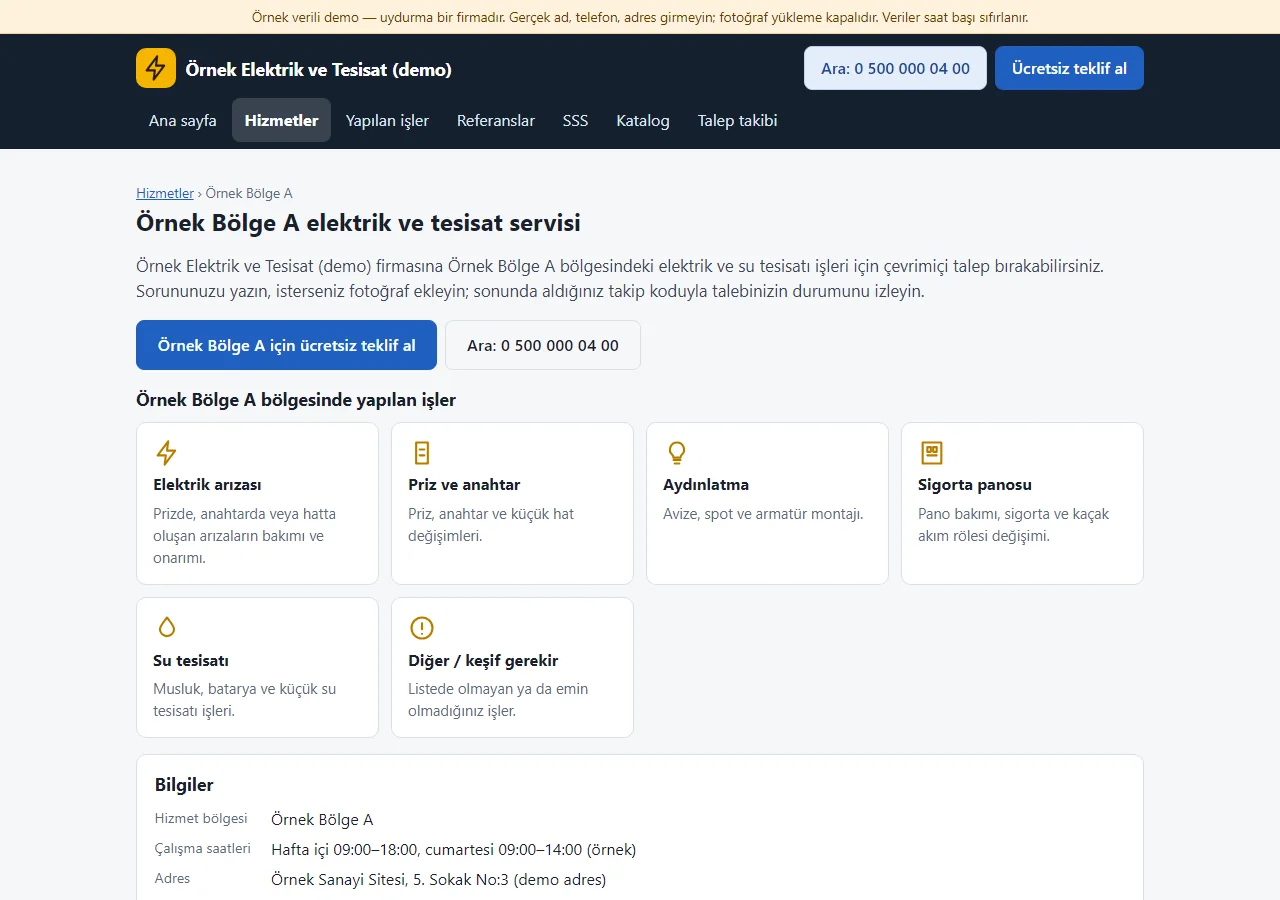
1.3.0 · 1 November 2026 Area page (what the customer sees)
Every service area written in Settings gets its own public page by itself (here “Örnek Bölge A elektrik ve tesisat servisi”, an electrical and plumbing service in Sample Area A): an area-specific heading, service cards and a “free quote” button. The quote form arrives with the area pre-selected; the page is linked from the services page and the home page. In a real installation it enters the sitemap; the demo is closed to search engines. The page carries no time, warranty or certificate promise.
- On screen (Turkish interface)
- “Örnek Bölge A elektrik ve tesisat servisi” — electrical and plumbing service in Sample Area A
- “Örnek Bölge A için ücretsiz teklif al” — get a free quote for Sample Area A
- “bölgesinde yapılan işler” — jobs done in the area
- “Bilgiler” — details
- “Hizmet bölgesi” — service area
- “Çalışma saatleri” — working hours
-
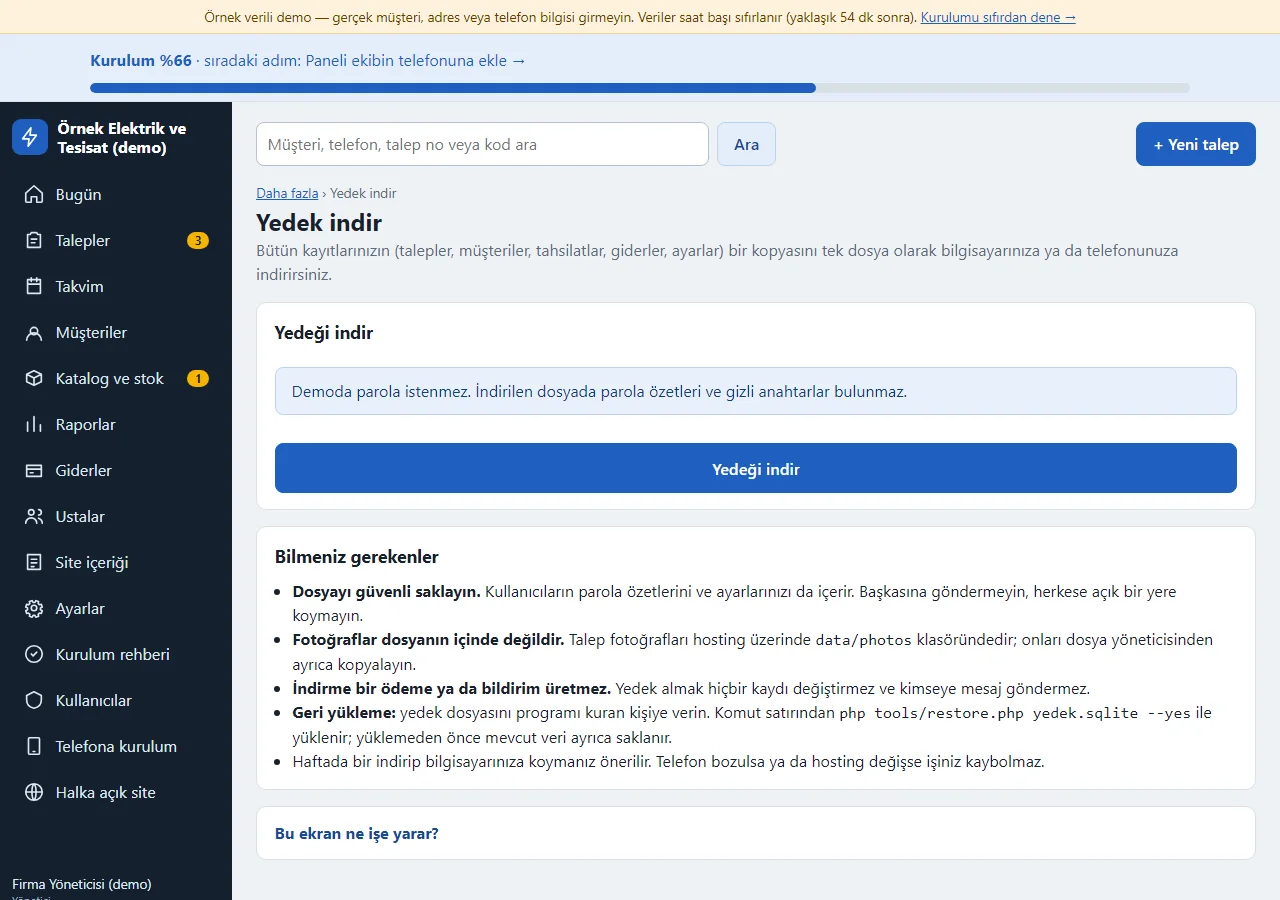
1.3.0 · 1 November 2026 One-tap backup download
Manager only, from the “Yedek indir” (download backup) page in the “Daha fazla” (more) menu: a copy of all records (requests, customers, payments, expenses, settings) downloads as a single file. In a real installation the manager’s own password is asked for; in the demo it is not, and password hashes and secret keys are removed from the file. Photos are not in the file; they stay in a folder on the hosting. Keep the file safe; restoring is done from the command line. Downloading changes no record and sends nobody a message.
- On screen (Turkish interface)
- “Yedek indir” — download backup
- “Yedeği indir” — download the backup
- “Bilmeniz gerekenler” — what you should know
- “Dosyayı güvenli saklayın” — keep the file safe
- “Geri yükleme” — restoring
-
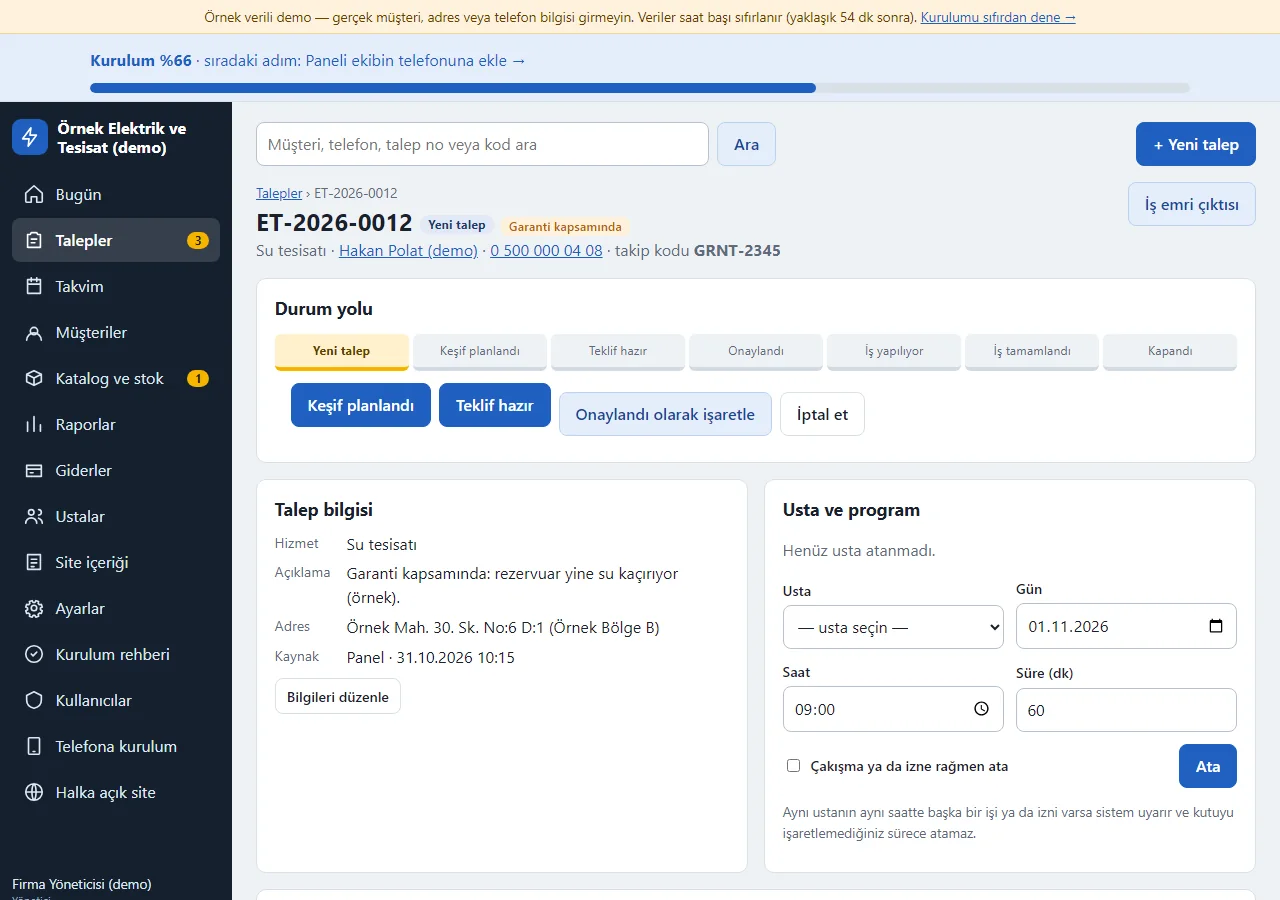
1.3.0 · 1 November 2026 The same fault came back: a new request under warranty
A job still under warranty offers a one-tap way to open a linked new request: the “Aynı arıza geri geldi: garanti kapsamında yeni talep aç” (the same fault came back: open a new request under warranty) button opens a new request form with the service and description filled in from the earlier job. The new request’s header carries a “Garanti kapsamında” (under warranty) label and the earlier job lists “Garanti kapsamında açılan talepler” (requests opened under warranty); Reports show how many there are. The amount calculation does not change, and whether to charge is the firm’s decision. It cannot be linked to another customer’s job, or to a job with no warranty or an expired one.
- On screen (Turkish interface)
- “Garanti kapsamında” — under warranty
- “Garanti kapsamında açılan talepler” — requests opened under warranty
- “Yeni talep” — new request
- “Durum yolu” — status path
- “Usta ve program” — technician and schedule
-
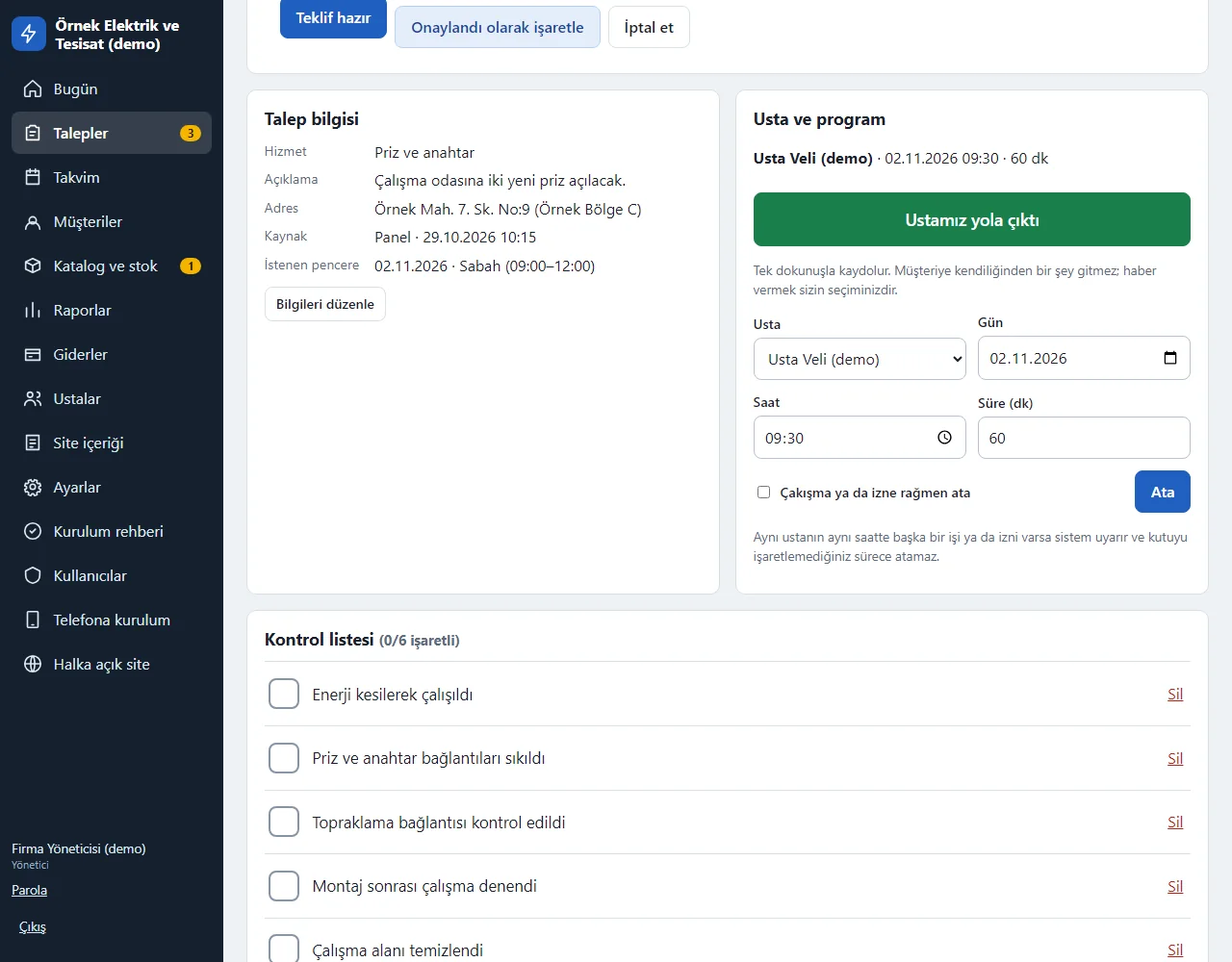
1.3.0 · 1 November 2026 The technician has left: one tap
On a job with a technician assigned and a status of survey planned, approved or in progress, a big green “Ustamız yola çıktı” (our technician has set off) button appears; a manager or an employee can press it. The record goes into the event log and the “Müşteriye WhatsApp’tan haber ver” (tell the customer on WhatsApp) link opens a ready message. The app sends the customer no automatic notification or SMS; pressing again refreshes the record.
- On screen (Turkish interface)
- “Ustamız yola çıktı” — our technician has set off
- “Usta ve program” — technician and schedule
- “Durum yolu” — status path
-
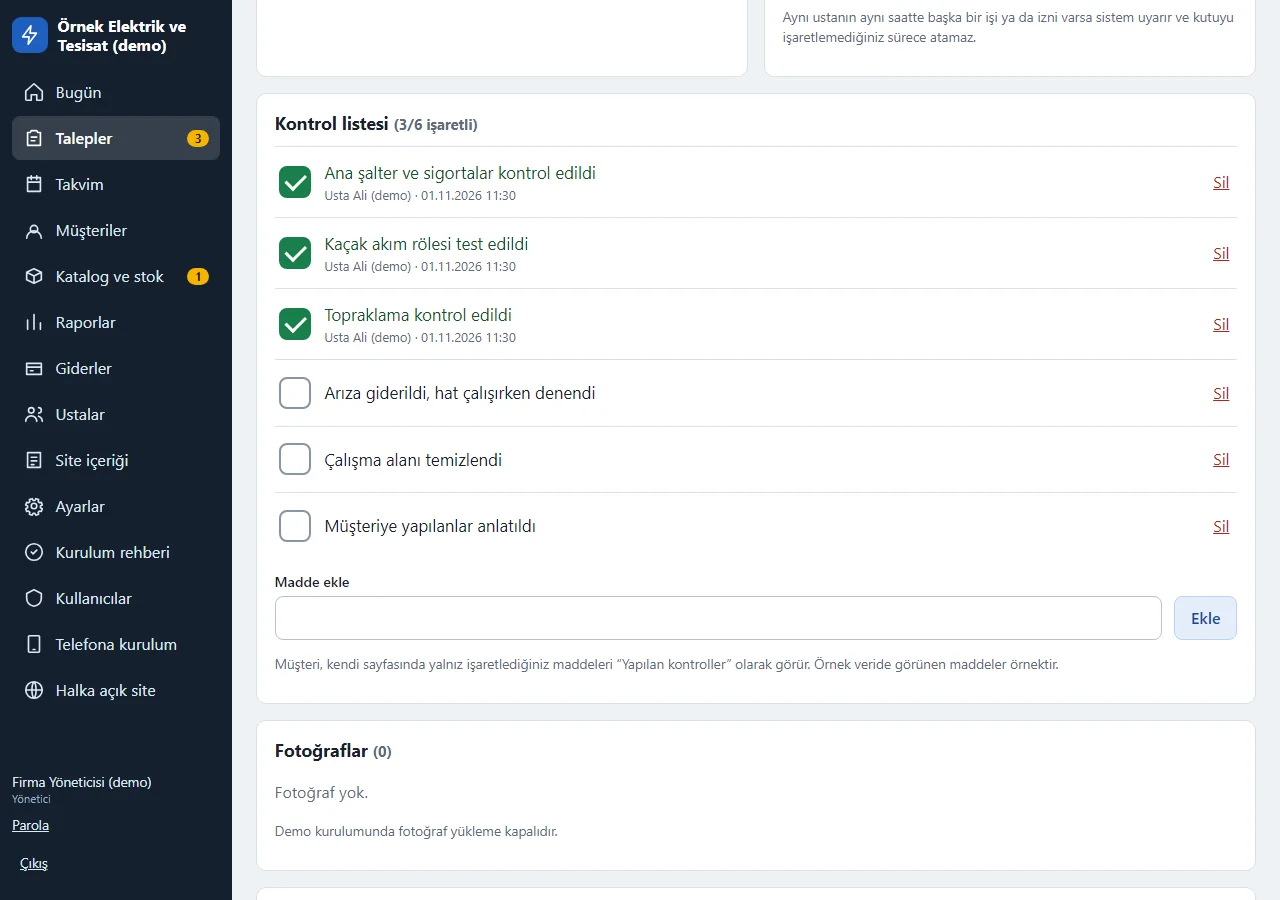
1.3.0 · 1 November 2026 Work order checklist
When a request is opened, ready items are added for its service type (for an electrical fault, for example, main switch and fuses, residual-current device, earthing). An item is ticked and unticked with a tap; who ticked it and when is recorded, and “Madde ekle” (add item) sits below. If items are still unticked when the job is completed a warning appears but does not block it; the printed work order carries the boxes. The customer sees only the ticked ones, as “Yapılan kontroller” (checks done), on their own page.
- On screen (Turkish interface)
- “Kontrol listesi” — checklist
- “Madde ekle” — add item
- “Sil” — delete
-
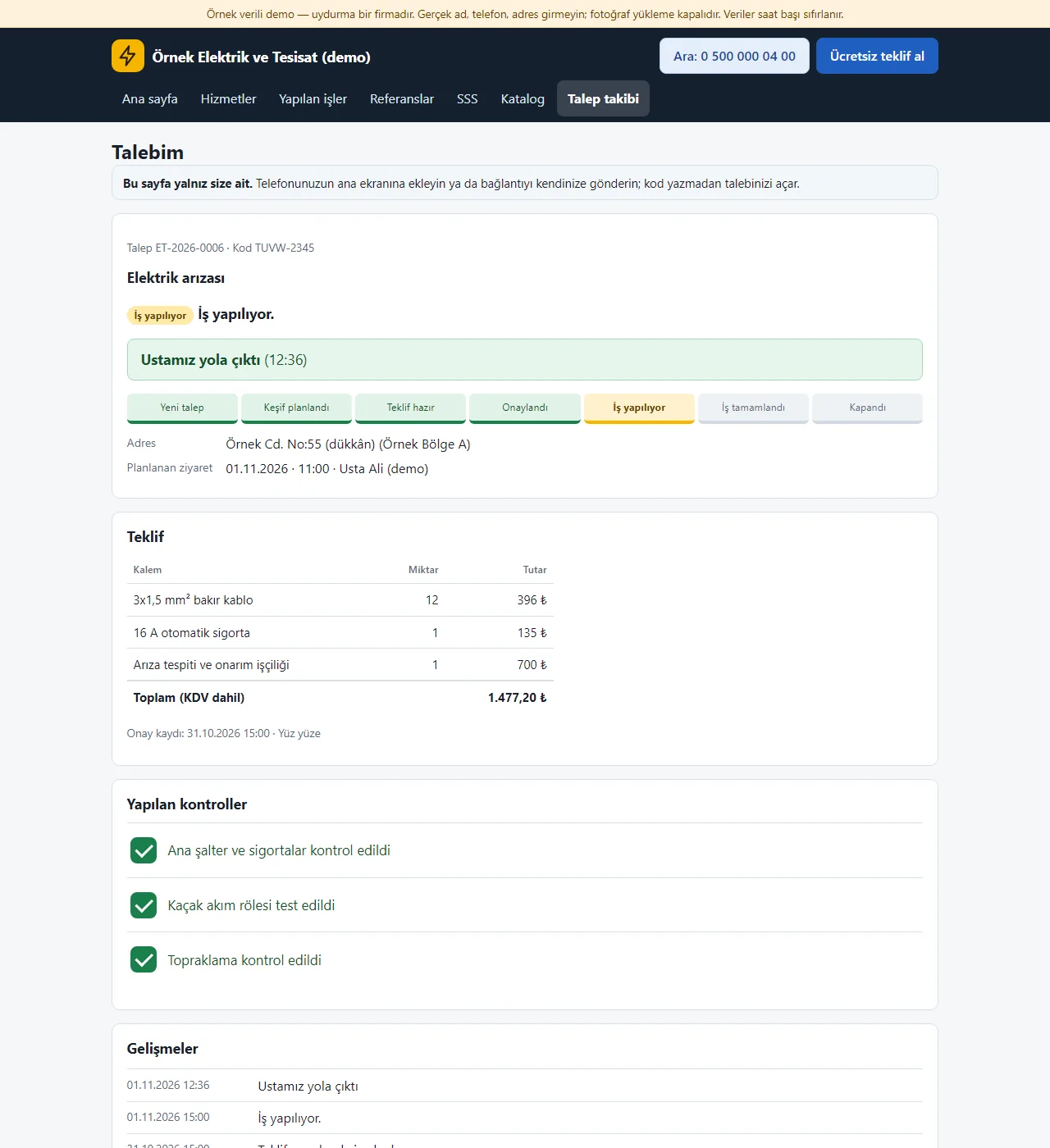
1.3.0 · 1 November 2026 The customer’s own request page
A customer who sends a request lands on a link of their own, with no tracking code or phone number to type: the status path, an “Ustamız yola çıktı” (our technician has set off) line, the quote, “Yapılan kontroller” (checks done) and the updates together. The page can be added to the phone’s home screen (“Talebimi telefonuma ekle”); the link holds no phone number and stays out of search engines. The firm’s internal notes stay hidden. The old way (tracking code and the last 4 digits of the phone) still works.
- On screen (Turkish interface)
- “Talebim” — my request
- “Ustamız yola çıktı” — our technician has set off
- “Yapılan kontroller” — checks done
- “Gelişmeler” — updates
- “Talebimi telefonuma ekle” — add my request to my phone
-
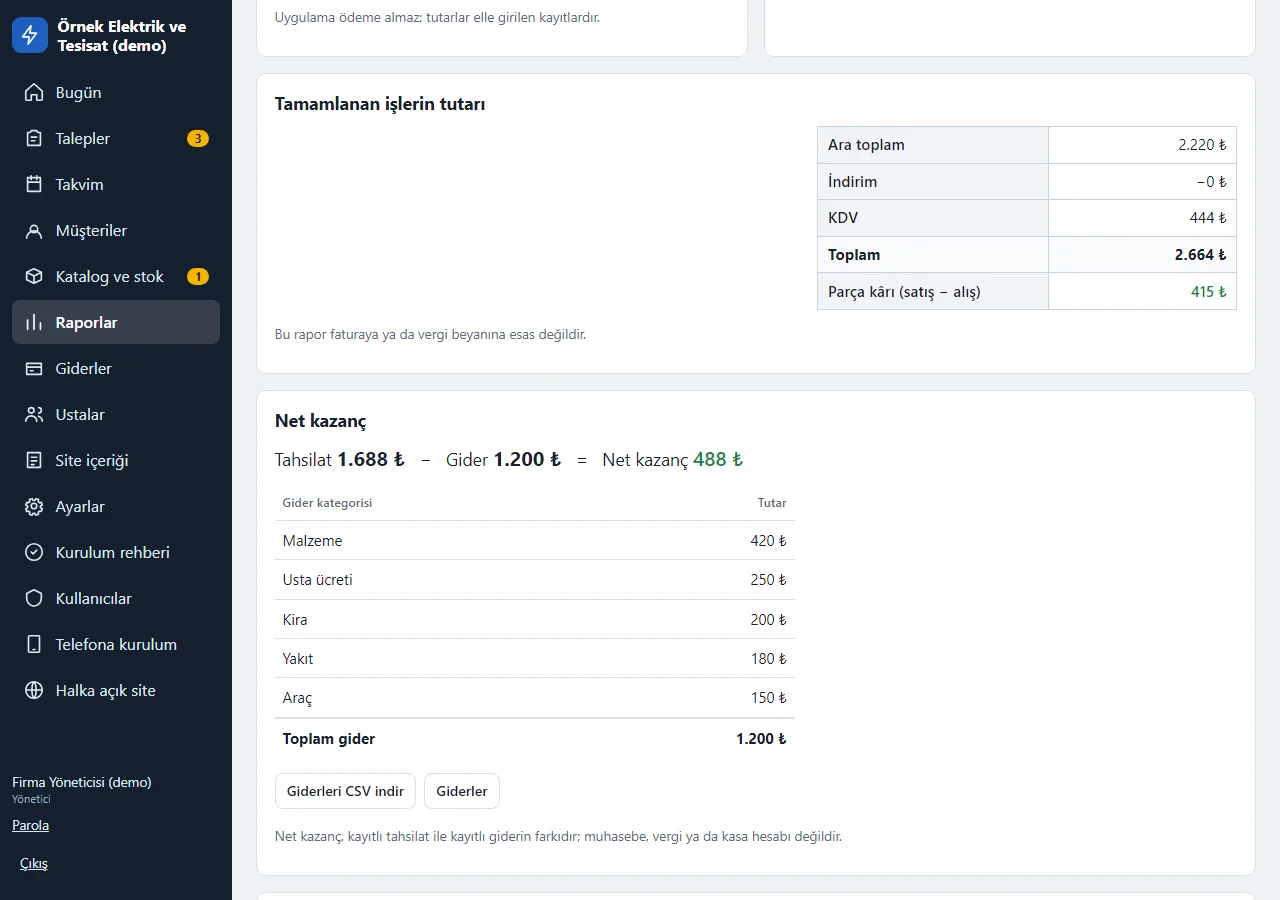
1.3.0 · 1 November 2026 Net profit
In Reports, for the chosen period, a “Tahsilat − Gider = Net kazanç” (payments − expenses = net profit) summary and a breakdown by expense category; only the manager sees it. It is the difference between recorded payments and recorded expenses; it is not accounting, tax or a cash account. Expenses download as CSV.
- On screen (Turkish interface)
- “Net kazanç” — net profit
- “Tahsilat” — payments
- “Gider” — expenses
- “Gider kategorisi” — expense category
- “Giderleri CSV indir” — download expenses as CSV
-
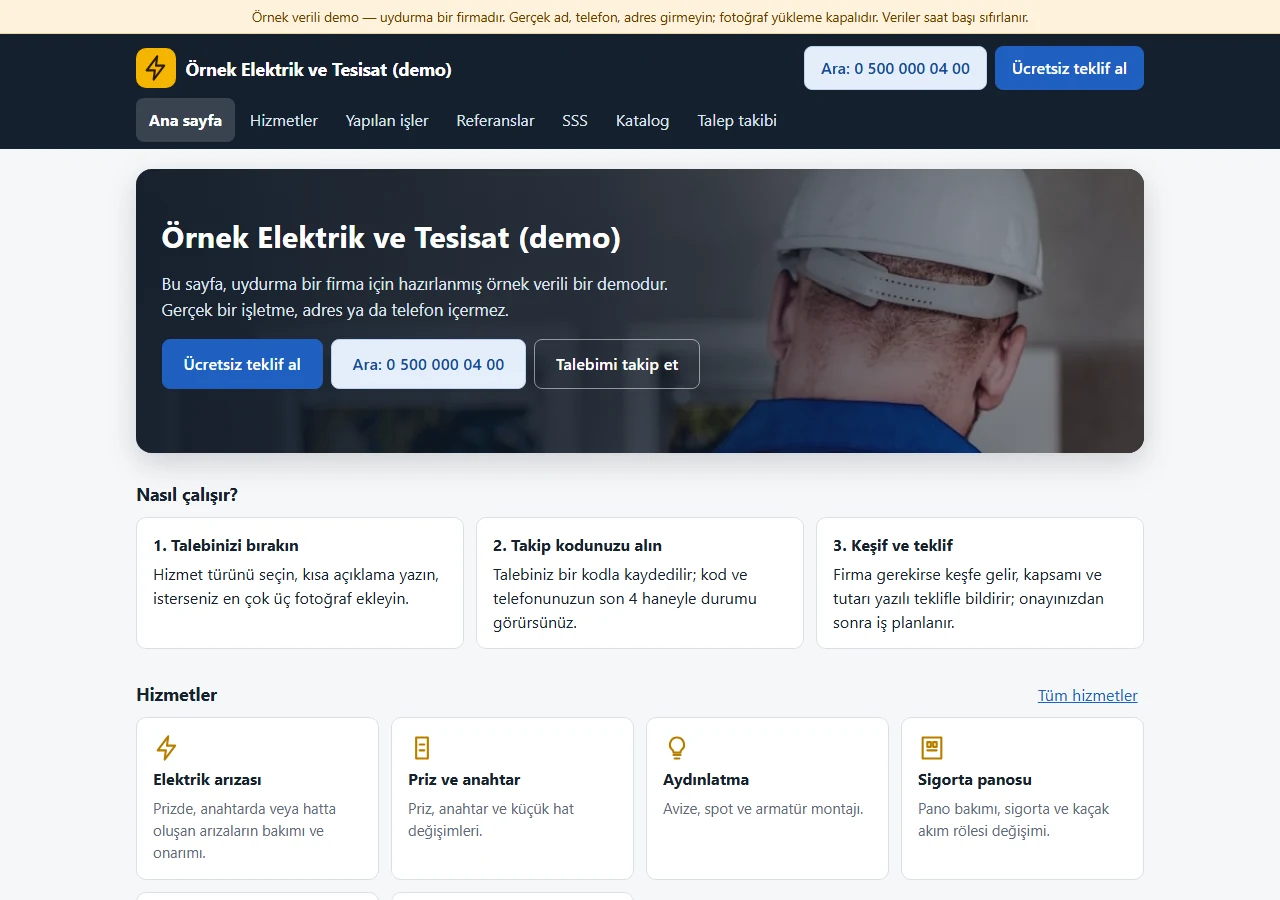
Home page
Company intro, “Free quote”, tap-to-call and “Track my request” buttons; how a request progresses is explained in three steps. Working hours and service districts come from the firm’s settings.
- On screen (Turkish interface)
- “Ücretsiz teklif al” — get a free quote
- “Talebimi takip et” — track my request
- “Nasıl çalışır?” — how it works
- “Hizmetler” — services
-
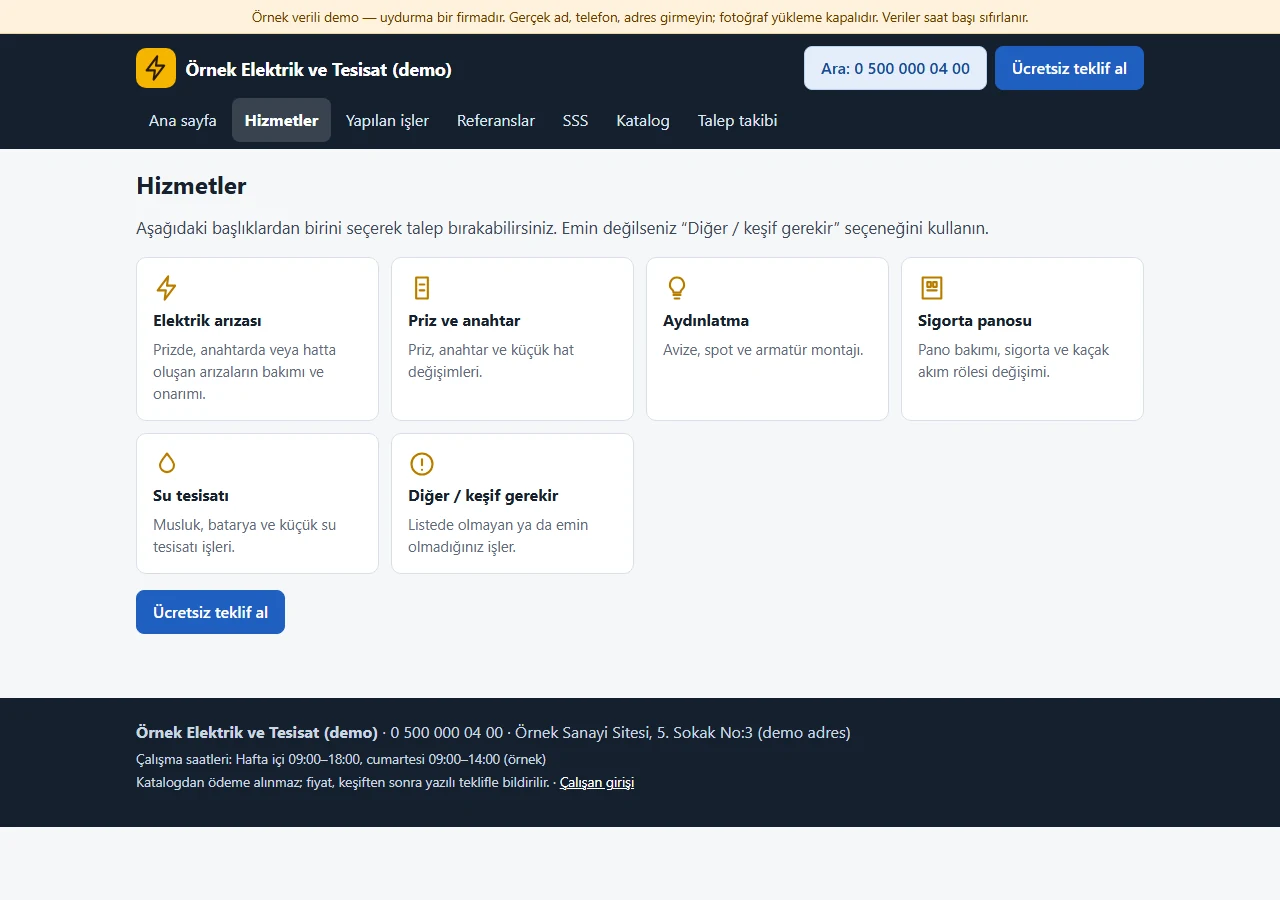
Services
Six service types are listed as cards; each goes to its own page. A customer who is unsure uses “Diğer / keşif gerekir” (other / survey needed).
- On screen (Turkish interface)
- “Hizmetler” — services
- “Elektrik arızası” — electrical fault
- “Su tesisatı” — plumbing
- “Diğer / keşif gerekir” — other / survey needed
-
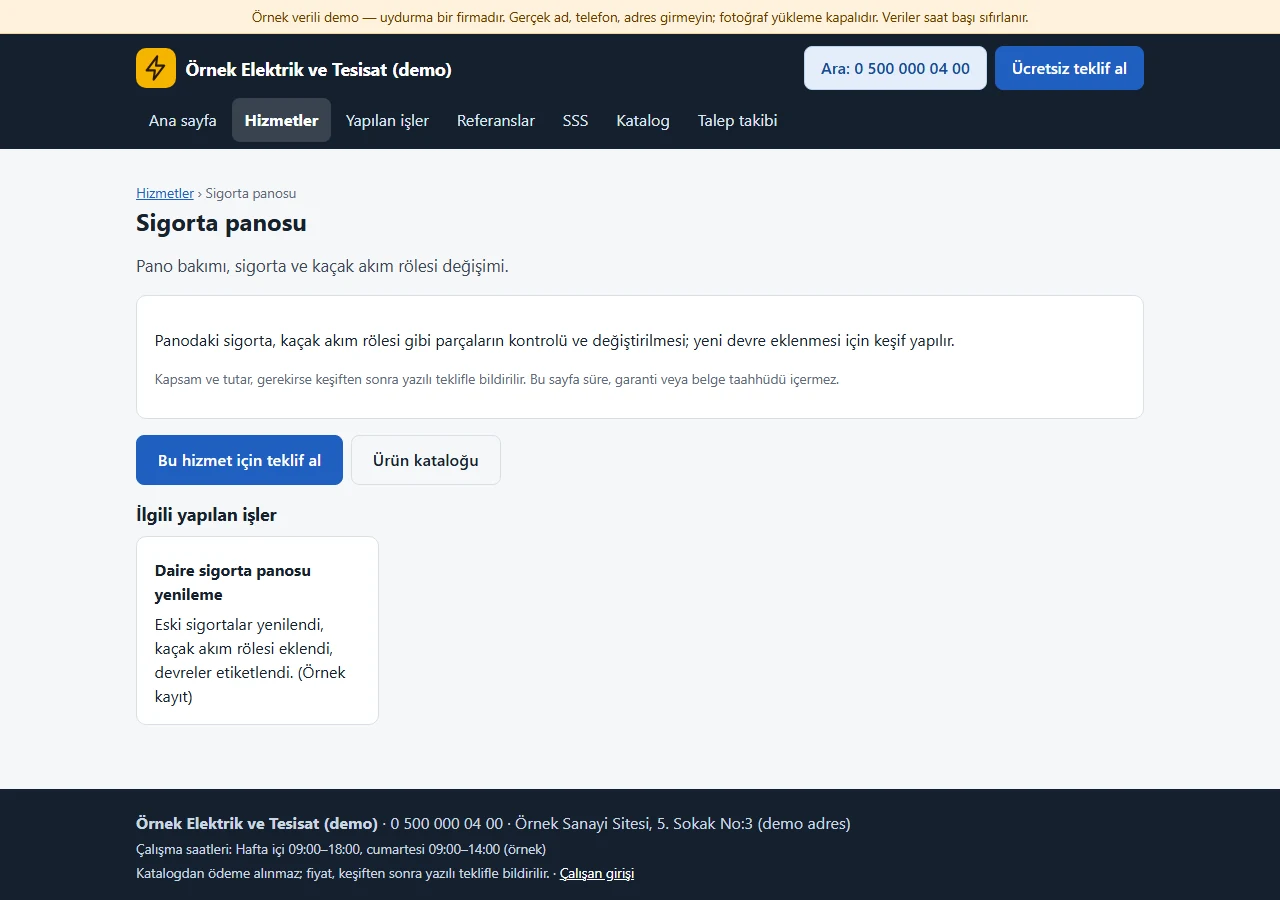
Service page
Each service has its own page: what is done, scope confirmed by survey and a direct quote link. No promises about time, warranty or certificates.
- On screen (Turkish interface)
- “Sigorta panosu” — fuse box
- “Bu hizmet için teklif al” — get a quote for this service
- “Ürün kataloğu” — product catalogue
-
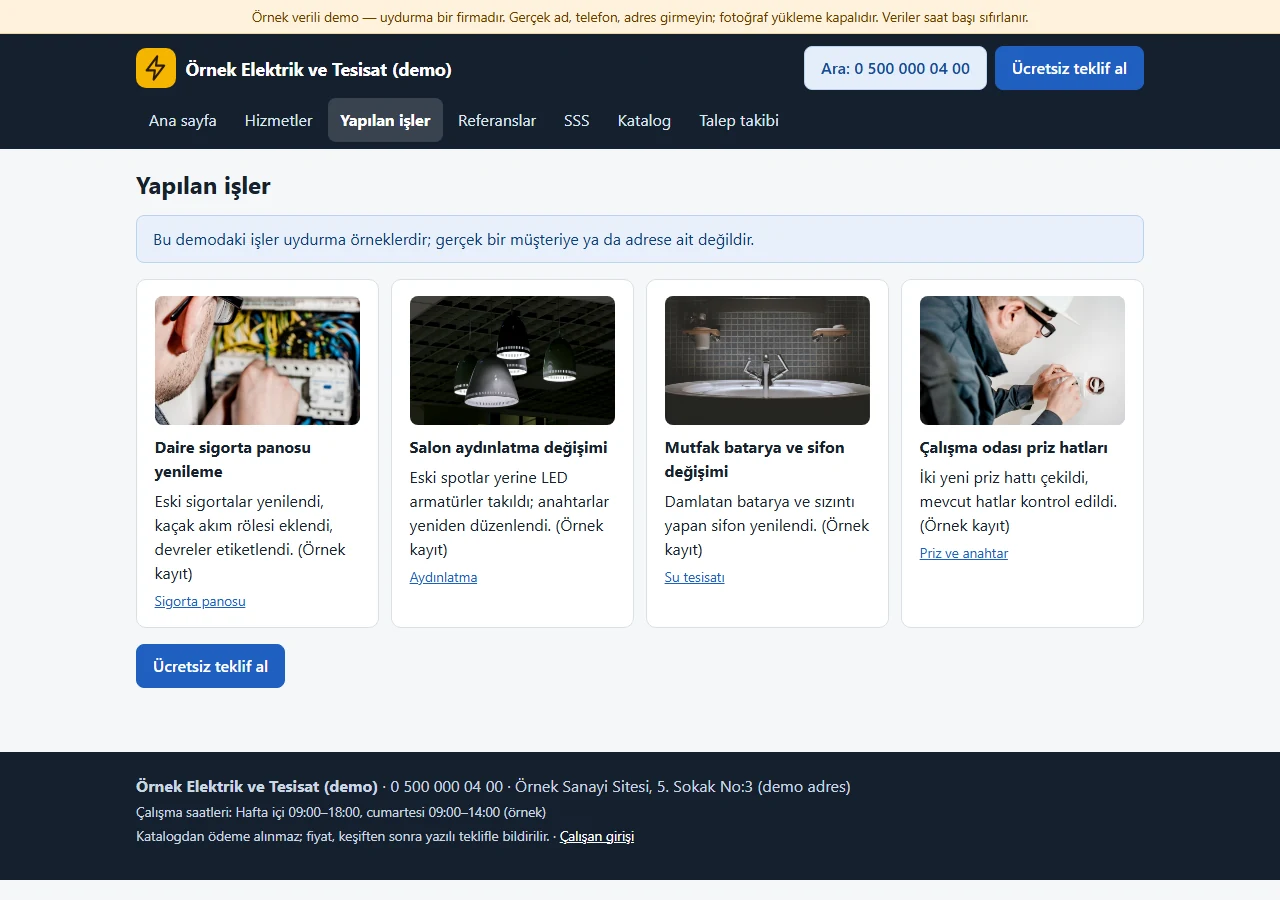
Completed jobs
Sample cards of completed jobs. The owner adds and removes this content in the panel; the demo records are made up.
- On screen (Turkish interface)
- “Yapılan işler” — completed jobs
- “Örnek kayıt” — sample record
- “Ücretsiz teklif al” — get a free quote
-
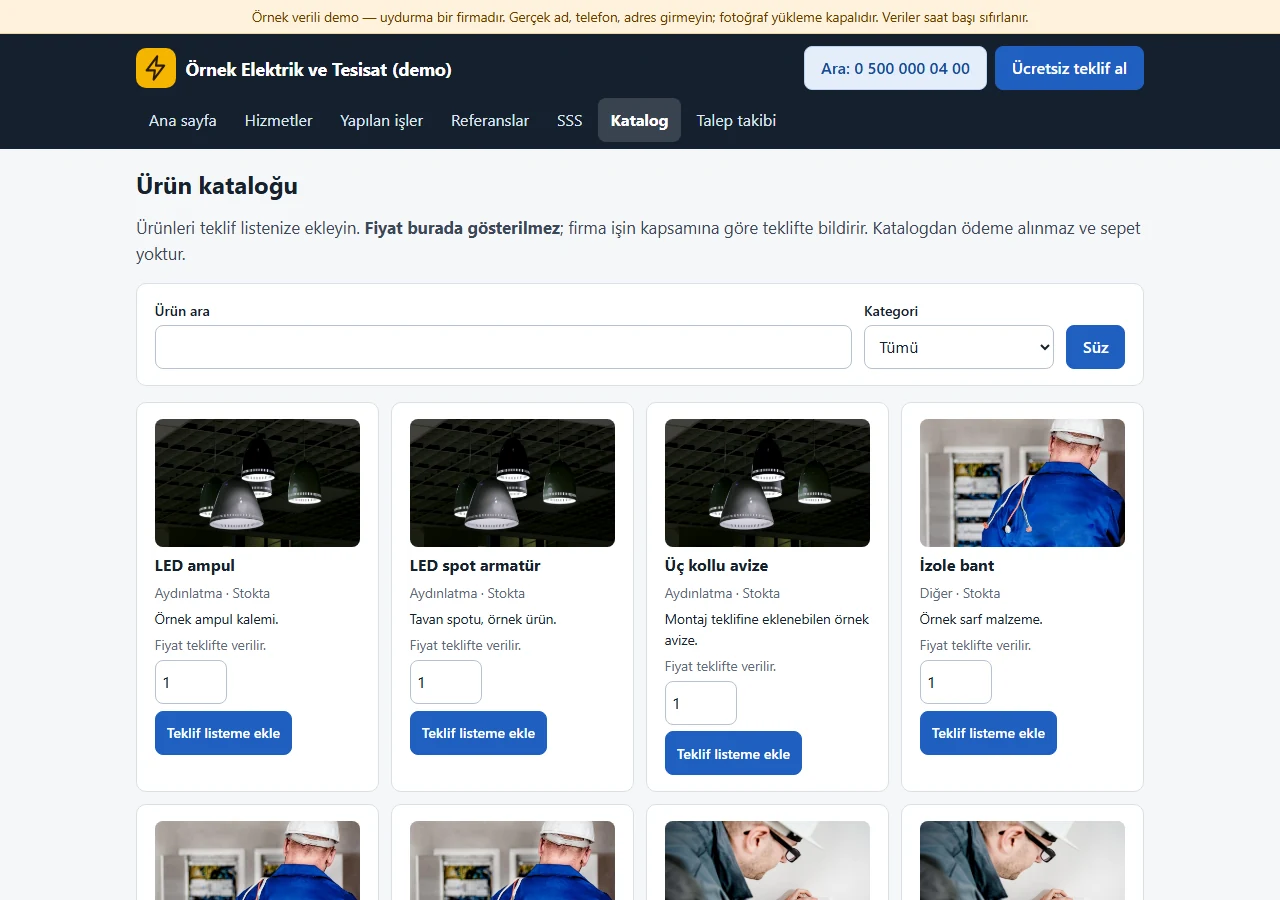
Product catalogue
A catalogue with category and search filters. No prices are shown and no payment is taken; a visitor adds a product with “Teklif listeme ekle”. Instead of a stock count it says “Stokta” (in stock) or “Temin edilir” (available to order).
- On screen (Turkish interface)
- “Ürün kataloğu” — product catalogue
- “Fiyat teklifte verilir.” — the price is given in the quote
- “Teklif listeme ekle” — add to my quote list
-
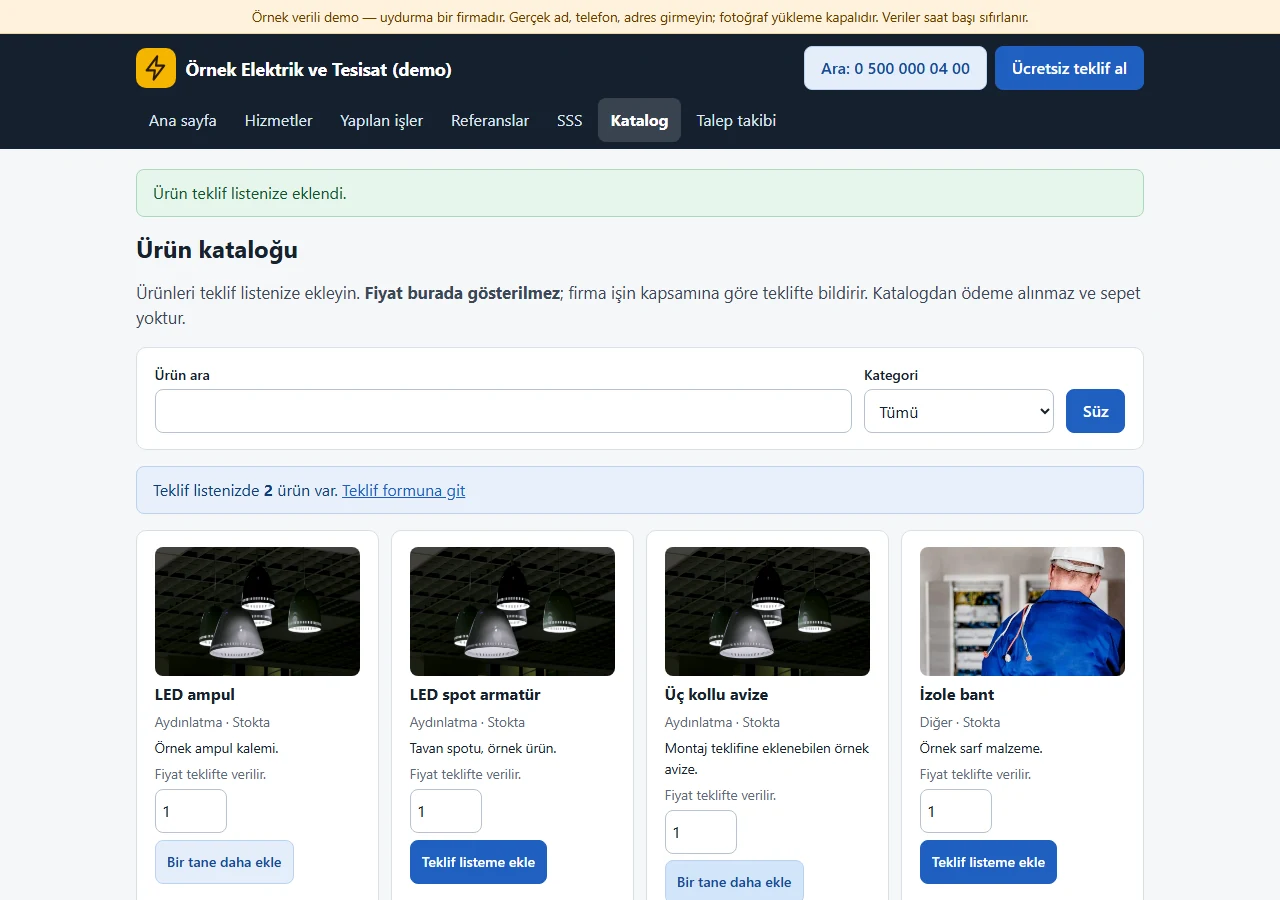
Quote list
Added products are kept in the session and carried to the quote form; once the request is sent they appear in the business panel as “requested products”.
- On screen (Turkish interface)
- “Teklif listenizde 2 ürün var” — there are 2 products in your quote list
- “Teklif formuna git” — go to the quote form
-
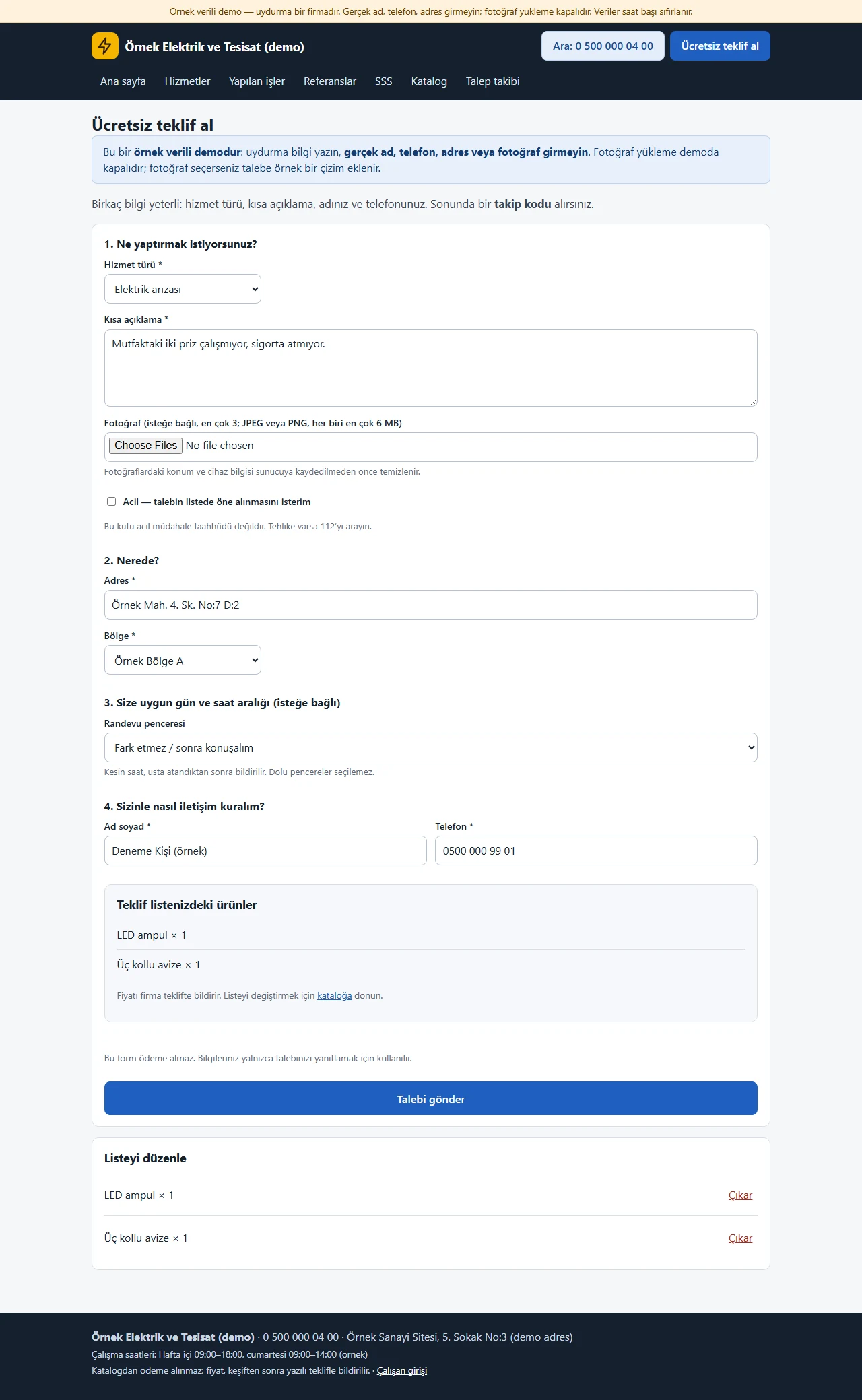
Free quote form
Service type, short description, up to 3 photos, address, district, an urgent box, an appointment window, name and phone. Full windows cannot be chosen; a hidden field, a timing check and rate limits stop bot submissions. Photo upload is off in the demo.
- On screen (Turkish interface)
- “Hizmet türü” — service type
- “Kısa açıklama” — short description
- “Fotoğraf” — photo
- “Randevu penceresi” — appointment window
- “Talebi gönder” — send the request
-
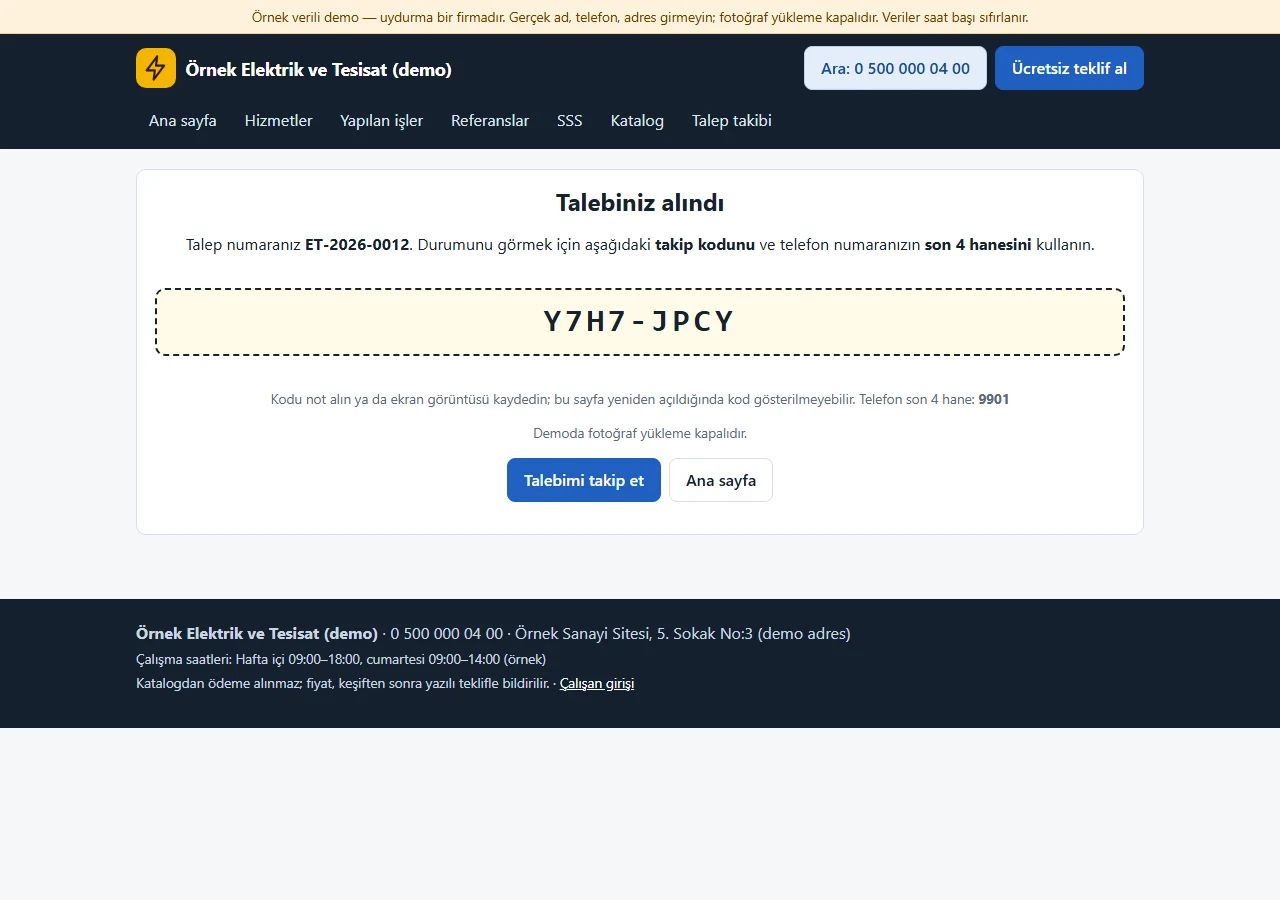
Tracking code
After sending, a request number and a large tracking code are shown. The customer checks the status page with the code and the last 4 digits of their phone.
- On screen (Turkish interface)
- “Talebiniz alındı” — your request was received
- “Talebimi takip et” — track my request
-
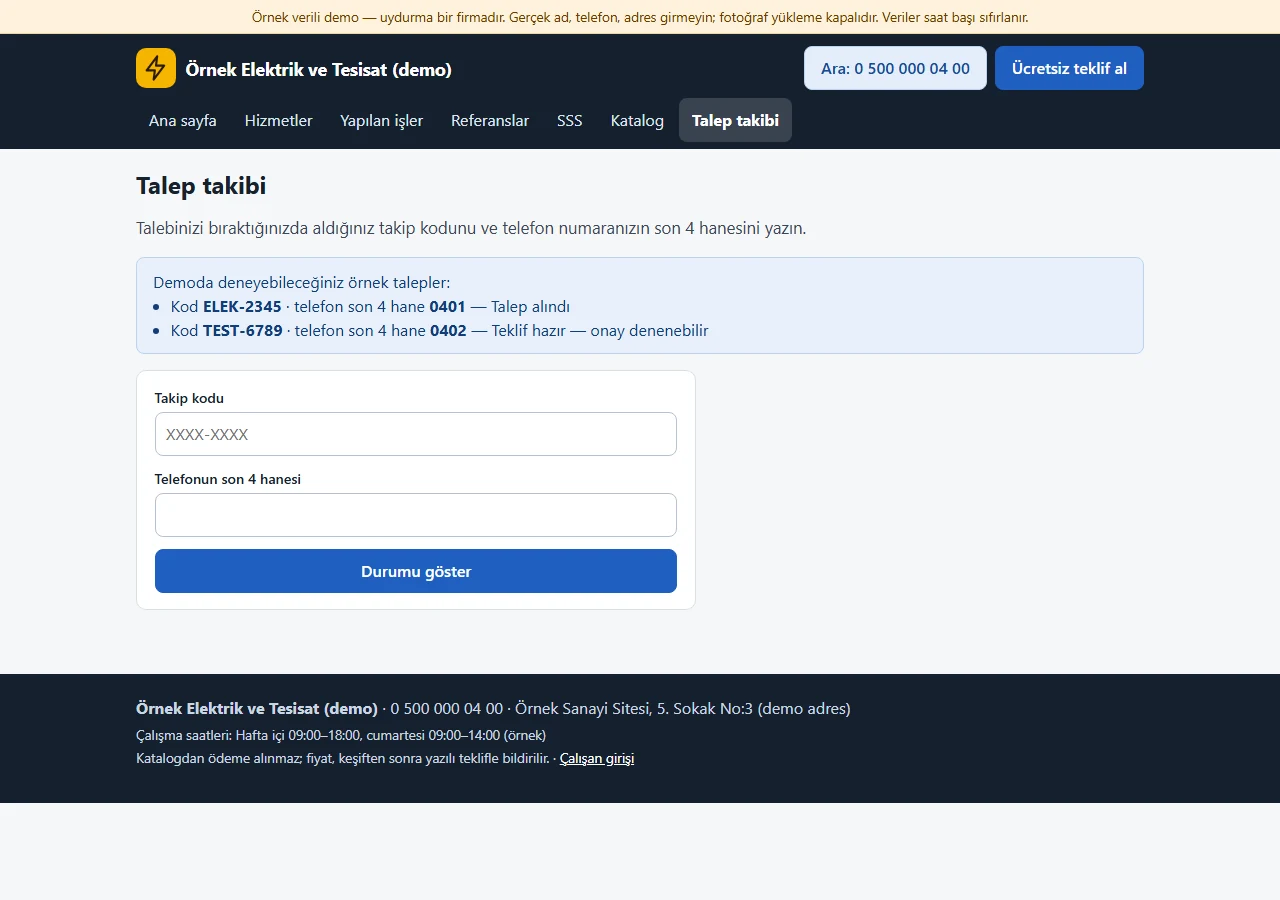
Status lookup
The tracking code and the last 4 digits of the phone. Wrong attempts are rate-limited and the error message is always the same; the demo shows two sample codes.
- On screen (Turkish interface)
- “Takip kodu” — tracking code
- “Telefonun son 4 hanesi” — last 4 digits of the phone
- “Durumu göster” — show status
-
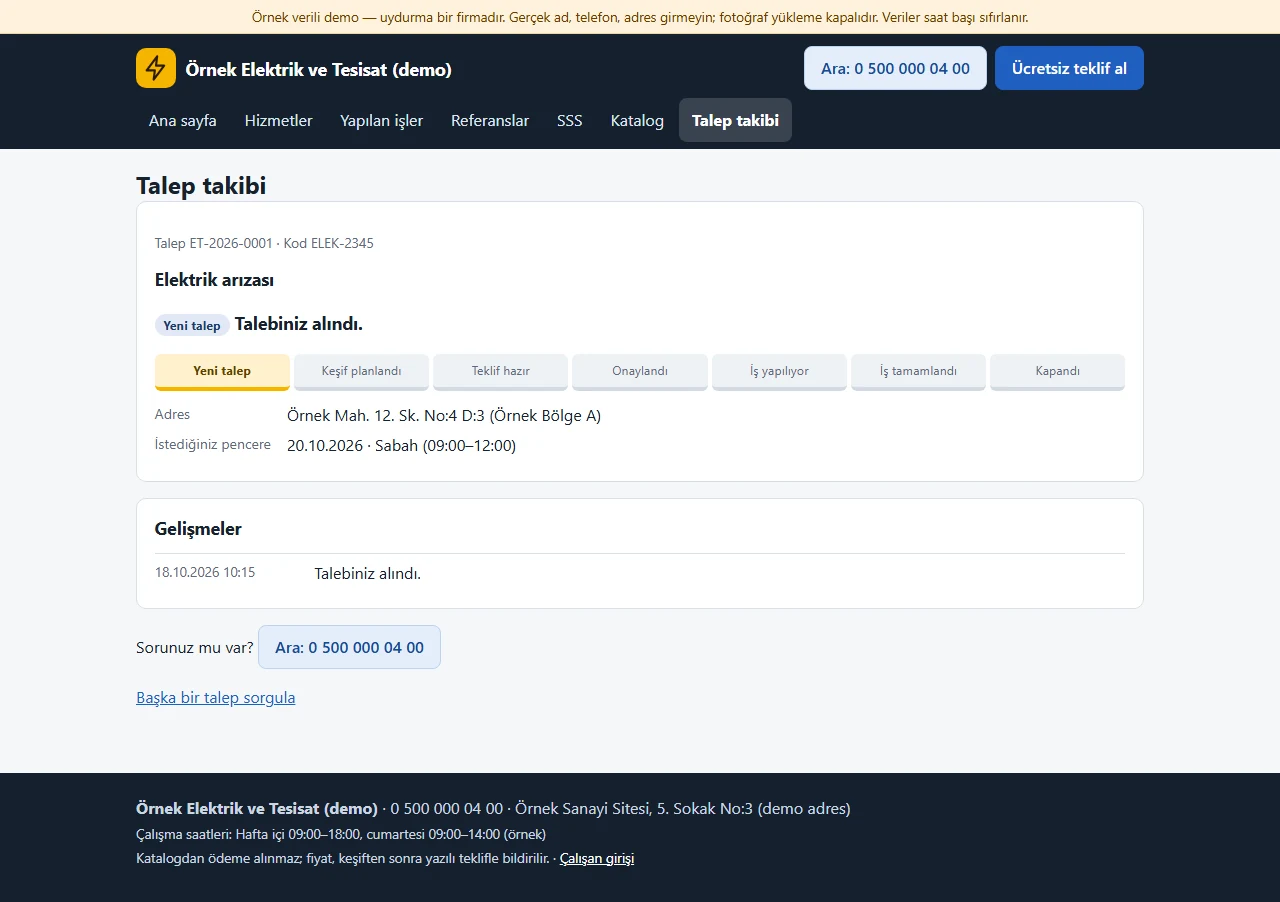
Status page
The customer sees the status path, address, requested appointment window and plain-language updates written by the firm. The firm’s internal notes stay hidden.
- On screen (Turkish interface)
- “Yeni talep” — new request
- “Adres” — address
- “Gelişmeler” — updates
-
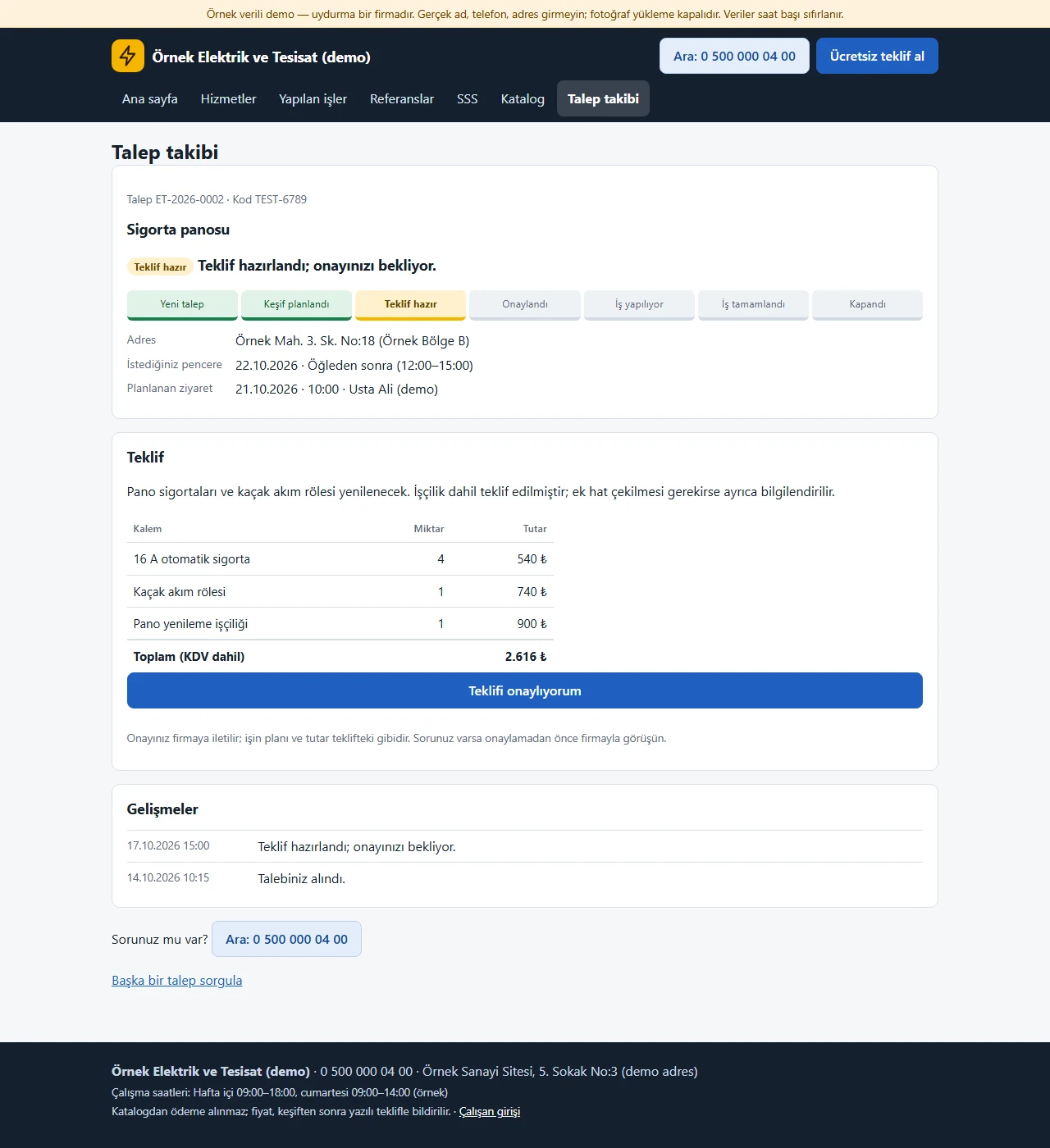
Quote confirmation
When the quote is ready the customer sees the quote note, items and total and can press “Teklifi onaylıyorum” (I confirm the quote); the confirmation is a record sent to the firm. Showing the amount can be switched off in the settings.
- On screen (Turkish interface)
- “Teklif” — quote
- “Teklifi onaylıyorum” — I confirm the quote
- “Toplam” — total
-
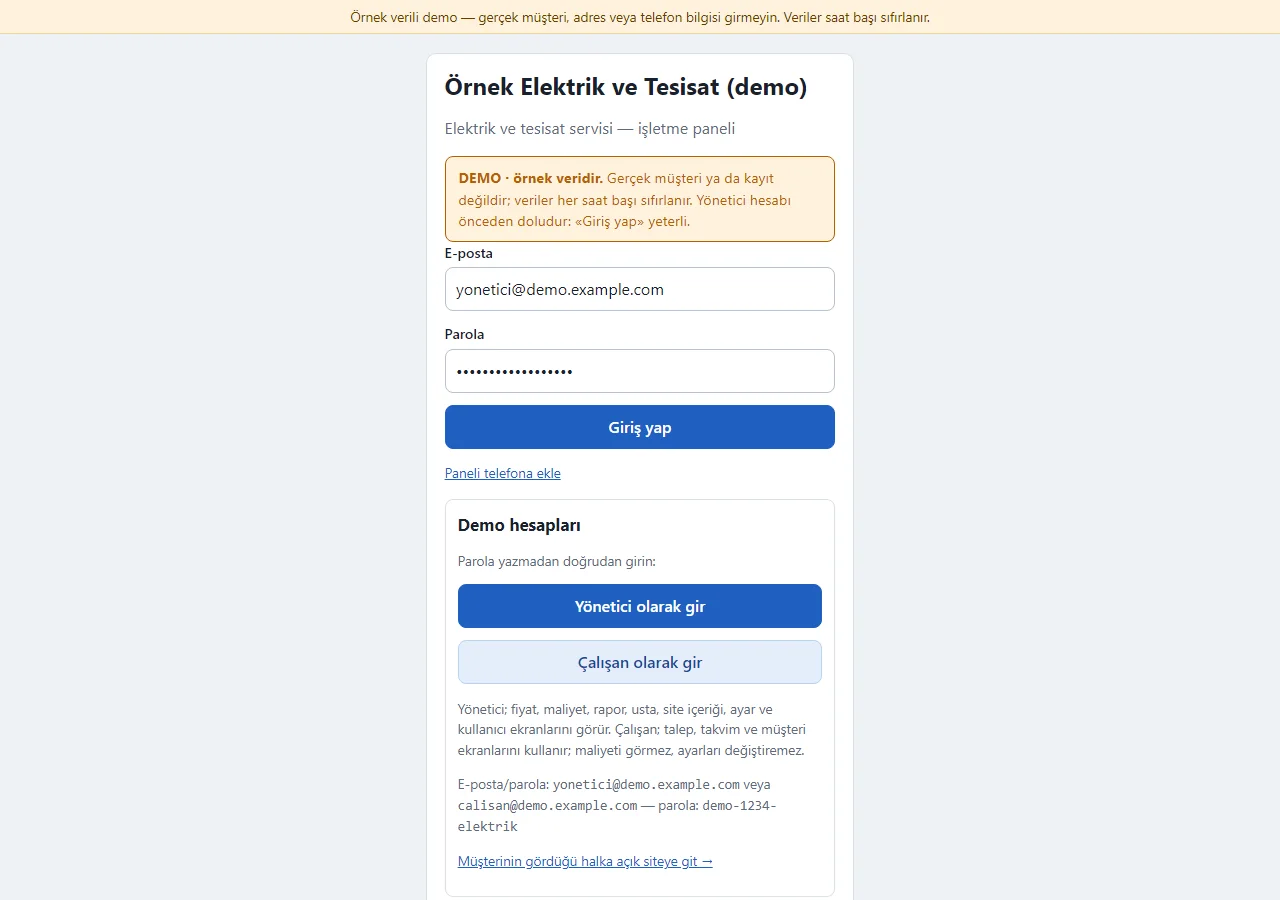
1.3.0 · 1 November 2026 Panel sign-in
On the demo’s sign-in page a “DEMO · örnek veridir” notice sits at the top, the e-mail and password fields come prefilled with the manager account, and a “Demo hesapları” (demo accounts) box holds password-free “Yönetici olarak gir” (enter as manager) and “Çalışan olarak gir” buttons, a short note on each role and a link to the public site. Both show only in the demo; a normal installation has empty fields.
- On screen (Turkish interface)
- “DEMO · örnek veridir” — DEMO · sample data
- “Demo hesapları” — demo accounts
- “Yönetici olarak gir” — enter as manager
- “Çalışan olarak gir” — enter as employee
- “Giriş yap” — sign in
-
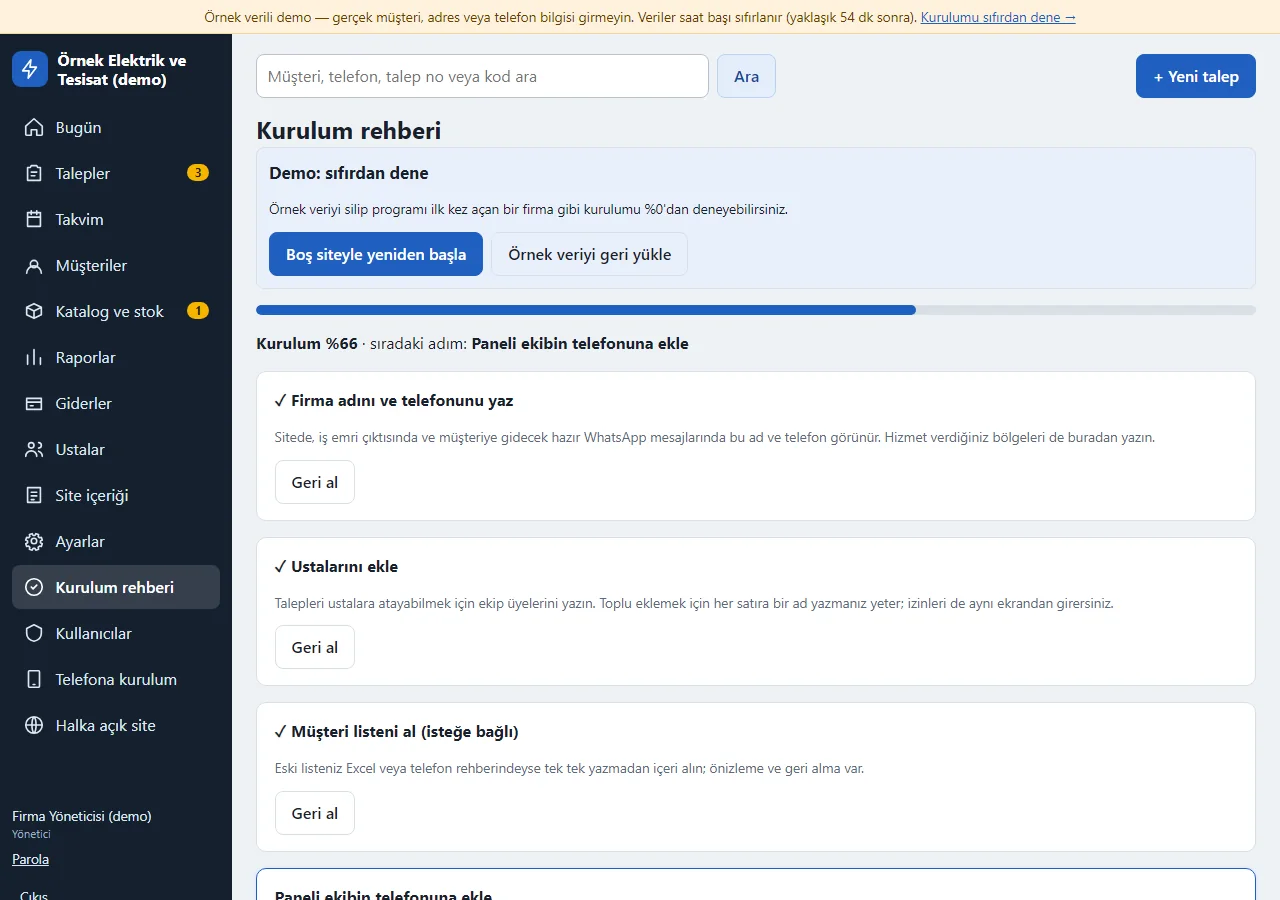
1.3.0 · 1 November 2026 Setup guide
A six-step guide for the manager (firm details, technicians, customer list, adding to the phone, giving the request link to customers, the first request): each step saves on its own, can be skipped and moves on to the next by itself. Until it is finished a “Kurulum %66 · sıradaki adım…” (setup 66 % · next step…) bar shows on every panel page. In the demo, “Boş siteyle yeniden başla” (start again with an empty site) and “Örnek veriyi geri yükle” (restore the sample data) buttons sit at the top; they show in the demo only.
- On screen (Turkish interface)
- “Kurulum rehberi” — setup guide
- “Boş siteyle yeniden başla” — start again with an empty site
- “Örnek veriyi geri yükle” — restore the sample data
- “Geri al” — undo
-
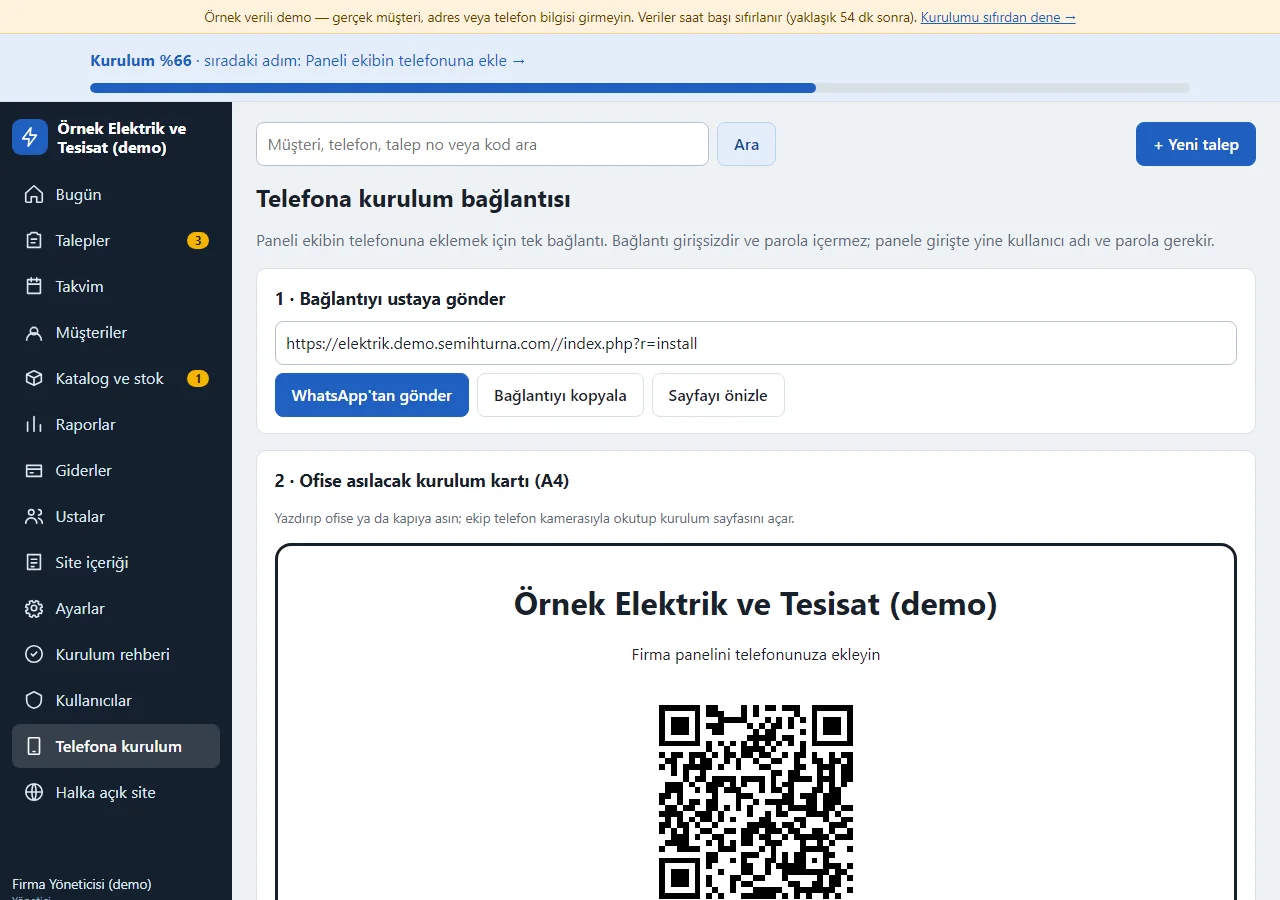
1.3.0 · 1 November 2026 Setup on the phone and the customer link
The panel setup link is sent to the team on WhatsApp or copied; an A4 setup card with a QR code is ready to pin up in the office. The same page holds a ready WhatsApp message, a copy button and a poster with a QR code for the request link to give customers. The sign-in-free setup page shows the firm name, a big “Telefonuma ekle” (add to my phone) button and instructions for the phone.
- On screen (Turkish interface)
- “Telefona kurulum bağlantısı” — phone setup link
- “WhatsApp’tan gönder” — send on WhatsApp
- “Bağlantıyı kopyala” — copy the link
- “Sayfayı önizle” — preview the page
-
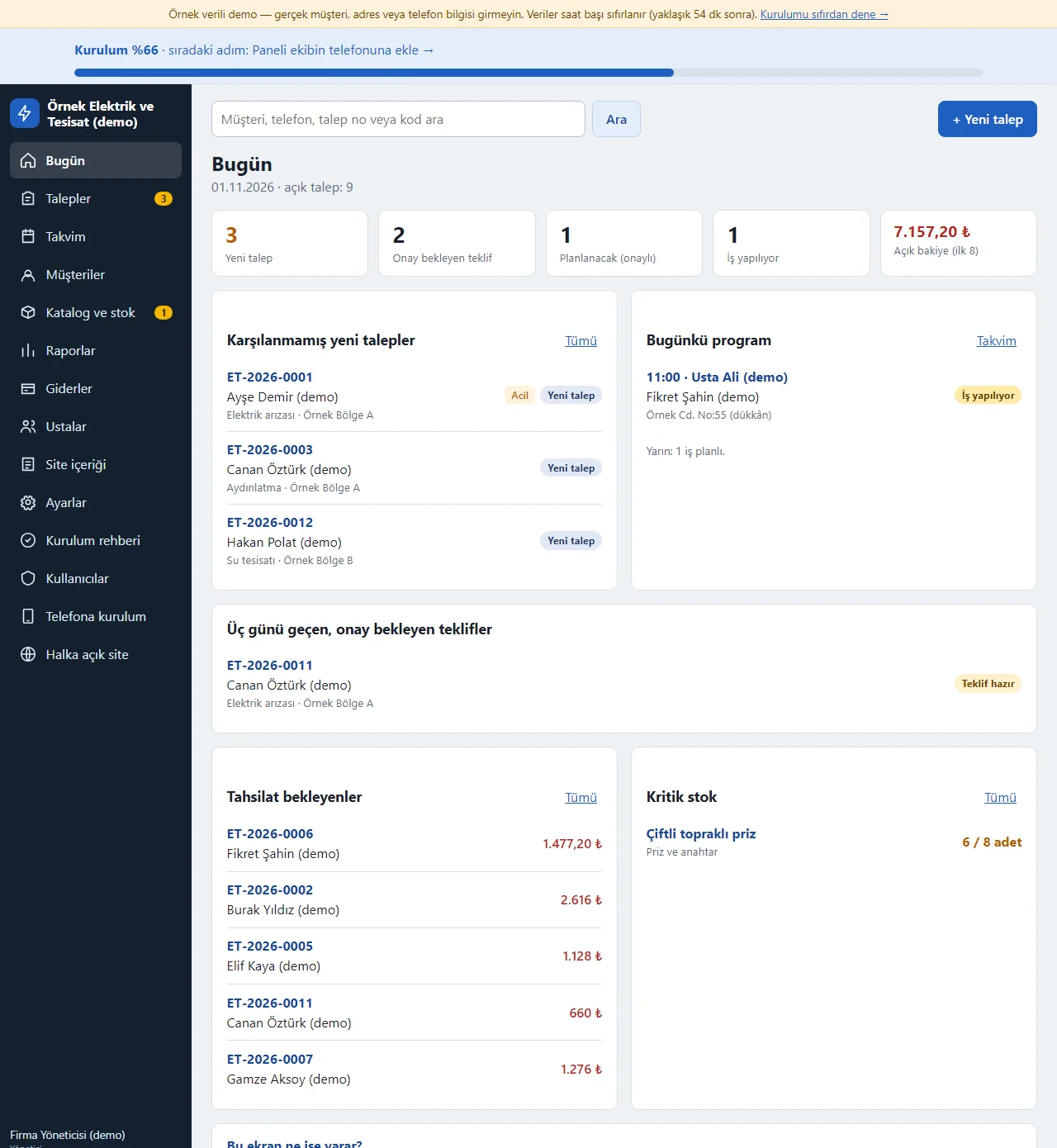
1.3.0 · 1 November 2026 Today
New requests not yet handled, today’s technician schedule, quotes older than three days, unpaid balances and low stock at a glance. Until setup is finished a progress bar shows at the top and a closed “Bu ekran ne işe yarar?” (what is this screen for) box below.
- On screen (Turkish interface)
- “Bugün” — today
- “Karşılanmamış yeni talepler” — new requests not yet handled
- “Bugünkü program” — today’s schedule
- “Kritik stok” — low stock
-
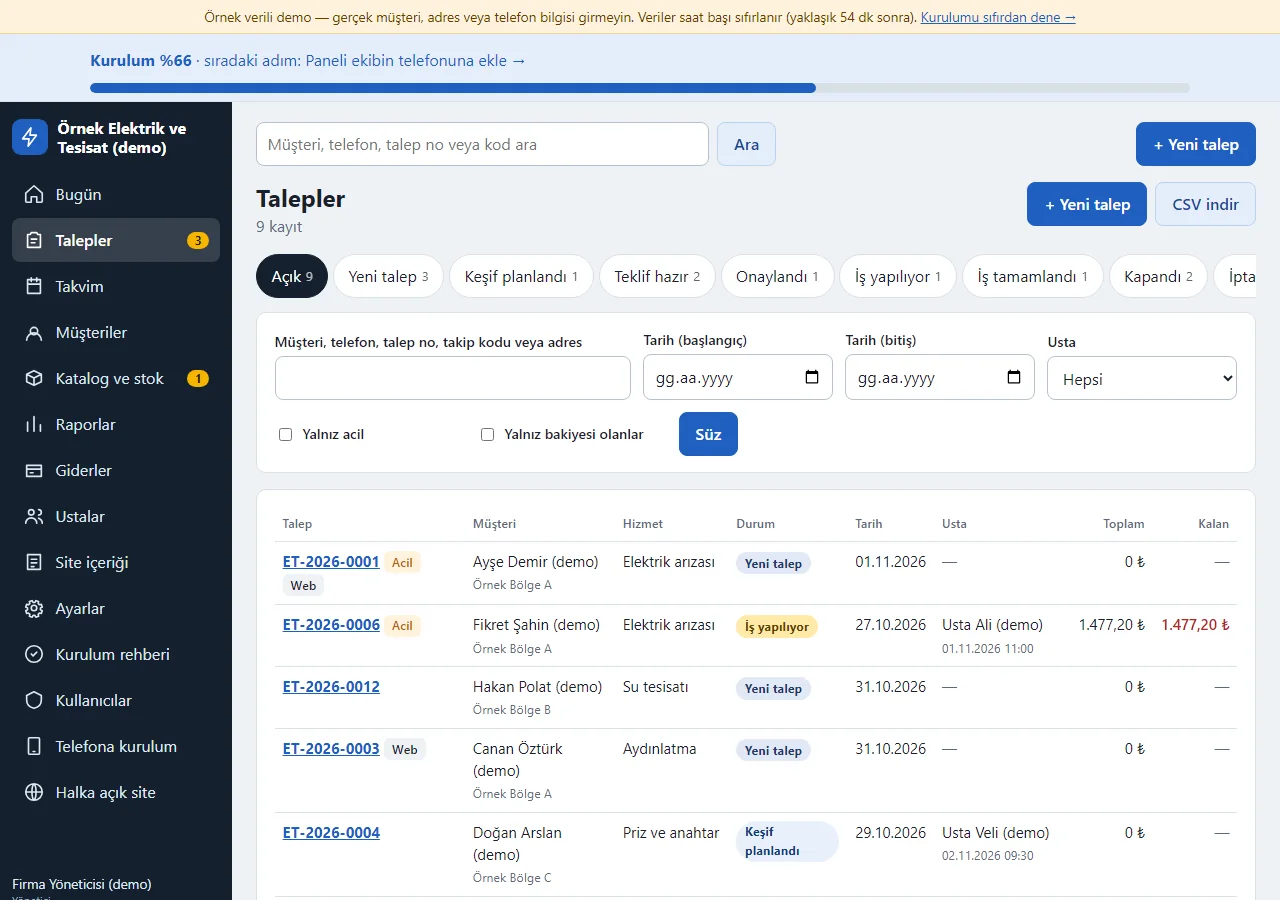
1.3.0 · 1 November 2026 Request inbox
Status tabs; search by customer, phone, request number, tracking code and address; technician, date, urgent and balance filters. Urgent and web requests are tagged; the list downloads as CSV.
- On screen (Turkish interface)
- “Talepler” — requests
- “Yeni talep / Teklif hazır” — new request / quote ready
- “Acil / Web” — urgent / web
-
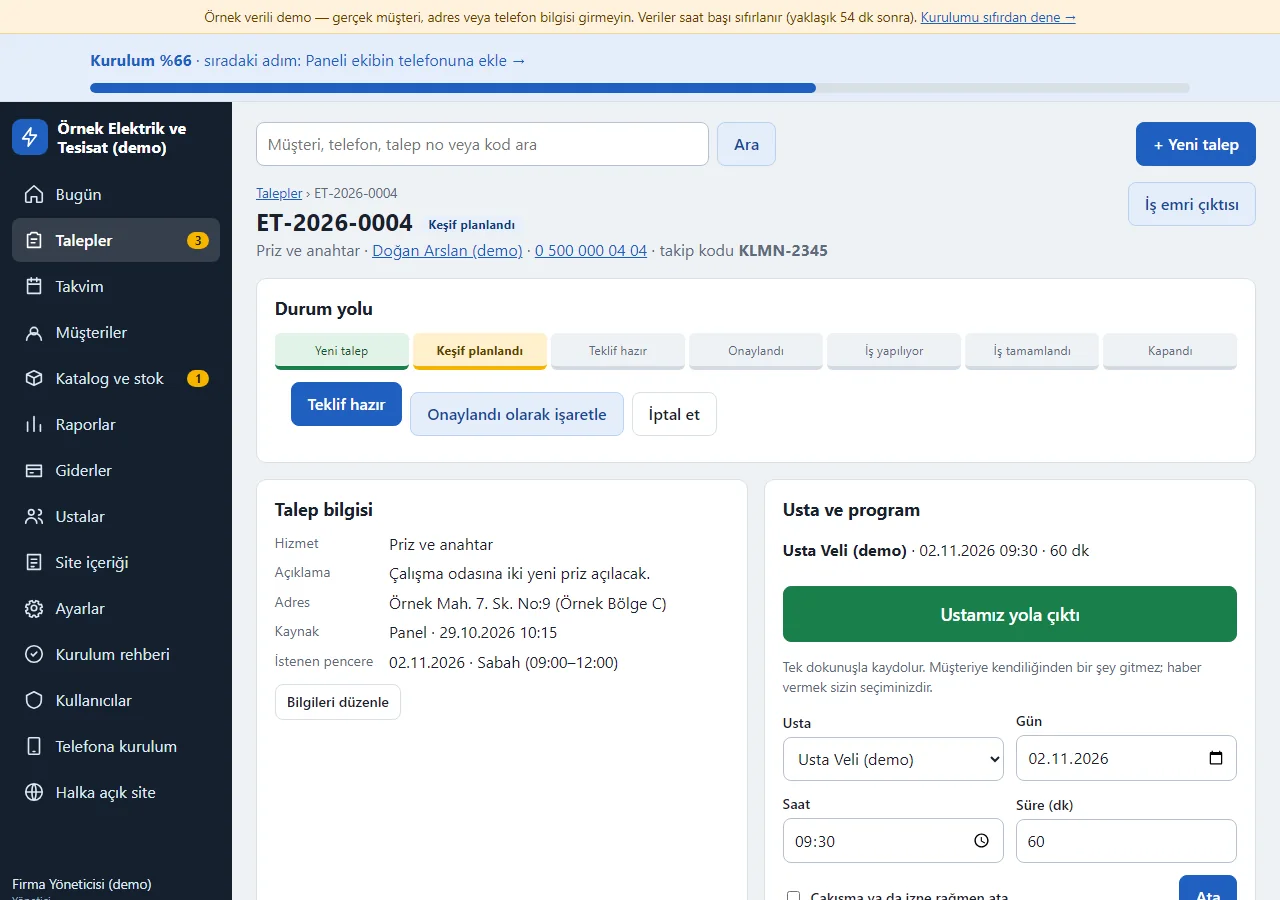
1.3.0 · 1 November 2026 Request card
The status path with only the valid next-step buttons; request details, technician and schedule on one page. With a technician assigned there is an “Ustamız yola çıktı” (our technician has set off) button, with the checklist below it. A quote needs an item or a note, approval needs the method and person, and cancelling needs a reason.
- On screen (Turkish interface)
- “Durum yolu” — status path
- “Ustamız yola çıktı” — our technician has set off
- “Usta ve program” — technician and schedule
- “Kontrol listesi” — checklist
-
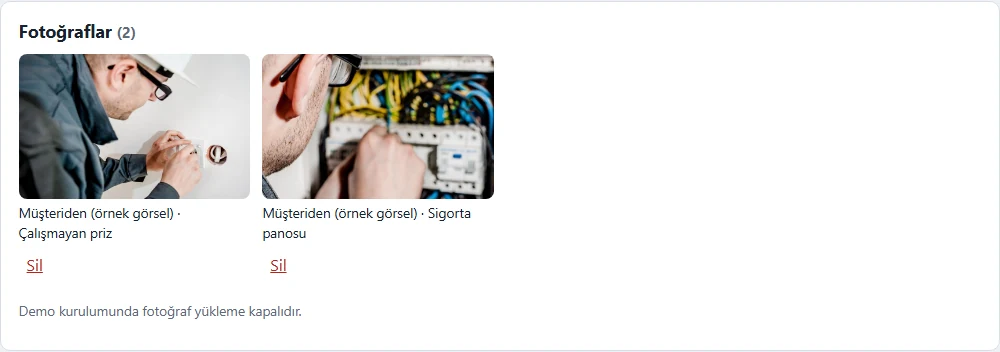
Customer photos
Photos the customer attached appear on the card (sample drawings in the demo). In real uploads location and device data are stripped from the file, the file name is generated at random and the photo is shown only in the panel.
- On screen (Turkish interface)
- “Fotoğraflar” — photos
- “Müşteriden” — from the customer
- “Çalışmayan priz” — socket not working
-
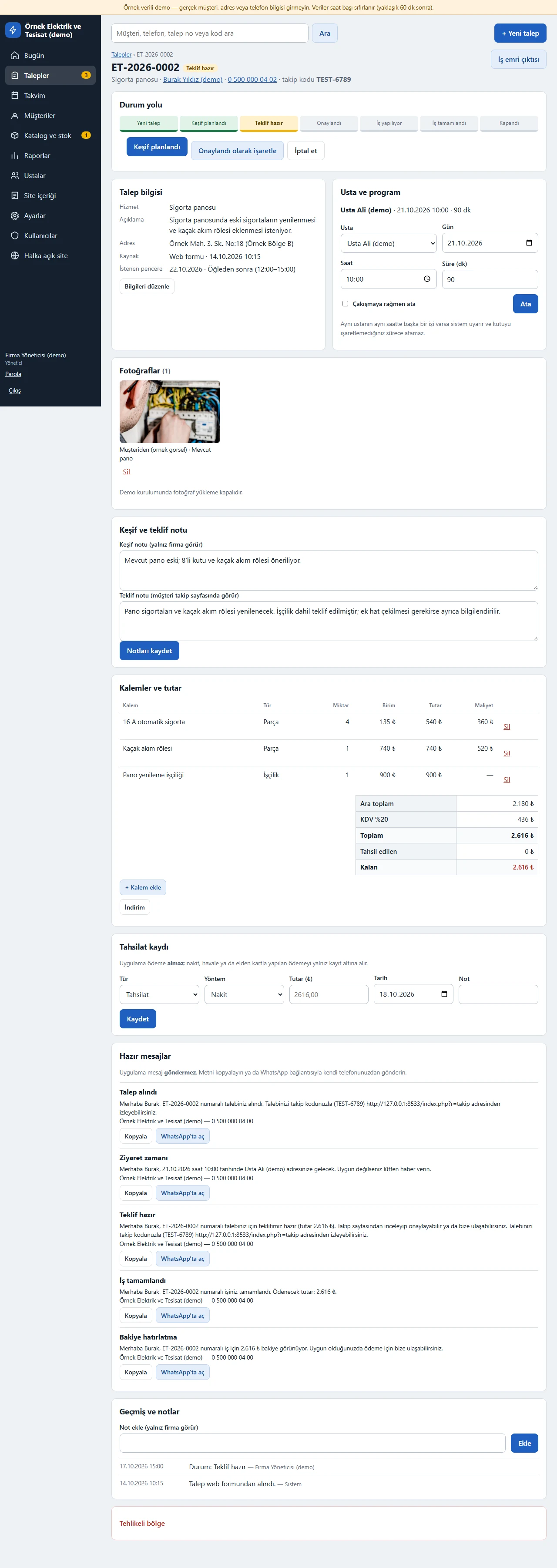
Survey, quote, items and payments
The survey note is visible to the firm only, the quote note to the customer. Part and labour items, VAT and total; requested products are added to the items at catalogue prices; the payment record and ready messages are on the same card.
- On screen (Turkish interface)
- “Keşif ve teklif notu” — survey and quote note
- “Kalemler ve tutar” — items and amount
- “Ara toplam / KDV / Toplam” — subtotal / VAT / total
- “Hazır mesajlar” — ready messages
-
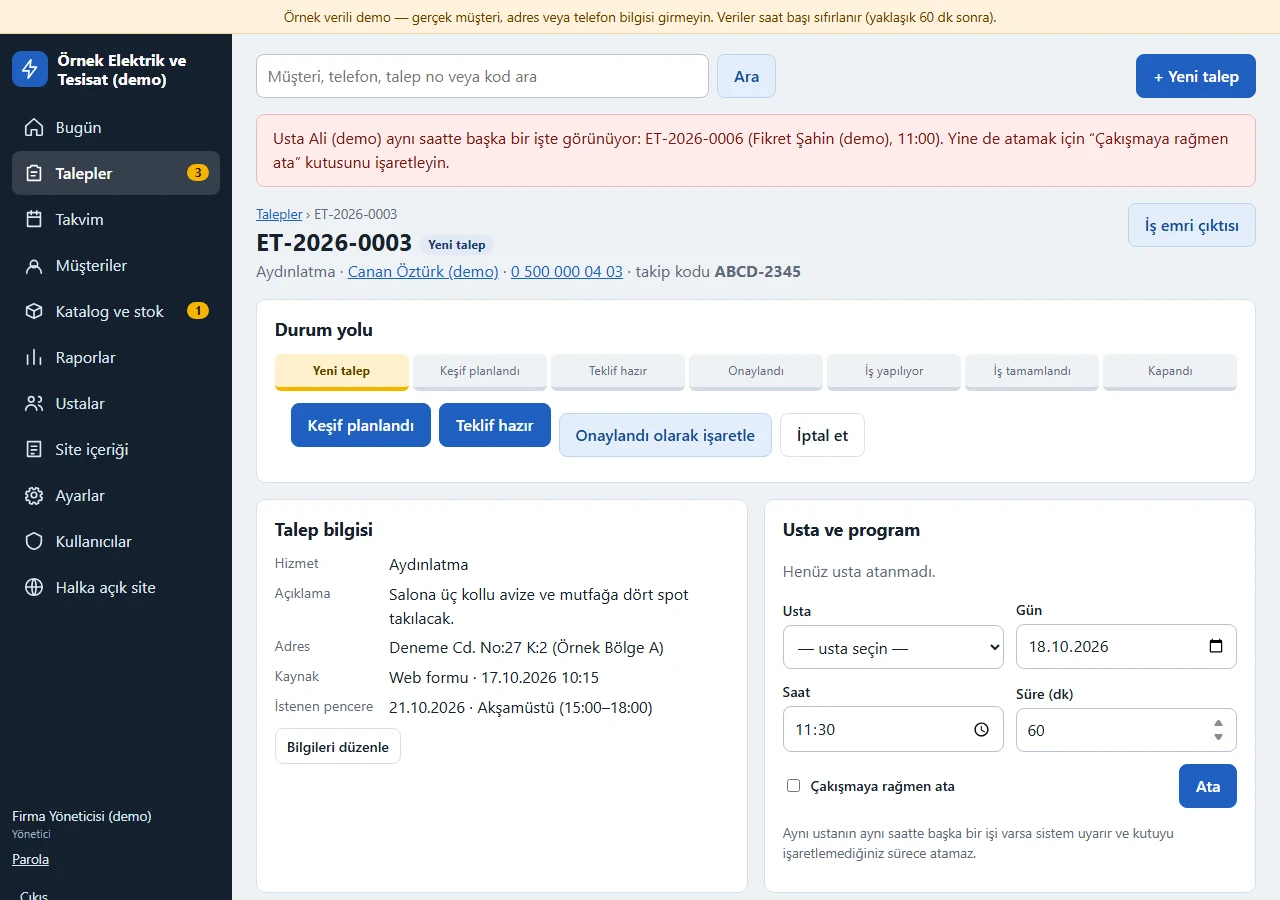
Technician assignment and clash warning
If a second job is assigned to the same technician at the same time the system warns, and refuses unless “Çakışmaya rağmen ata” (assign despite the clash) is ticked.
- On screen (Turkish interface)
- “aynı saatte başka bir işte görünüyor” — appears to be on another job at the same time
- “Çakışmaya rağmen ata” — assign despite the clash
- “Ata” — assign
-
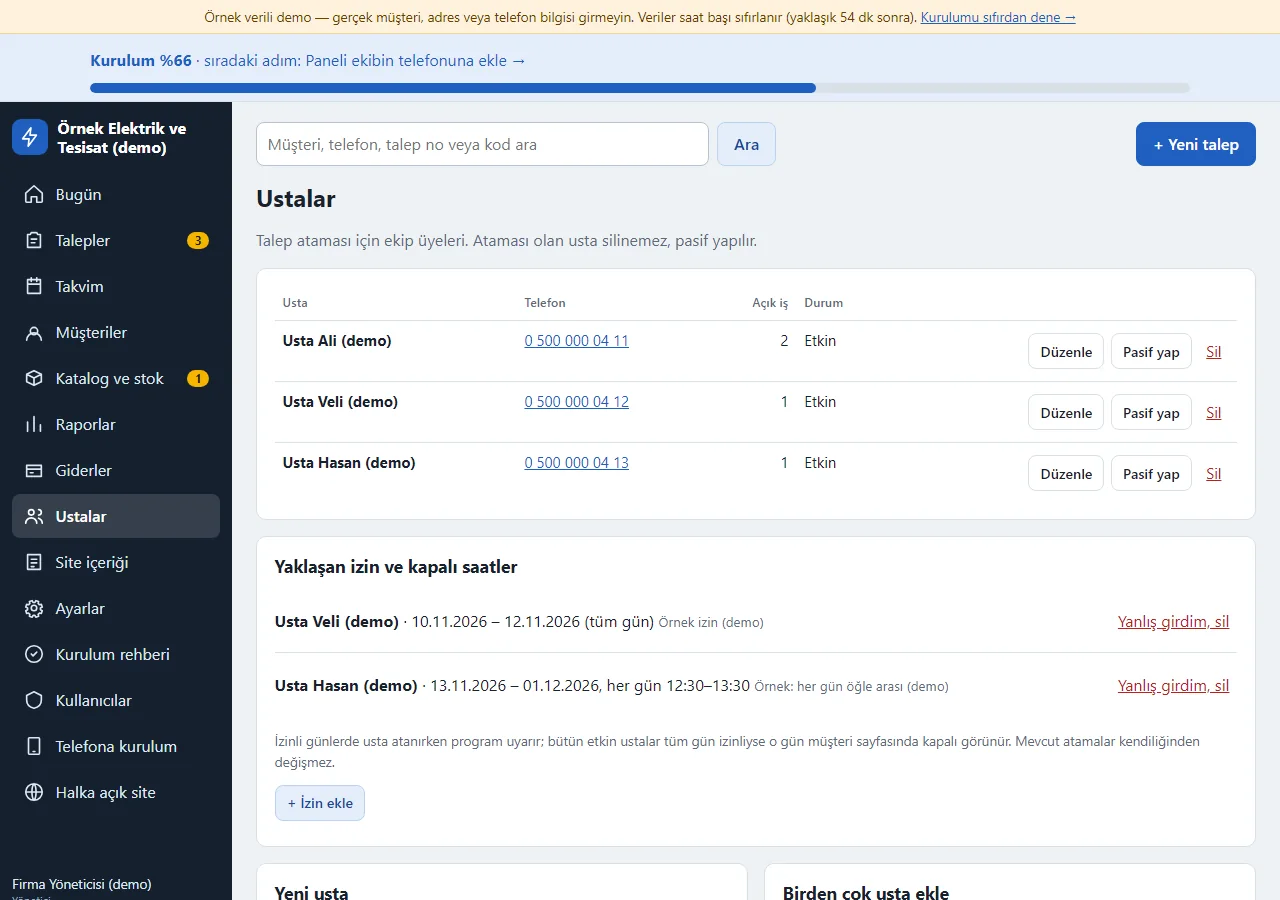
1.3.0 · 1 November 2026 Technician time off and the upcoming list
On the Technicians screen, “İzin ekle” (add time off): the technician, a first day, a last day and “Tüm gün” (all day) or the same hours every day. Assigning to a technician who is off gives a warning; jobs already assigned in that period are not changed silently. The “Yaklaşan izin ve kapalı saatler” (upcoming time off and closed hours) list has “Yanlış girdim, sil” on each row; if every active technician is off all day, the day also shows as closed on the customer side. No remaining-leave counter is worked out; the time-off rows are samples.
- On screen (Turkish interface)
- “Ustalar” — technicians
- “Yaklaşan izin ve kapalı saatler” — upcoming time off and closed hours
- “Tüm gün” — all day
- “Yanlış girdim, sil” — typed wrong, delete
- “İzin ekle” — add time off
-
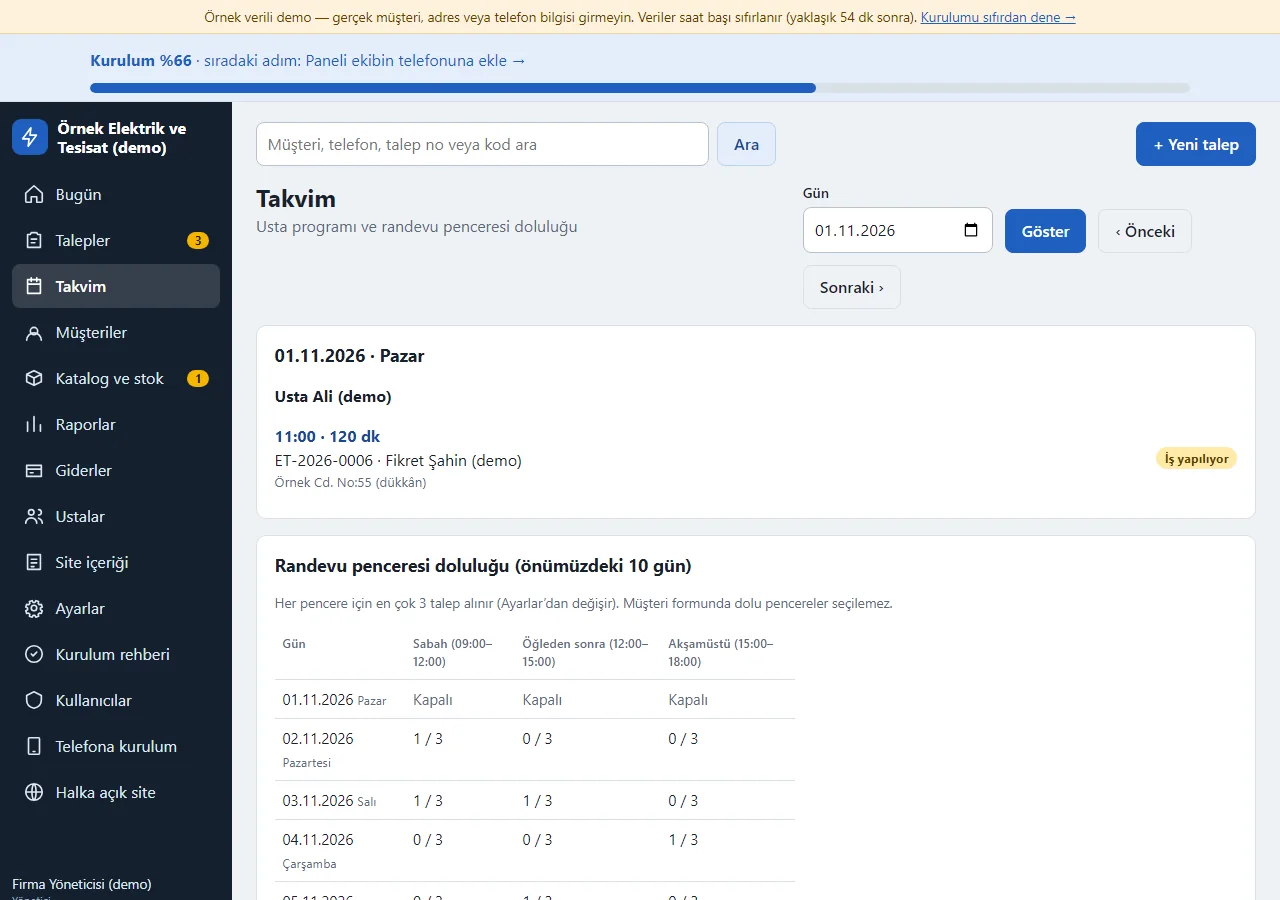
1.3.0 · 1 November 2026 Calendar
The day’s technician schedule and the occupancy of the morning, afternoon and late-afternoon windows for the next 10 days; closed days are shown separately.
- On screen (Turkish interface)
- “Takvim” — calendar
- “Randevu penceresi doluluğu” — appointment window occupancy
- “Kapalı” — closed
-
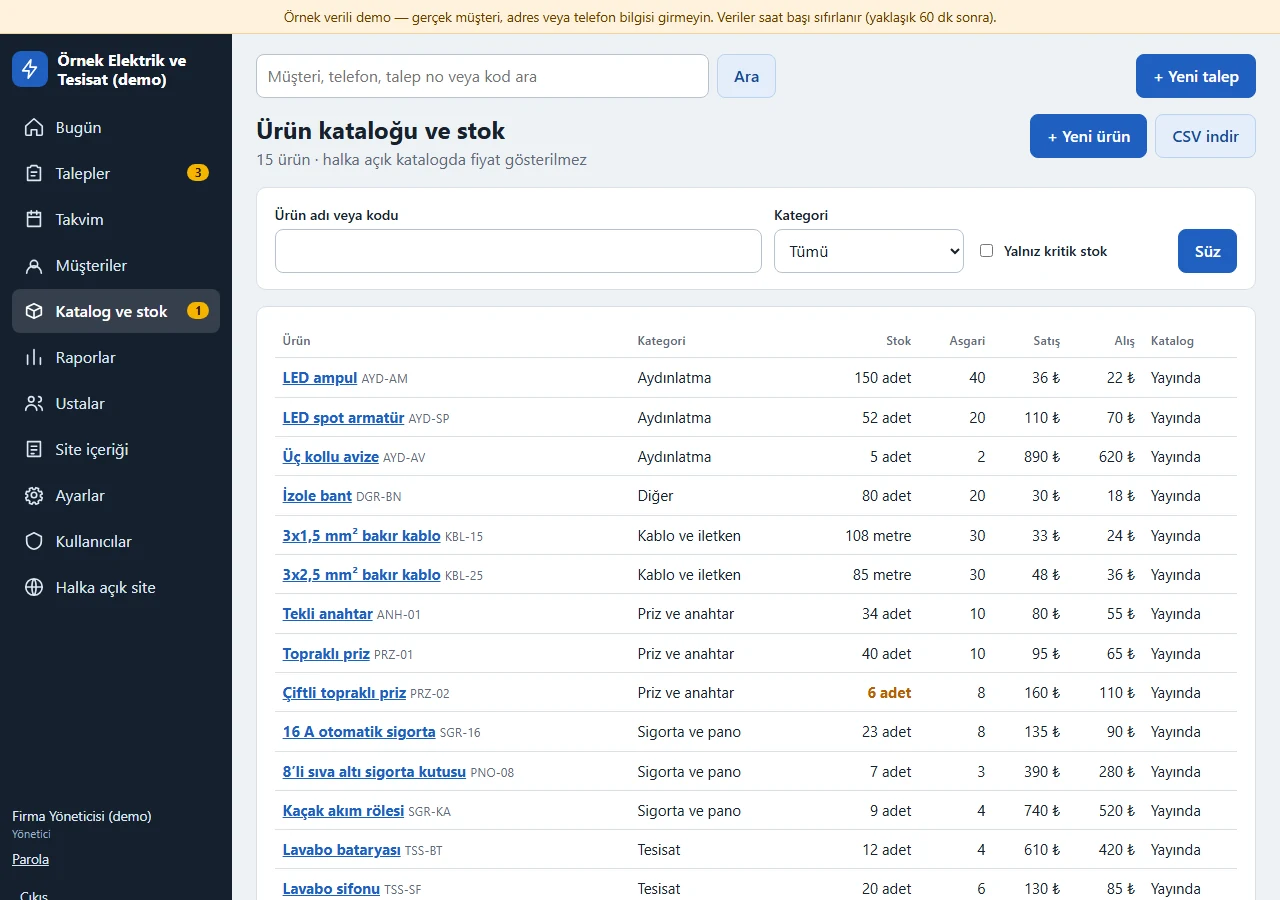
Catalogue and stock
Product, category, stock, minimum stock, sell and buy price; low-stock products are highlighted. The manager decides whether staff see prices and costs.
- On screen (Turkish interface)
- “Ürün kataloğu ve stok” — product catalogue and stock
- “Stok / Asgari” — stock / minimum
- “Yayında” — published
-
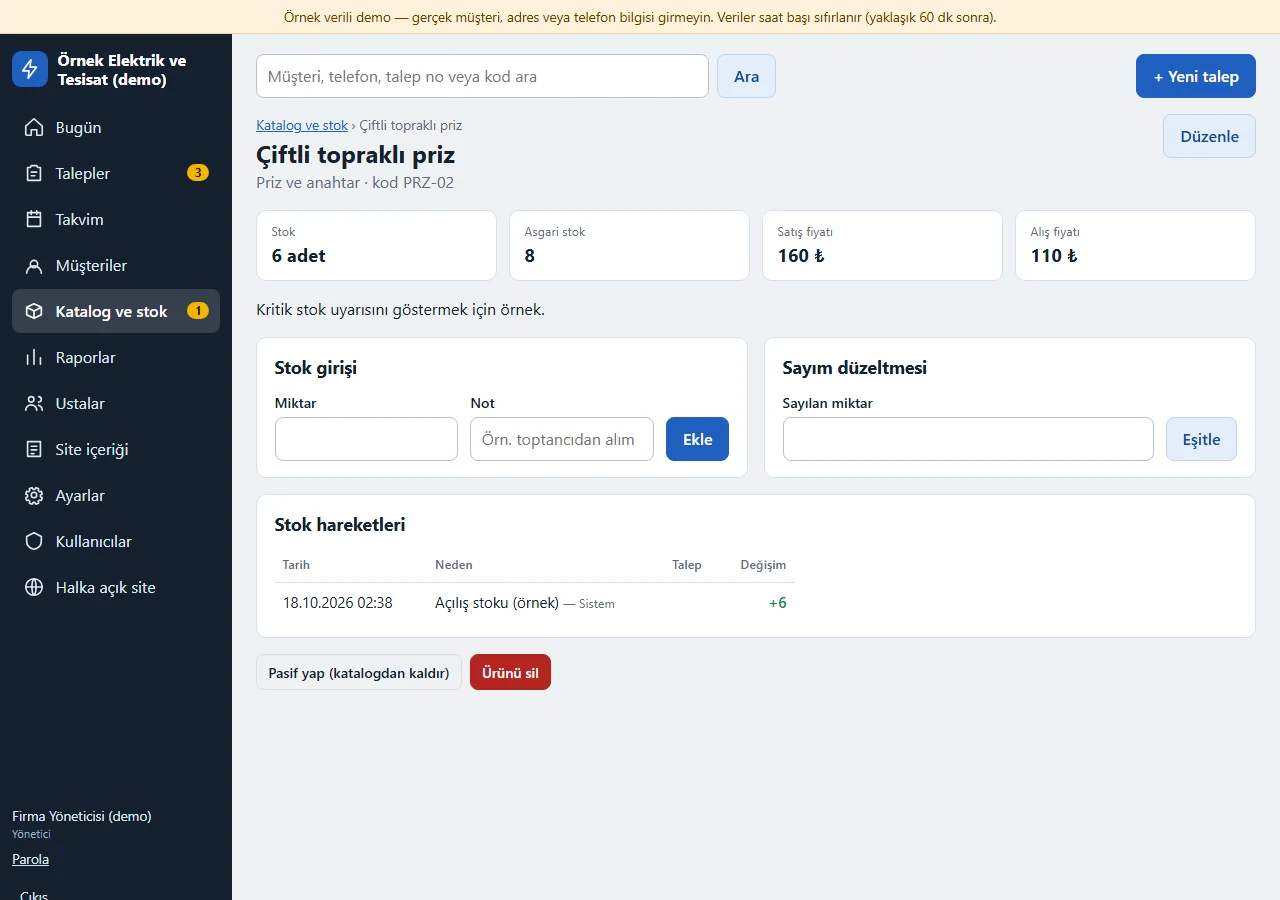
Stock entry and movements
Stock entry, count correction and a movement history showing which request used how much. A catalogue product is deducted from stock when the job starts and returned on cancellation or step-back.
- On screen (Turkish interface)
- “Stok girişi” — stock entry
- “Sayım düzeltmesi” — count correction
- “Stok hareketleri” — stock movements
-
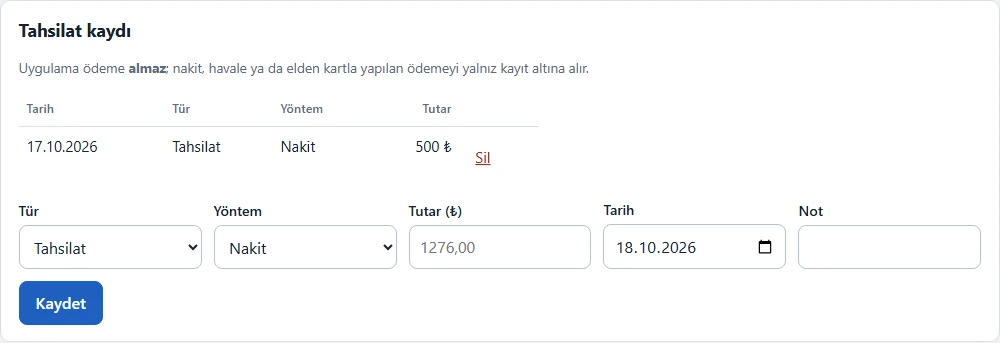
Payment record
Cash, bank transfer or card-in-hand payments are logged by hand; partial payments and refunds are recorded and the remaining balance is shown. An amount above the balance is rejected. The app takes no payment.
- On screen (Turkish interface)
- “Tahsilat kaydı” — payment record
- “Tutar” — amount
- “Kalan” — remaining
-
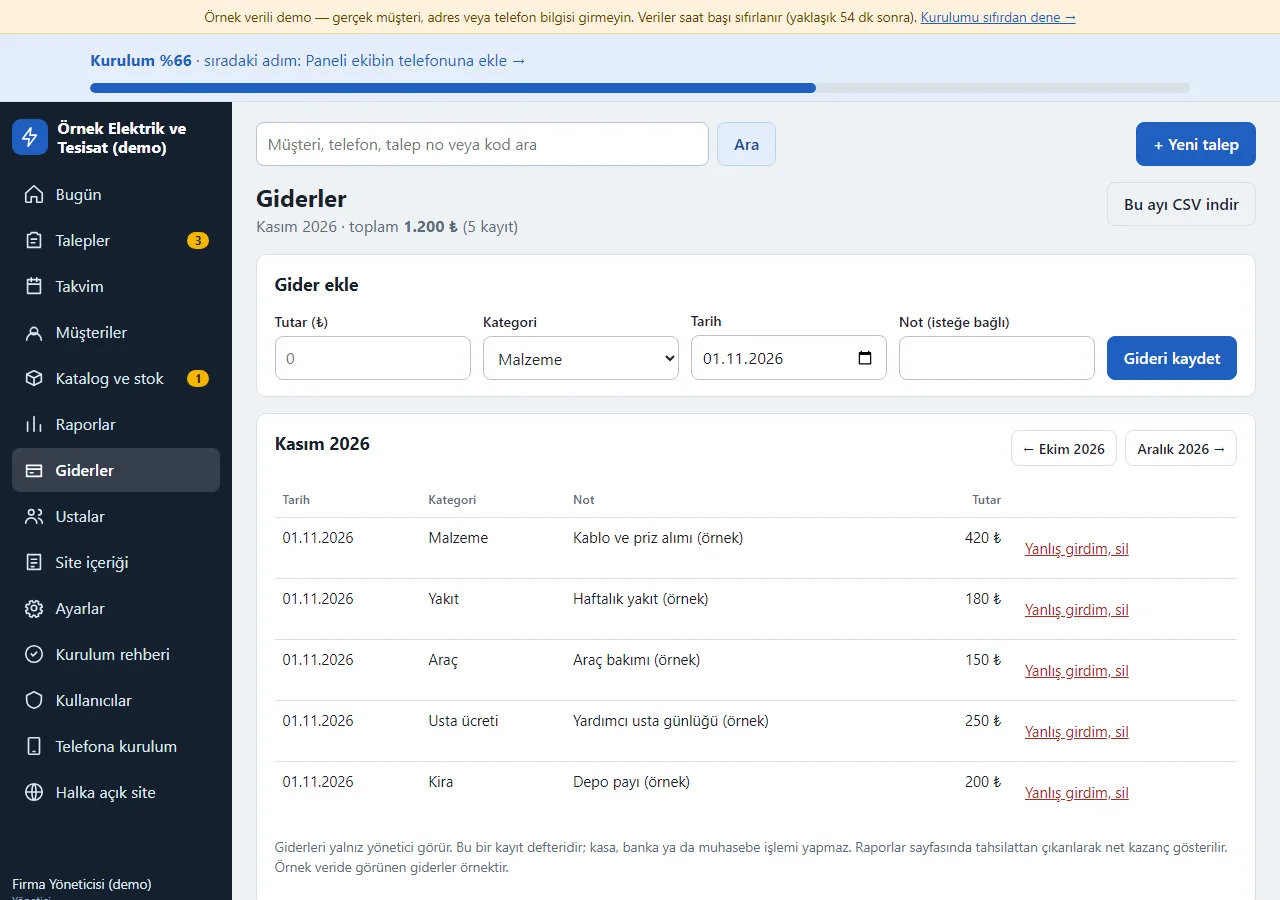
1.3.0 · 1 November 2026 Expense records
Manager only: an amount, a category (Malzeme, Yakıt, Araç, Usta ücreti, Kira, Diğer: materials, fuel, vehicle, technician pay, rent, other), a date and an optional note; the date is today and the category is the last one used. A list filtered by month with “Yanlış girdim, sil” (typed wrong, delete) on every row, and the month’s CSV. There is no cash book, bank or accounting; an employee sees neither this screen nor the menu item.
- On screen (Turkish interface)
- “Giderler” — expenses
- “Gider ekle” — add an expense
- “Gideri kaydet” — save the expense
- “Yanlış girdim, sil” — typed wrong, delete
- “Bu ayı CSV indir” — download this month as CSV
-
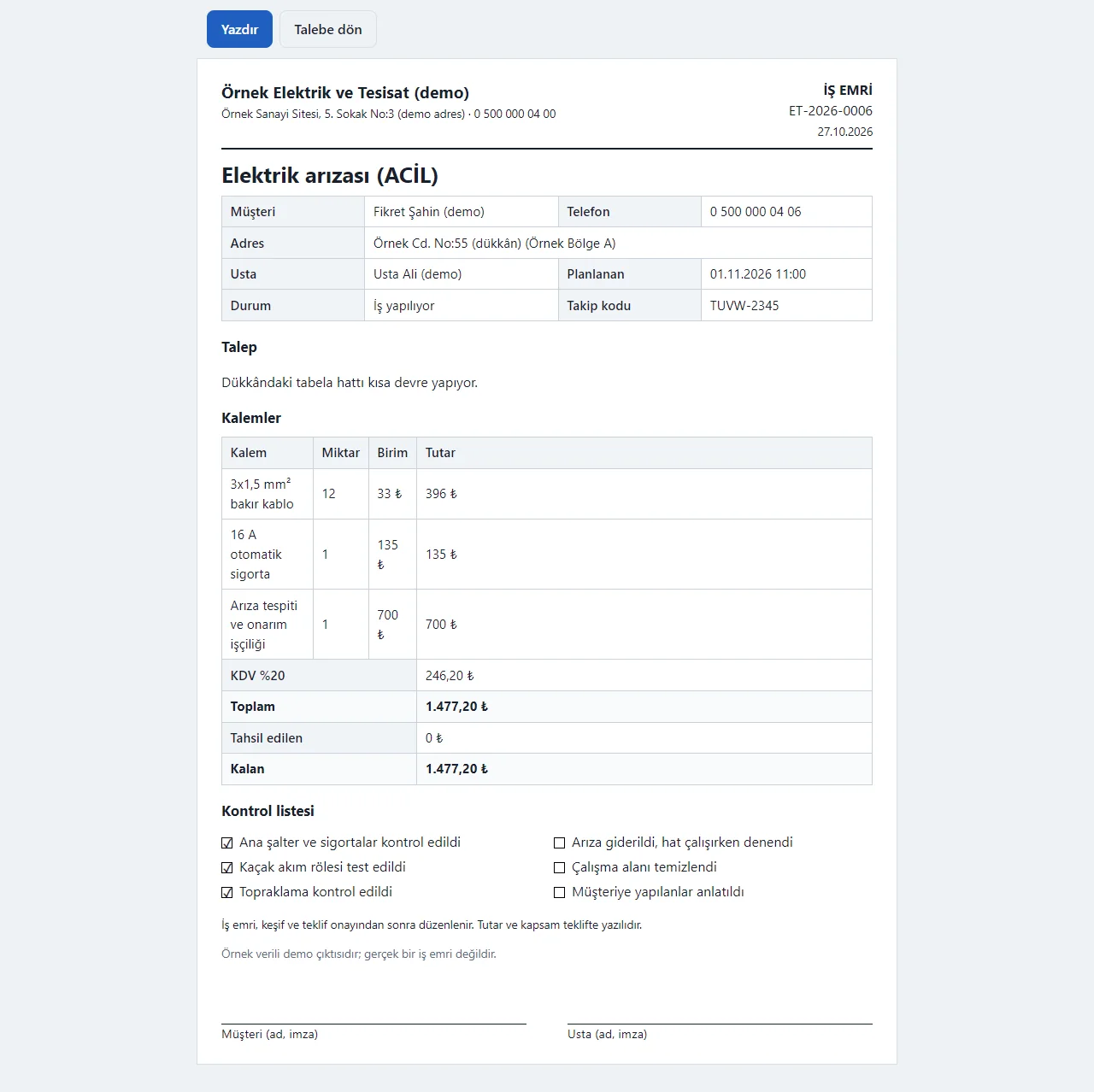
1.3.0 · 1 November 2026 Work order printout
Customer, address, technician, request, items, amount, the checklist boxes (ticked and empty) and signature lines; print it or save as PDF.
- On screen (Turkish interface)
- “İŞ EMRİ” — work order
- “Kontrol listesi” — checklist
- “Kalemler” — items
- “Müşteri (ad, imza)” — customer (name, signature)
-
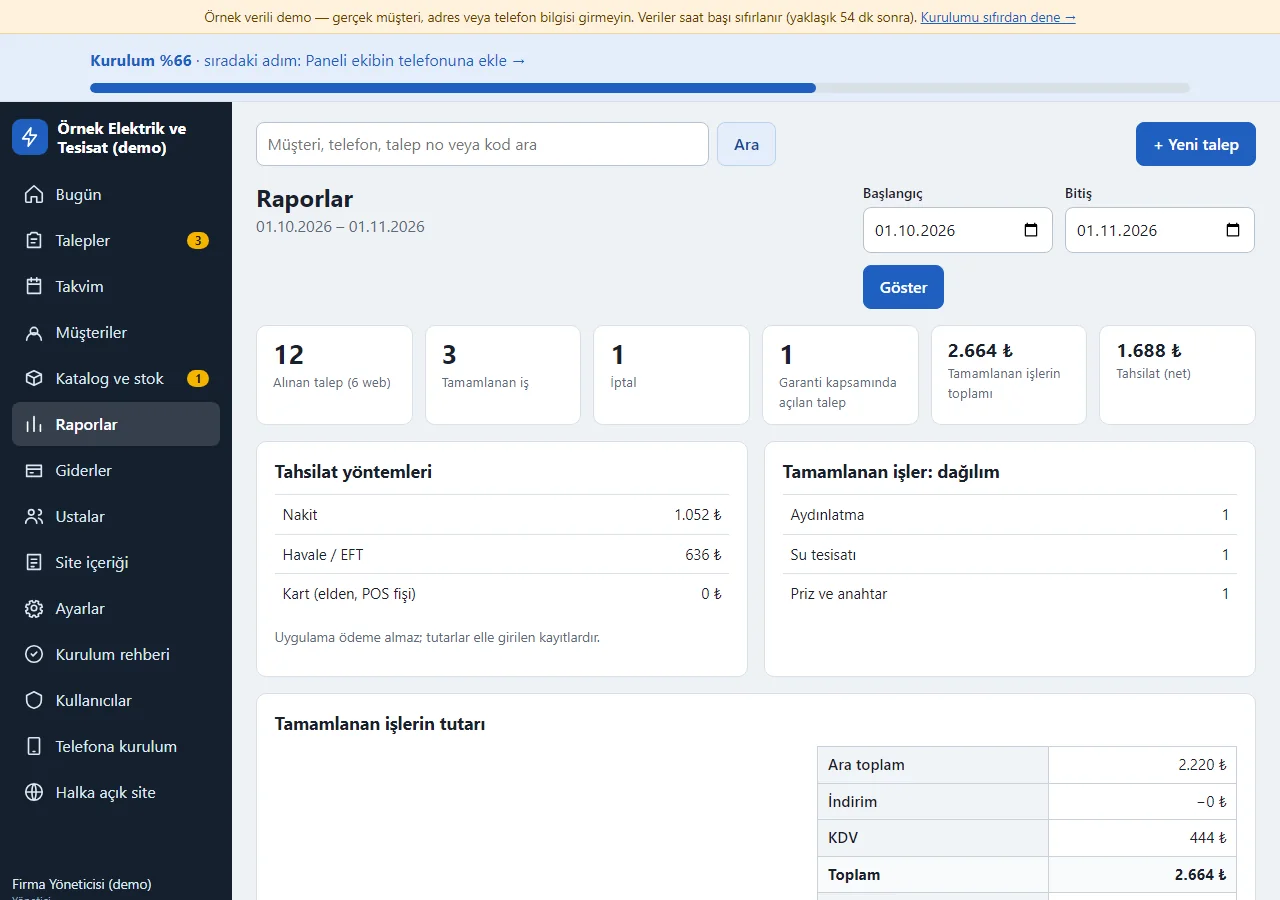
1.3.0 · 1 November 2026 Report
Requests received, jobs completed, cancellations, payment methods and the breakdown of completed jobs by service; the period is chosen. For the manager there is a “Net kazanç” (net profit) summary at the bottom.
- On screen (Turkish interface)
- “Raporlar” — reports
- “Alınan talep” — requests received
- “Tamamlanan iş” — completed jobs
- “Tahsilat yöntemleri” — payment methods
- “Net kazanç” — net profit
-
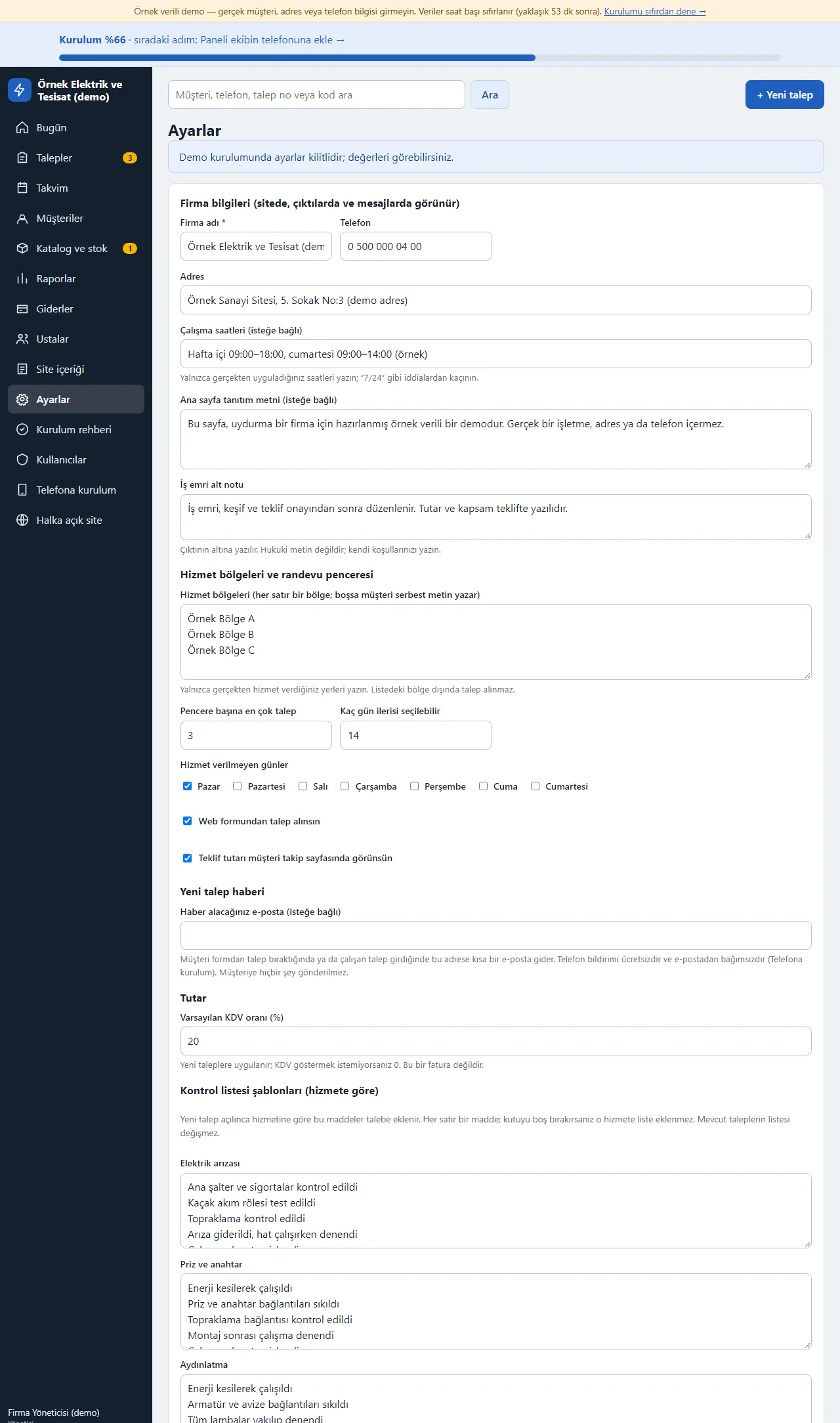
1.3.0 · 1 November 2026 Settings
Company info, working hours, service districts, most requests per window, days without service, VAT, checklist templates and staff permissions; sample data loads and clears in one action.
- On screen (Turkish interface)
- “Ayarlar” — settings
- “Hizmet bölgeleri” — service districts
- “Kontrol listesi şablonları” — checklist templates
- “Çalışan yetkileri” — staff permissions
-
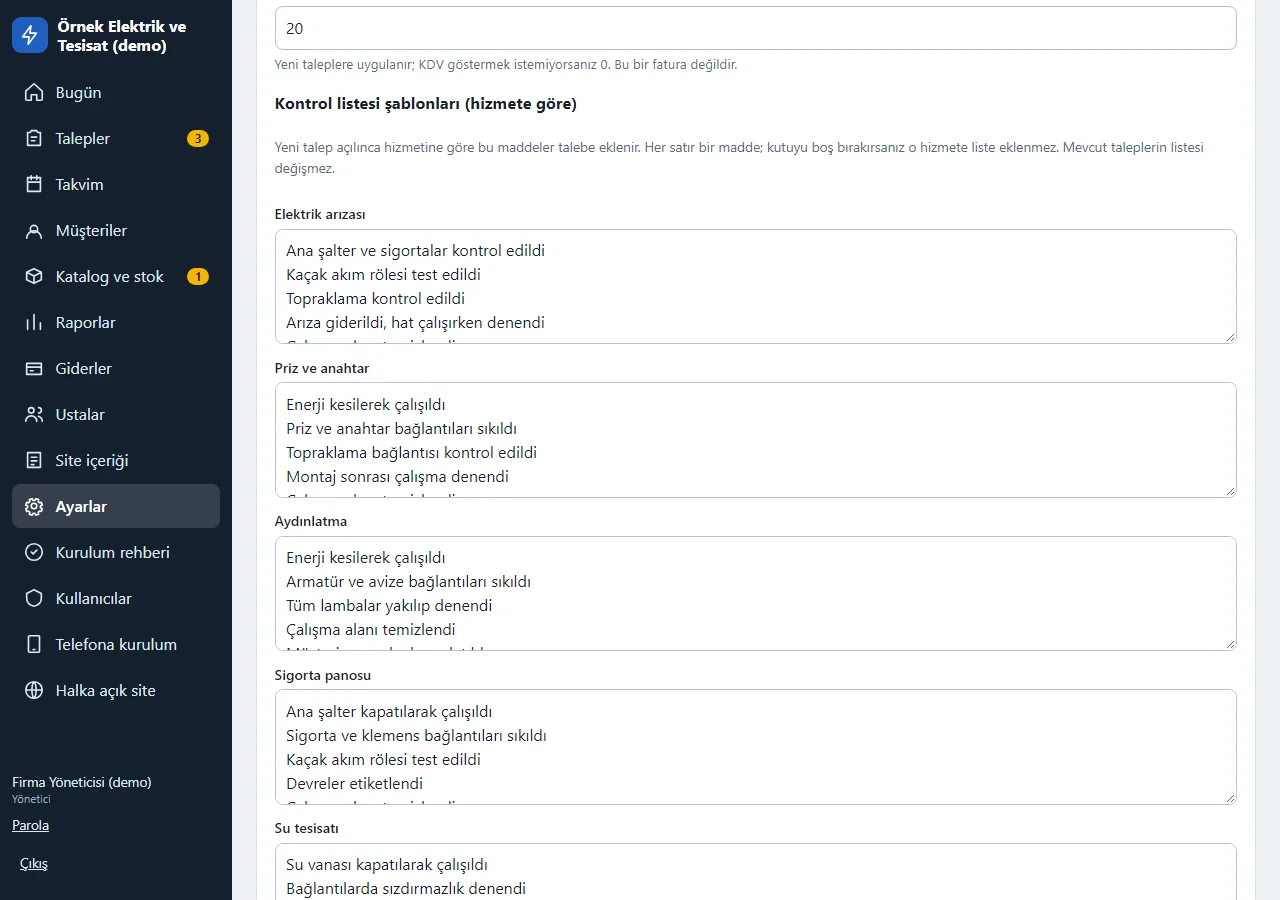
1.3.0 · 1 November 2026 Checklist templates
Edited per service in Settings: each line is an item, and if the box is left empty no list is added for that service. New requests are opened from this template; the lists of existing requests do not change. In the demo the settings are locked and the values can be seen.
- On screen (Turkish interface)
- “Kontrol listesi şablonları” — checklist templates
- “Elektrik arızası” — electrical fault
- “Su tesisatı” — plumbing
-
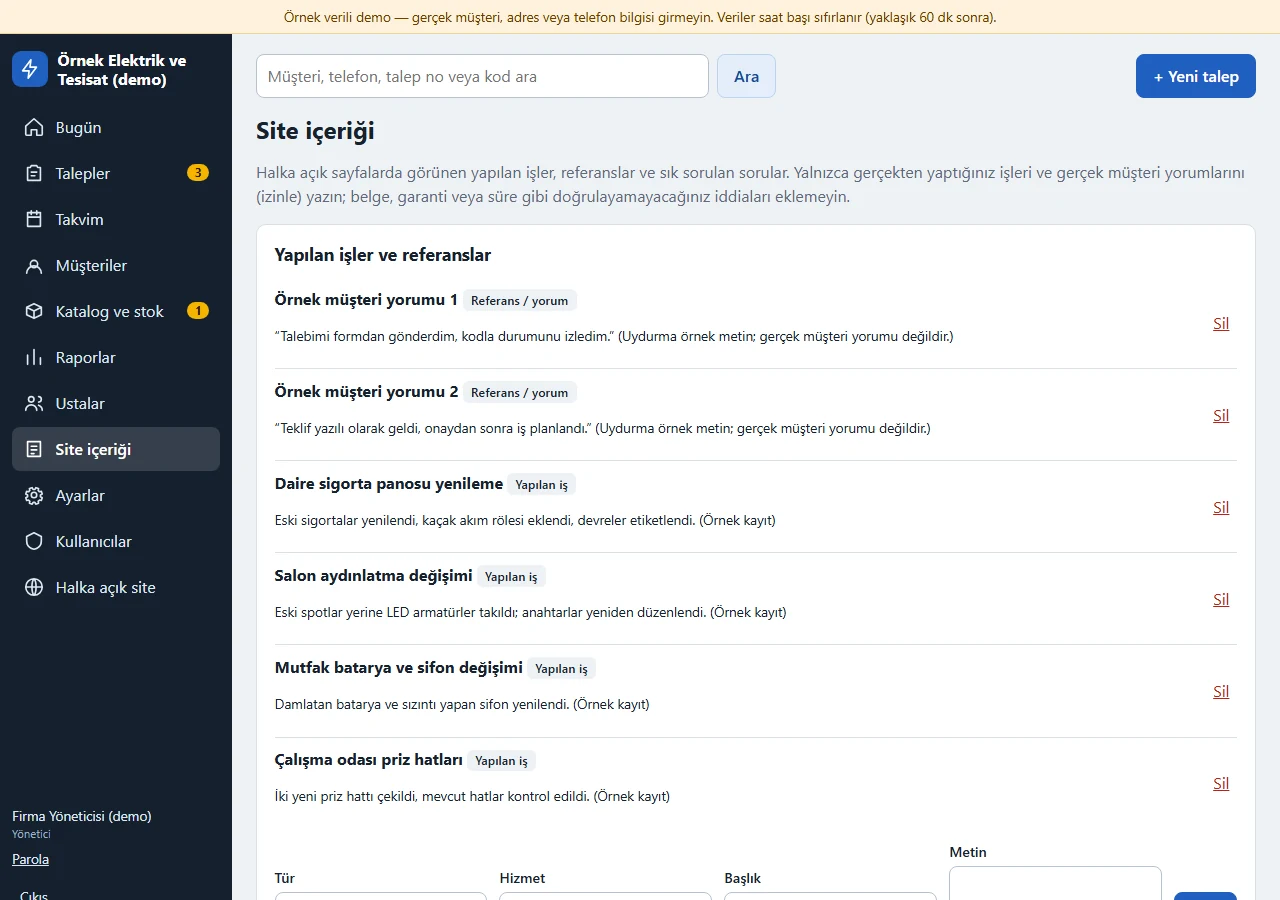
Site content
Completed jobs, references and FAQ shown on the public pages are added and removed in the panel.
- On screen (Turkish interface)
- “Site içeriği” — site content
- “Yapılan işler ve referanslar” — completed jobs and references
- “Sık sorulan sorular” — frequently asked questions
-
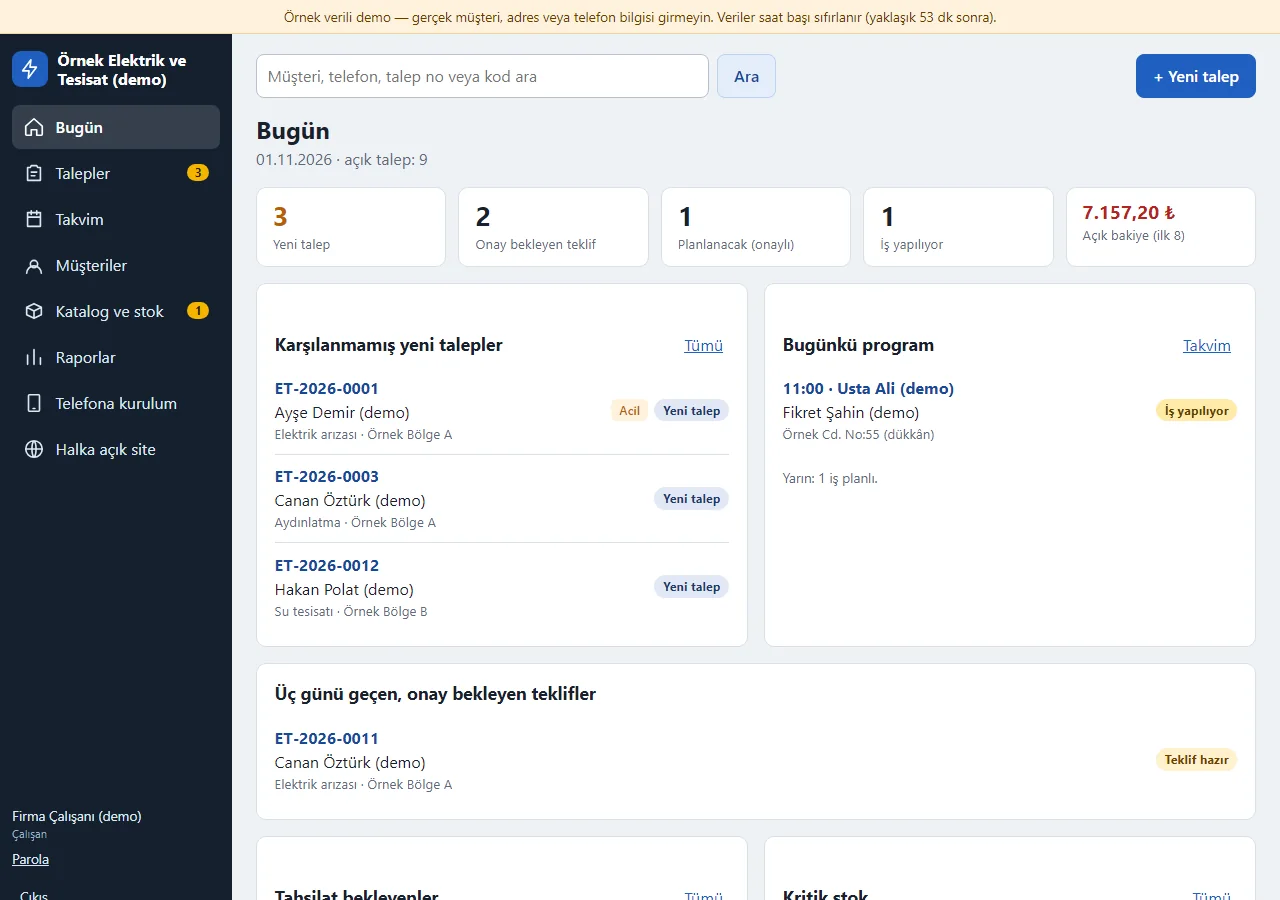
1.3.0 · 1 November 2026 Today as an employee
On the employee account the Today screen shows the same content as the administrator’s: new requests, today’s schedule, payments due and critical stock. The difference is the left menu: Expenses, Technicians, Site content, Settings, Setup guide and Users are not shown to the employee.
- On screen (Turkish interface)
- “Bugün” — today
- “Çalışan” — employee
- “Karşılanmamış yeni talepler” — new requests not yet handled
-
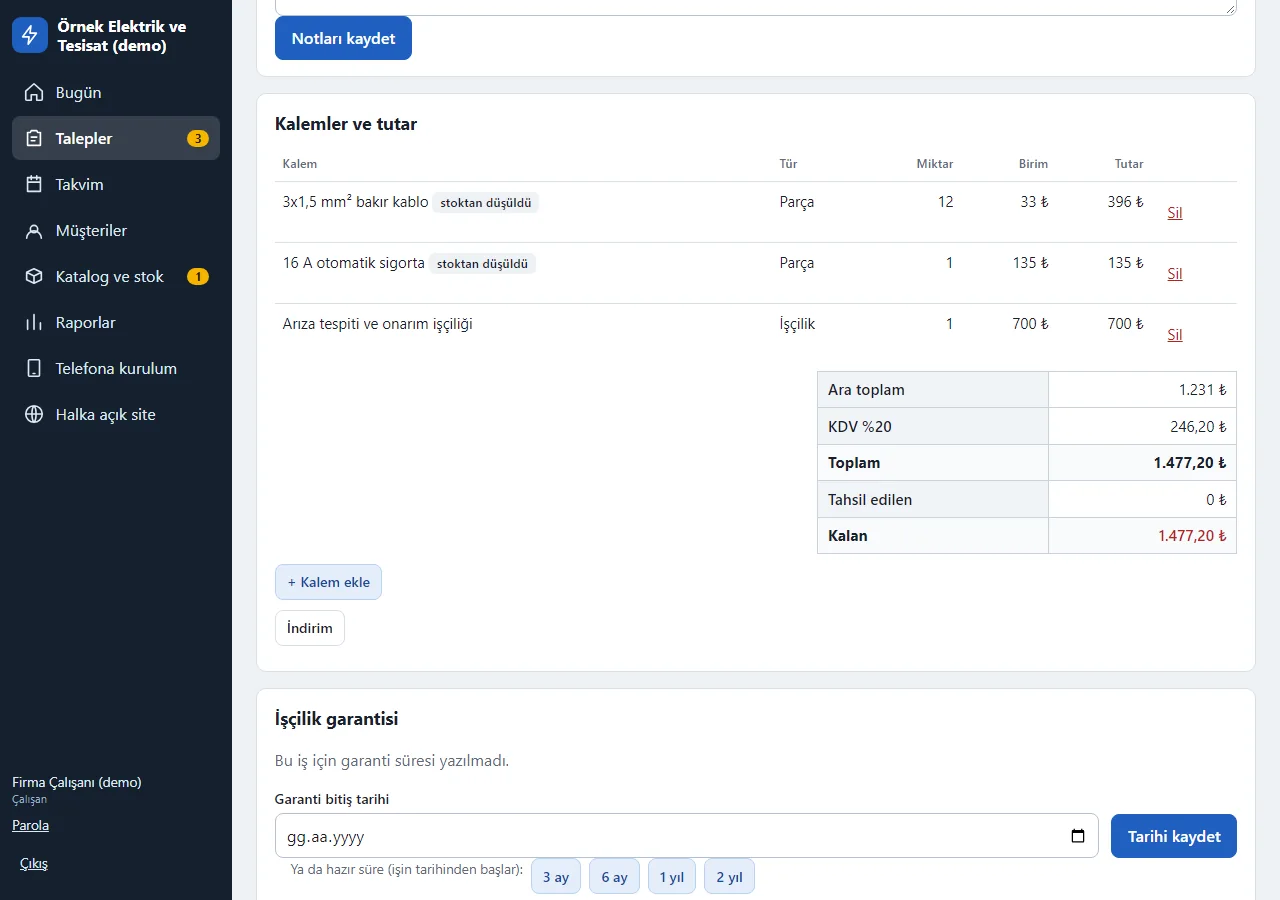
1.3.0 · 1 November 2026 Employee: items and total
On the request card the employee sees the items, the total and the payment record; they tick the checklist and add items to it, while only the manager deletes an item. The item table has no “Maliyet” (cost) column that the administrator sees, and the administrator’s “Tehlikeli bölge” (delete request) area is not shown.
- On screen (Turkish interface)
- “Kalemler ve tutar” — items and amount
- “Kontrol listesi” — checklist
- “Tahsilat kaydı” — payment record
-
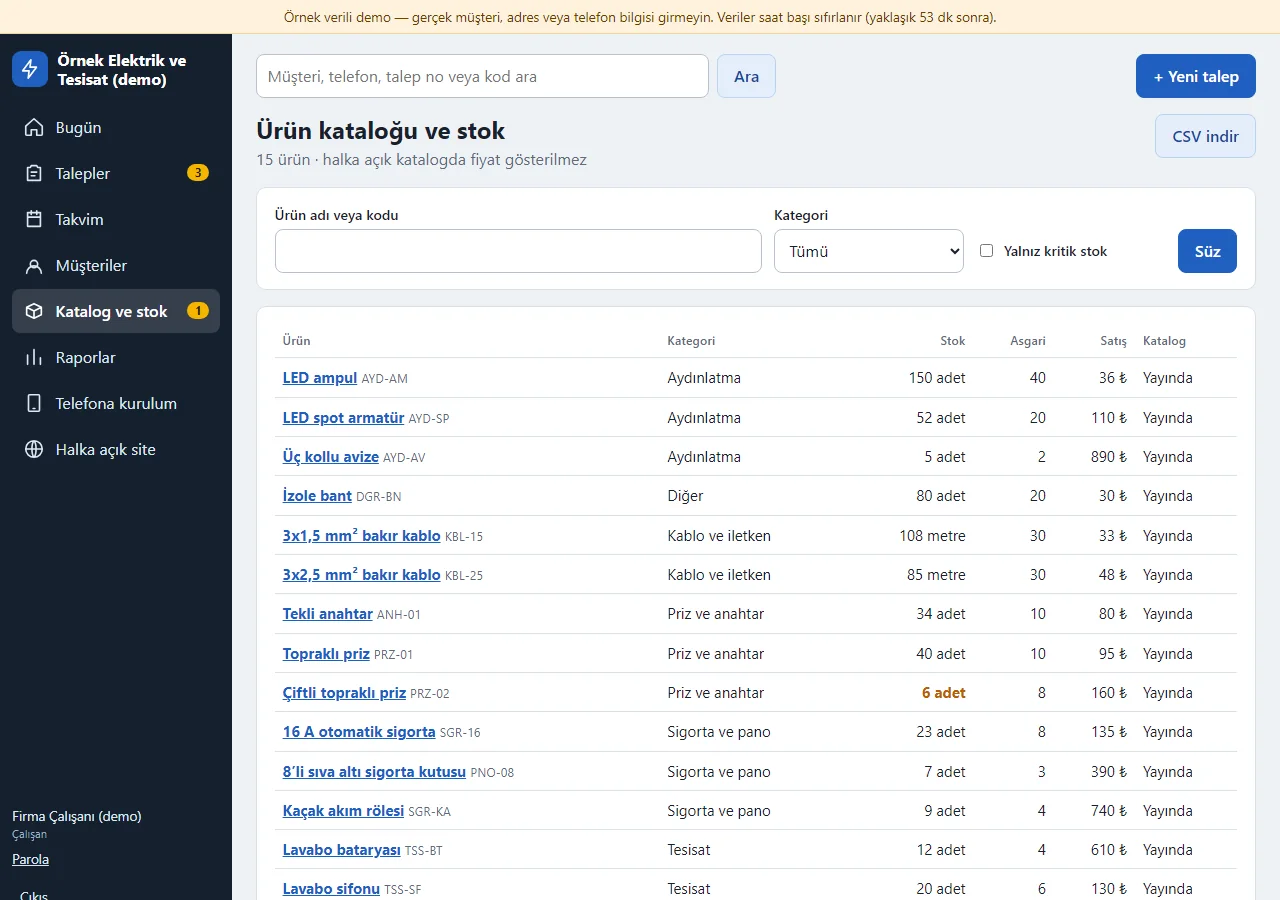
1.3.0 · 1 November 2026 Employee: catalogue and stock
The product list shows stock, minimum stock and sale price; the administrator’s “Alış” (purchase price) column, the “Yeni ürün” (new product) button, product editing and stock count correction are not open to the employee. The “Parça kârı” (parts profit) line in the reports is also administrator-only.
- On screen (Turkish interface)
- “Ürün kataloğu ve stok” — product catalogue and stock
- “Satış” — sale price
- “Yalnız kritik stok” — critical stock only
-
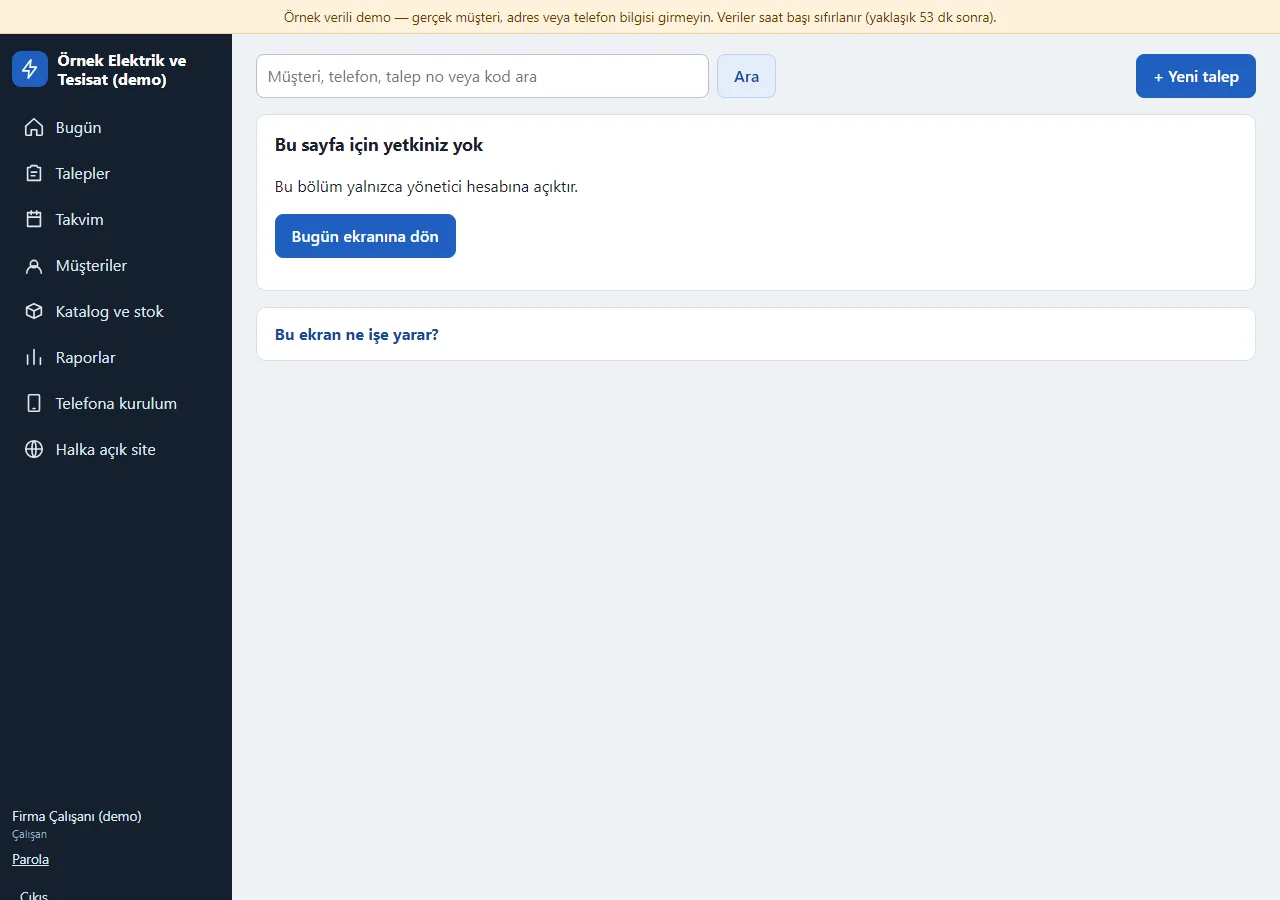
1.3.0 · 1 November 2026 Employee permission limit
An employee cannot open the administrator sections (Expenses, Settings, Technicians, Site content, Users) even by typing the address, and they are not in the menu either; a “Bu sayfa için yetkiniz yok” (you have no permission for this page) page opens with a button back to Today.
- On screen (Turkish interface)
- “Bu sayfa için yetkiniz yok” — you have no permission for this page
- “Bugün ekranına dön” — back to Today
-
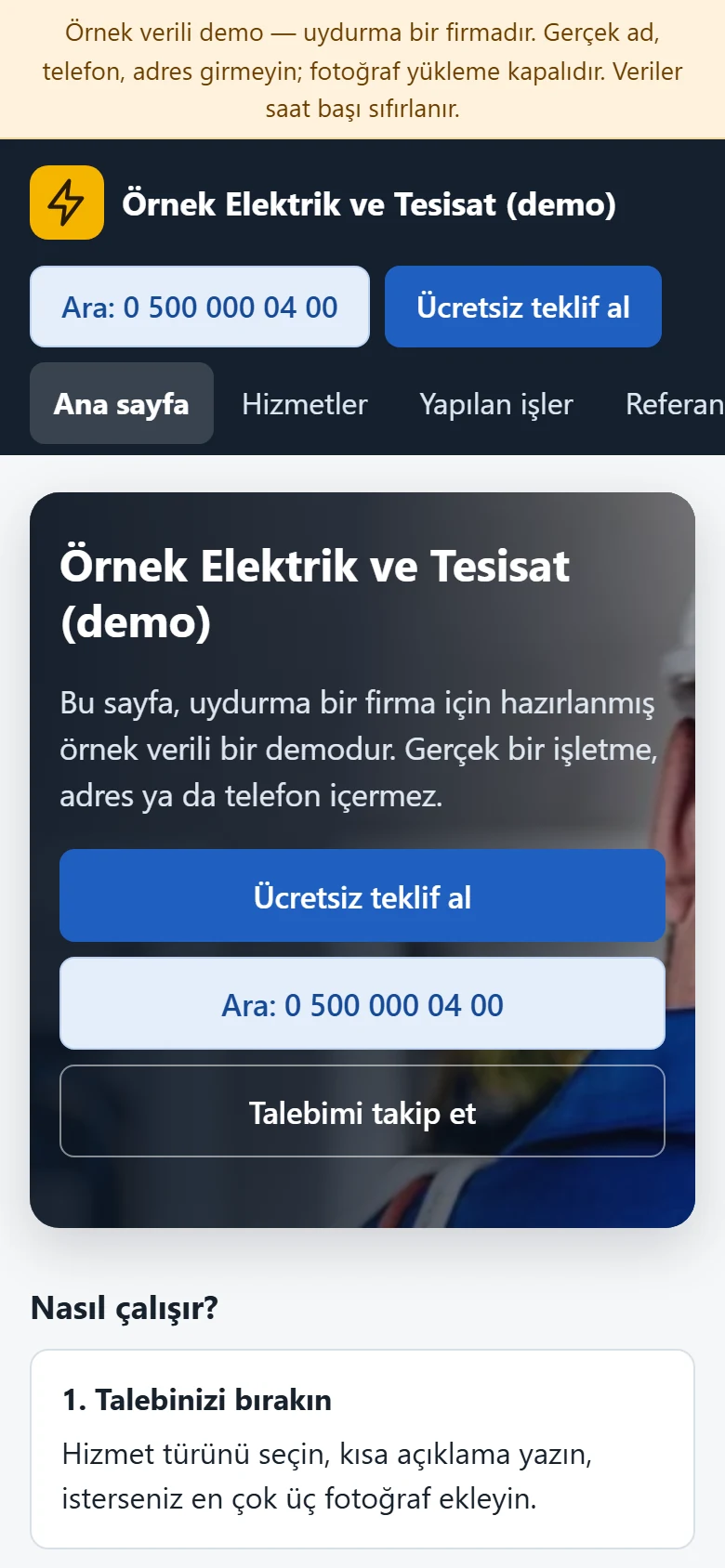
Home page on a phone
Customer pages are a single column on a phone; the “Ara” (call) and “Ücretsiz teklif al” buttons are large and the menu scrolls sideways.
- On screen (Turkish interface)
- “Ücretsiz teklif al” — get a free quote
- “Talebimi takip et” — track my request
-
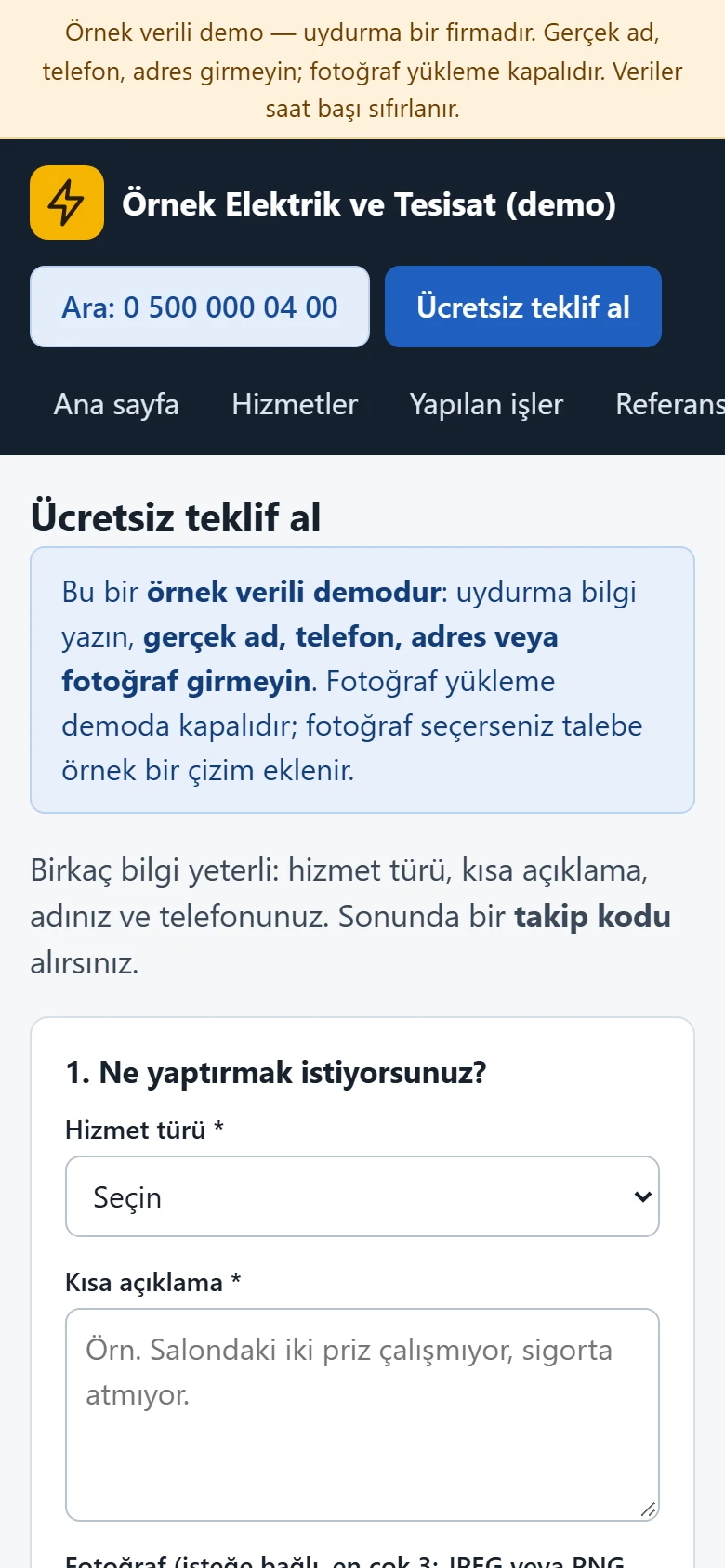
Quote form on a phone
A request is left from a phone; the photo field opens the phone camera.
- On screen (Turkish interface)
- “Ücretsiz teklif al” — get a free quote
- “Hizmet türü” — service type
- “Kısa açıklama” — short description
-
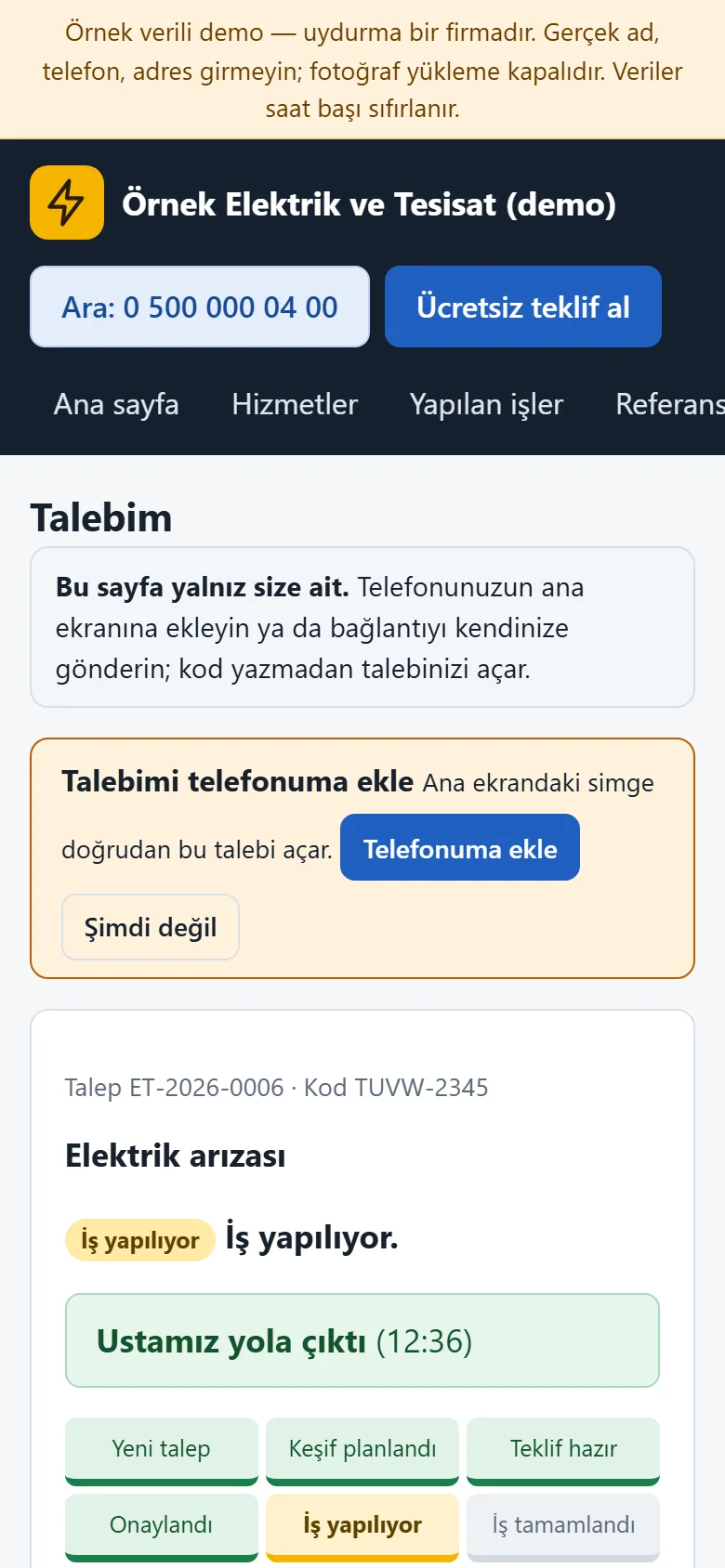
1.3.0 · 1 November 2026 The customer’s own page on a phone
On their own page the customer sees the status path, the “Ustamız yola çıktı” (our technician has set off) line and the quote on a phone and confirms the quote there; a “Talebimi telefonuma ekle” (add my request to my phone) box appears.
- On screen (Turkish interface)
- “Ustamız yola çıktı” — our technician has set off
- “Talebimi telefonuma ekle” — add my request to my phone
- “Teklifi onaylıyorum” — I confirm the quote
-
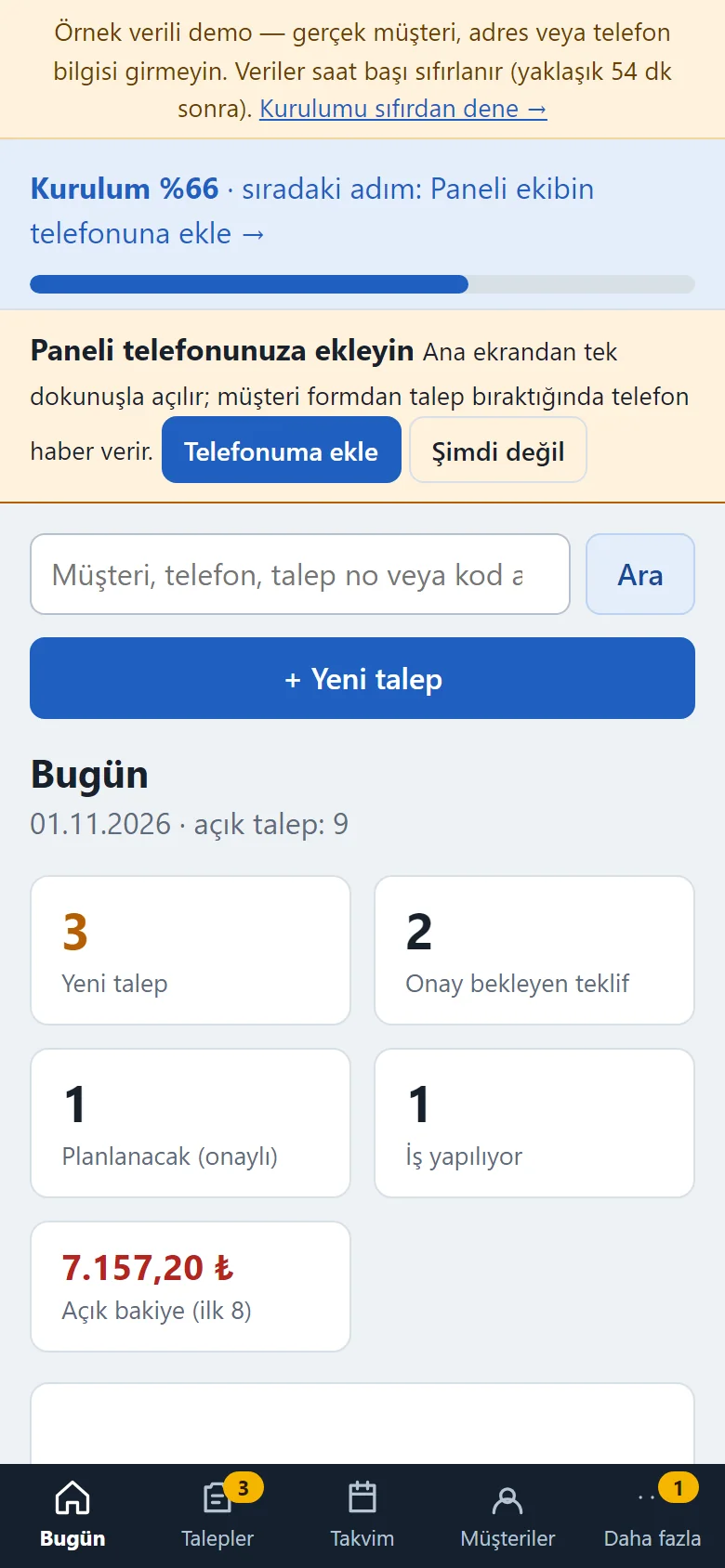
1.3.0 · 1 November 2026 Today on a phone
The manager sees today’s summary on the phone; the bottom menu switches to Requests, Calendar, Customers and More. The first time the panel opens, a “Paneli telefonunuza ekleyin” (add the panel to your phone) box appears.
- On screen (Turkish interface)
- “Bugün” — today
- “Talepler” — requests
- “Takvim” — calendar
- “Müşteriler” — customers
- “Daha fazla” — more
- “Paneli telefonunuza ekleyin” — add the panel to your phone
-
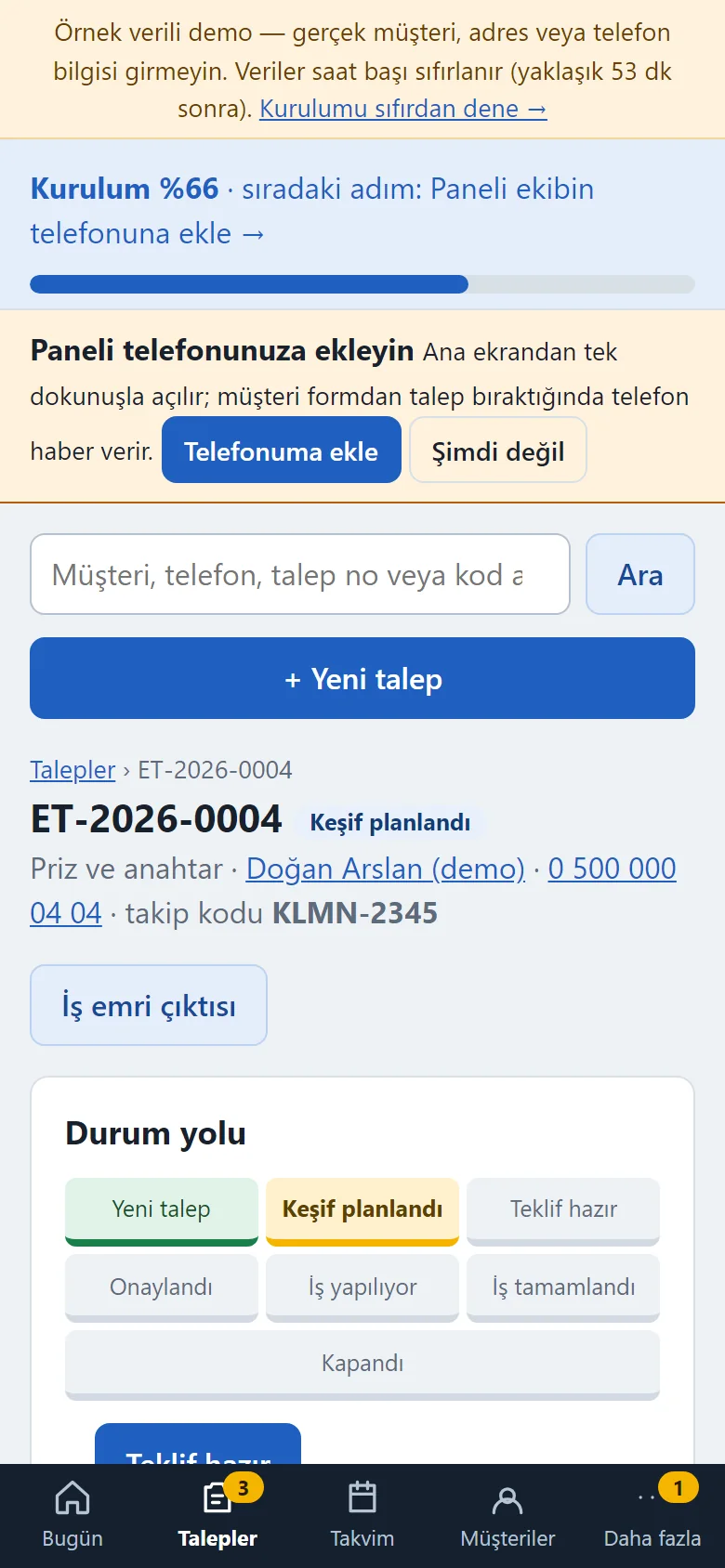
1.3.0 · 1 November 2026 Request card on a phone
The request card on a phone: status path, address, call and WhatsApp links, items and payments on one page.
- On screen (Turkish interface)
- “Durum yolu” — status path
- “İş yapılıyor” — in progress
- “Talep bilgisi” — request details
- What do they see at the end?
- Every request shows the customer, address, photos, requested products, survey and quote notes, technician and schedule, checklist, items, payments and history together; the customer follows the status on their own page (or with the tracking code and the last 4 digits of their phone) and sees there that the technician has set off and which checks were done.
- What is it good for?
- Requests do not scatter across phone calls and WhatsApp; customers do not have to call to ask where their job is; the quote, approval, technician schedule, stock and payments are recorded in one place.
Everything that is not included, and all limits
- Not delivered to a client and not used by a real firm. The firm, people, phone numbers, addresses, products, testimonials and amounts on the screens are made up; no real name, phone number, address or photo should be entered in the demo.
- Photo upload is switched off in the demo (a sample drawing is attached to the request); product and job pictures are sample drawings. Photo upload works in a real installation and was tested locally with fake files, large files and metadata.
- There is no payment taking, virtual POS, cart or online purchase: the catalogue takes no payment and shows no prices on public pages; payments and refunds are records only.
- There is no SMS, paid WhatsApp API or automatic messaging: the app sends no messages; there is a tel: link and a ready wa.me text, and the firm sends the message from its own phone.
- There is no e-invoice, e-archive, cash book, bank or accounting; VAT is only an amount display, not an invoice, and net profit is only the difference between recorded payments and recorded expenses. No legal text, contract, data-protection consent, electrical-safety regulation, certificate, time promise or round-the-clock service claim is offered; for the labour warranty the firm sets the period, and the app suggests no period and produces no warranty promise, it only records the date the firm writes.
- Service types and product categories are fixed lists; there is no multi-branch use, no English panel interface, no blog, no before-and-after gallery and no MariaDB/MySQL support.
- Tried locally with PHP 8.3 and SQLite (1,515 automatic checks passed for 1.3.0); it has not been tried on any other hosting or PHP version. The phone alert (Web Push), the add-to-phone button and the QR cards were not tried on a real phone; e-mail is not sent in the demo. Cloudflare Turnstile was tested with a mock verification server, not with a real Cloudflare account.
- In the demo the data is reset every hour; the sign-in page has the manager account prefilled and a “Demo hesapları” (demo accounts) box with “Yönetici olarak gir” (enter as manager) and “Çalışan olarak gir” (enter as employee) buttons that need no password; the role buttons on the product page also open that role’s screen directly (the notice, the box and the role links work only in the demo). A normal installation asks for an e-mail and password.
Delivery and sales status
How does it work?
You try the demo and tell us about your business, and we send you a quote. We install it and we host it. The yearly price includes installation, hosting, data transfer and support.
Price
The yearly list price is 2,000 TL (up to 10 technicians). Installation, one year of hosting, data transfer, bug fixes and written usage support are included. Automatic SMS and WhatsApp sending and automatic notices to customers, online card payment, an app published in the app stores (there is a web app that installs on the phone), e-invoice / e-archive, cash and bank account tracking and multiple branches are not included. New feature requests and work beyond the scope are priced separately and you are told before it is done.
Possible delivery options
Other delivery options
Requirements and version history
Installation requirements
- It uses plain PHP 8.1 or newer and SQLite; no separate database server is needed, and MariaDB or MySQL are not supported. The product was tried locally with PHP 8.3; it has not been tried on other PHP versions. PHP upload limits of at least 6 MB are needed for photo upload.
Release notes
- No version has been delivered to a client. A live sample-data demo exists.
- 1.0.0 (18 October 2026): first version; public intro pages and a catalogue without payment, a quote form with photos and a tracking code, appointment-window capacity, a status page and quote confirmation, a request inbox and card, survey and quote notes, technician assignment with a clash warning, items and stock, payment records, a work order printout, a report, CSV, manager and employee roles, an installation wizard and command-line installation, backup and restore.
- 1.0.1 (18 October 2026): demo sign-in page: a demo notice, fields prefilled with the manager account and password-free “… olarak gir” (sign in as …) buttons for manager and employee (demo mode only; on a real installation there is no notice, box or prefilled field).
- 1.0.2 (21 October 2026): customer import from Excel/CSV for the manager only: file upload or paste, columns recognised from the header, a preview before saving, the same phone number counts as one person and is not added twice, the last import can be undone.
- 1.0.3 (26 October 2026): staff without price rights no longer see the VAT field on the “Edit details” form.
- 1.0.4 (28 October 2026): one-tap manager and employee screens from the product page (demo only; closed on a real installation); no new permission, data or schema change.
- 1.1.0 (1 November 2026): guidance pack: a six-step setup guide and progress bar, “Bu ekran ne işe yarar?” (what is this screen for) boxes, “Boş siteyle yeniden başla” (start again with an empty site) and “Örnek veriyi geri yükle” (restore the sample data) in the demo; a phone setup page, a ready WhatsApp message, copy-the-link and a QR code A4 card and poster; a free instant phone alert (Web Push) and an e-mail for a new request; the customer’s own request page with a link of its own; multi-day technician time off with an upcoming list; finding a customer by phone, adding several technicians at once and a link to the fix on errors. Data schema 2.
- 1.2.0 (1 November 2026): a work order checklist (ready items per service, a template in Settings, “Yapılan kontroller” (checks done) on the customer’s page); a one-tap “Ustamız yola çıktı” (our technician has set off) and a ready WhatsApp message; expense records for the manager only and net profit in Reports; the Requests tab row overflowing on a desktop was fixed. Data schema 3; older installations upgrade by themselves on the first request.
Decisions not made yet
- Rights to use, modify, transfer and receive the source code: to be set in a written agreement; not decided yet.
- Whose name the hosting and domain are opened in, and where the software is installed, have not been decided yet.
There is no cart, customer account or online payment on this site for now. Reach out by phone, WhatsApp or the form; in a first conversation your need and the software’s fit are reviewed. The form does not create an order, a contract or a payment.