Restaurants and cafésDemo with sample data
Bilingual restaurant menu: screen-by-screen guide
The full version of the short description on the product page: every feature, how each screen is used step by step, all limits and the delivery details.
All features
Every feature listed here can be seen in the screenshots.
- German / Turkish menu; vegetarian, vegan and spicy labels
- Allergen codes (A–R) and a filter: dishes containing the selected allergen are marked
- Admin mode: price, “sold out” and dish of the day change instantly (in the demo, only in the browser)
- QR code with a table number; the site can be personalised with the restaurant’s name
Screen by screen: how it is used
The demo has no English version: the fictional restaurant is in Vienna, so its menu is in German and Turkish, and the strip at the top of the demo is in Turkish. These screens were taken in Turkish mode; the last two show German after the language is switched.
- Who uses it?
- A restaurant or café that wants its menu in two languages, and the guest reading the menu.
- Where do they start?
- The guest opens the site (a QR code on the table leads to the same address); the menu opens in German by default and the language button works both ways (the screens below were taken with Turkish selected). The restaurant opens admin mode to change prices.
What do they do on screen? Step by step
-
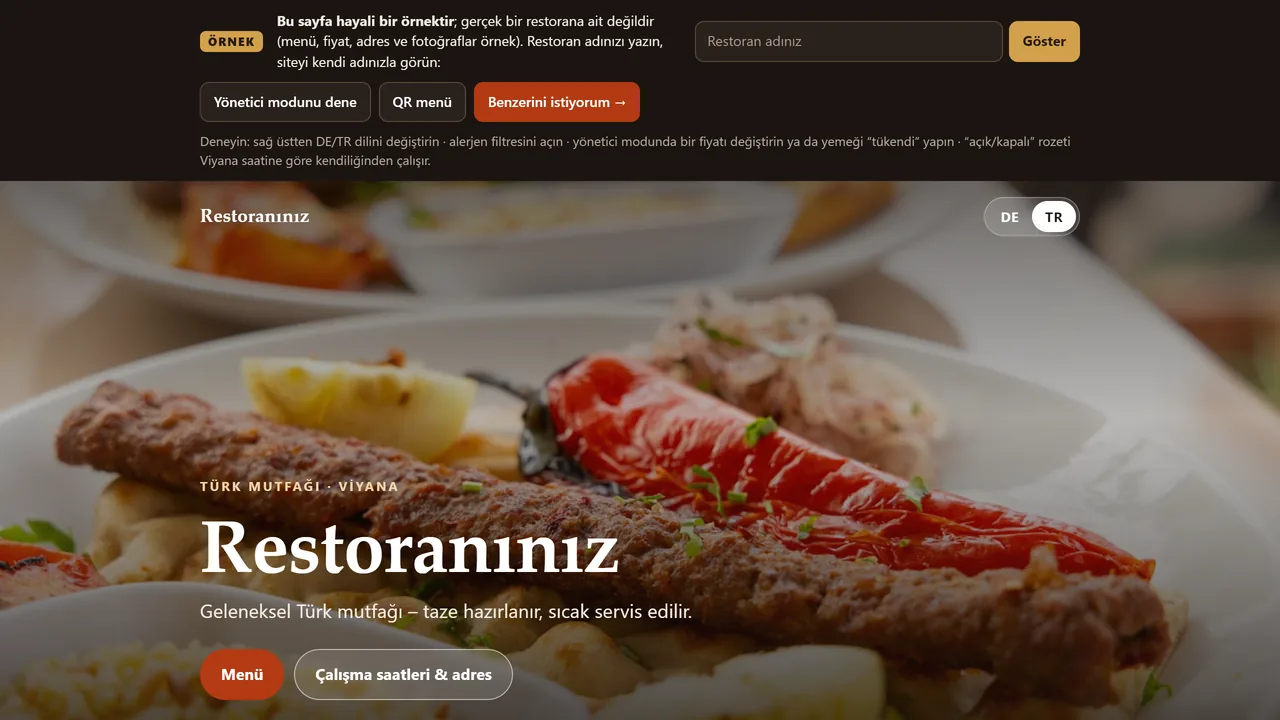
Opening screen
The screens below were taken with Turkish selected; the demo opens in German by default. The dark strip at the top is only there for trying the demo; a real site would not have it.
- On screen (Turkish interface)
- “Restoran adınız” — name input placeholder
- “Göster” — show button
- “Yönetici modunu dene” — try-admin-mode button
- “Benzerini istiyorum →” — main call-to-action button
-
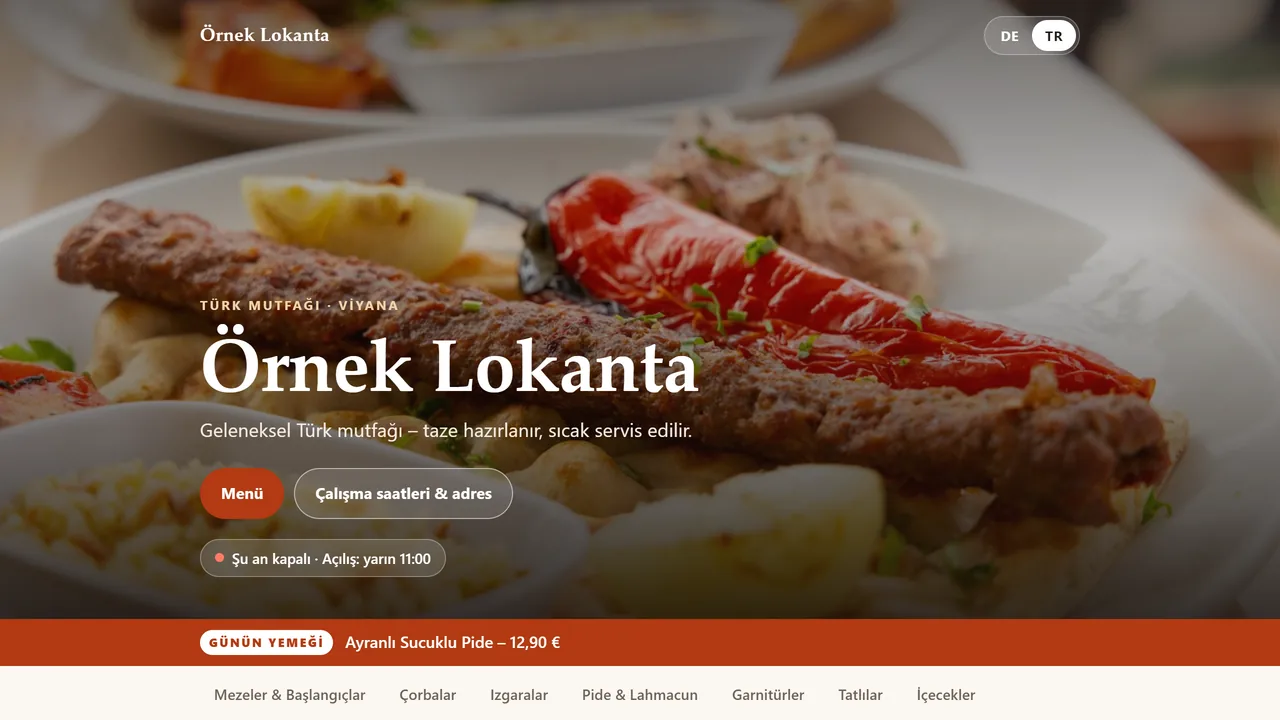
The restaurant’s name
Type a restaurant name and the site opens under that name.
- On screen (Turkish interface)
- “Örnek Lokanta” — the sample name typed in
- “Şu an kapalı · Açılış: yarın 11:00” — status badge: currently closed, opens tomorrow 11:00
- “GÜNÜN YEMEĞİ” — “dish of the day” badge
-
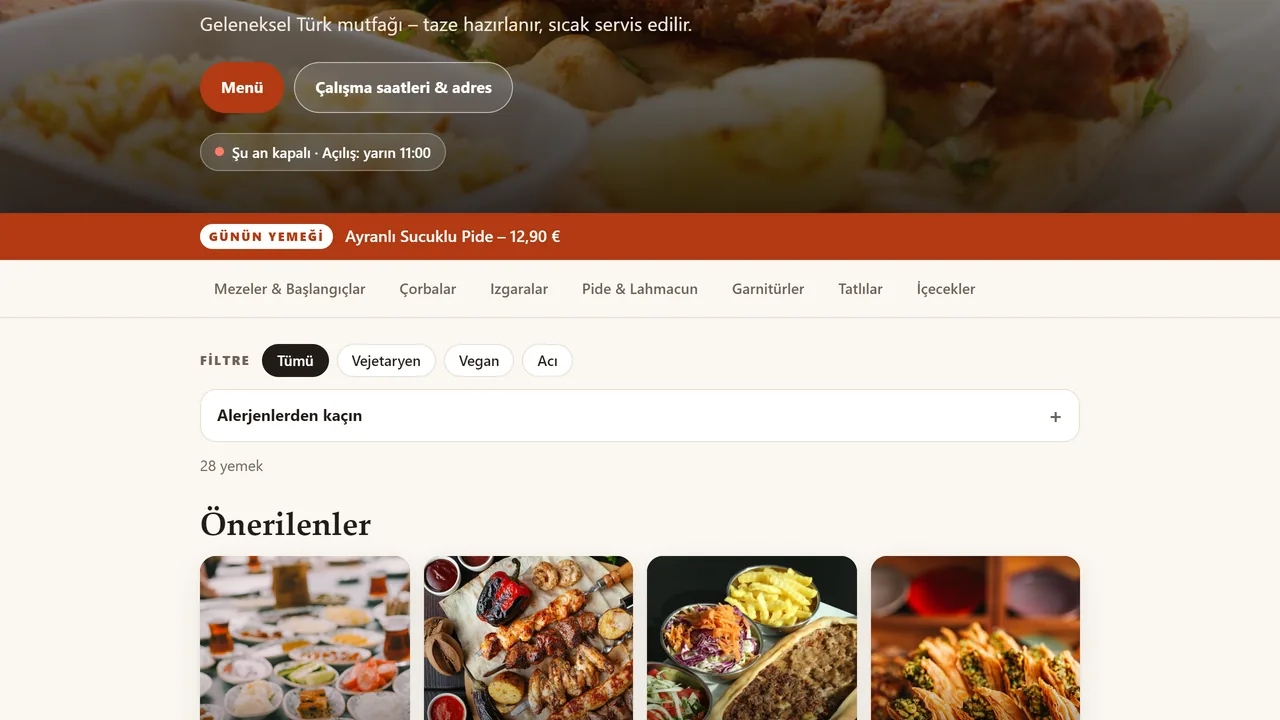
Menu
Dishes are grouped by category, with descriptions and vegetarian, vegan and spicy labels.
- On screen (Turkish interface)
- “Mezeler & Başlangıçlar · Çorbalar · Izgaralar · Pide & Lahmacun · Garnitürler · Tatlılar · İçecekler” — category tabs
- “FİLTRE / Tümü” — filter label / “all” button
- “Alerjenlerden kaçın” — avoid-allergens expander
- “Önerilenler” — “recommended” section heading
-
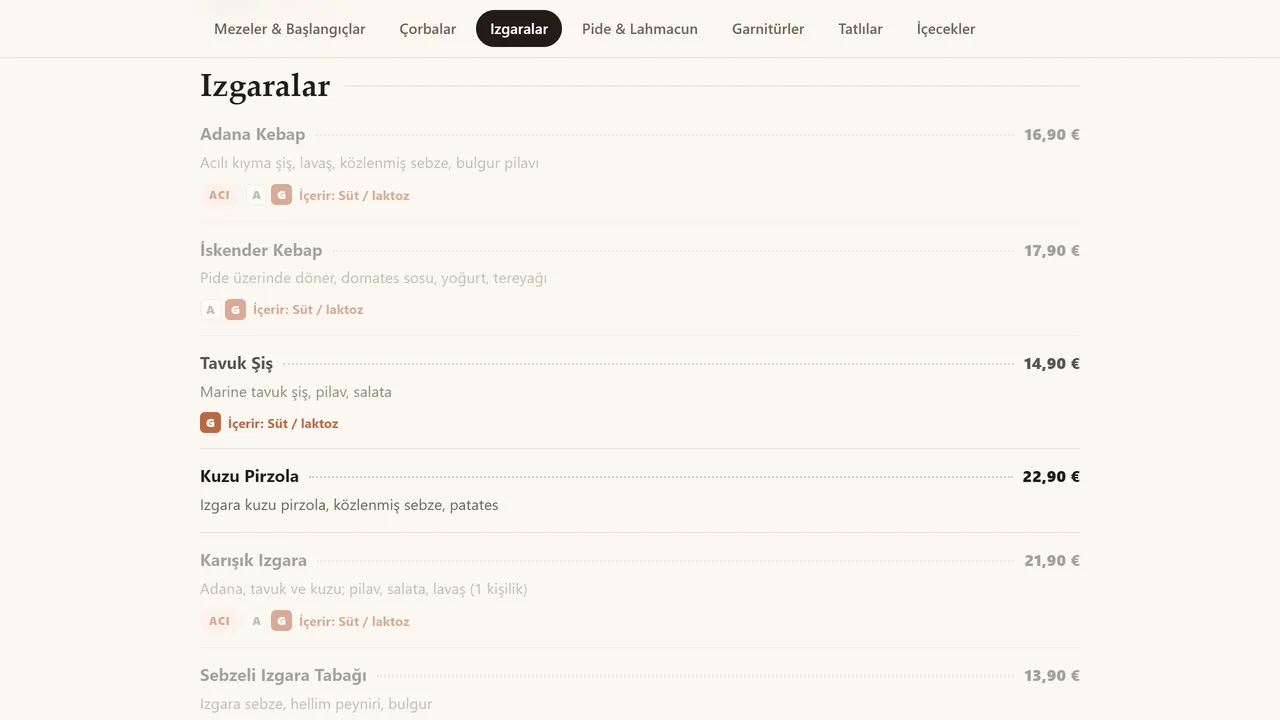
Allergen filter
Pick one of the allergen codes A–R and the dishes containing it are marked.
- On screen (Turkish interface)
- “İçerir: Süt / laktoz” — allergen note under a dish: contains milk/lactose
- “ACI” — “spicy” badge
- “A / G” — allergen code letters (full key is on the hours page)
-
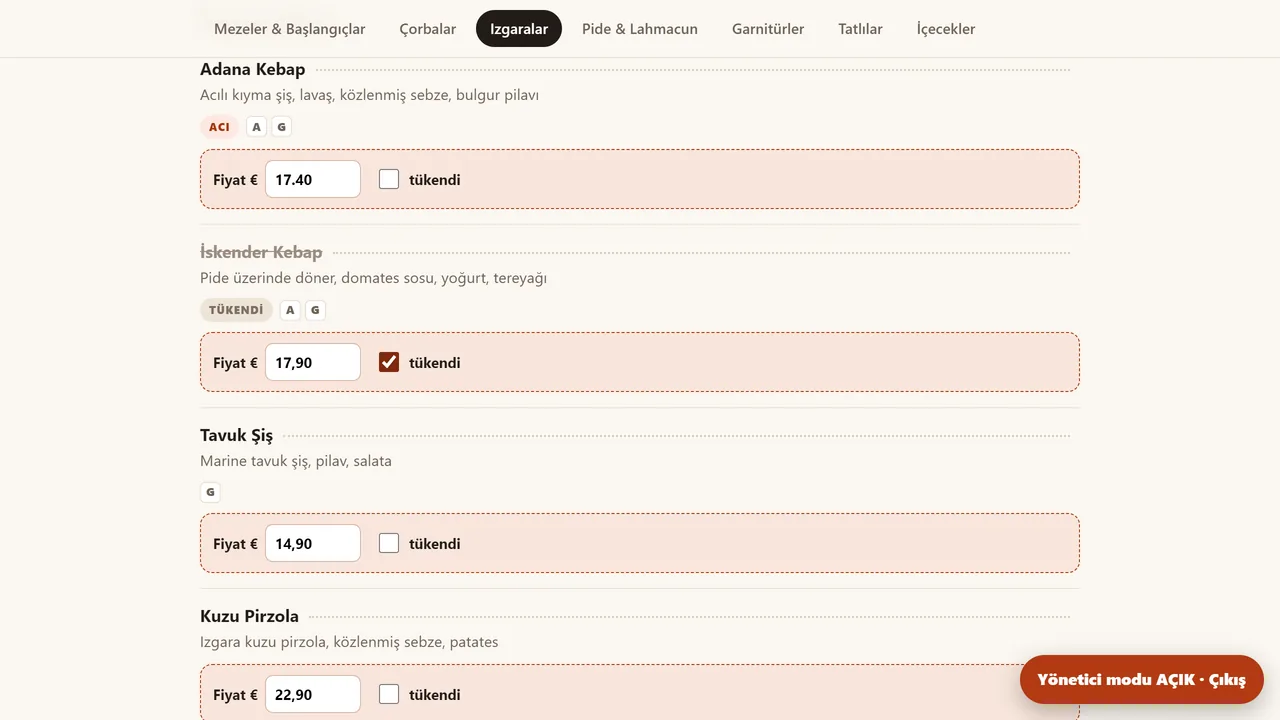
Admin mode
Price, “sold out” and the dish of the day are changed in one place. In the demo the changes are stored only in this browser.
- On screen (Turkish interface)
- “Fiyat €” — editable price field label
- “Yönetici modu AÇIK · Çıkış” — floating status badge: admin mode ON, exit
-
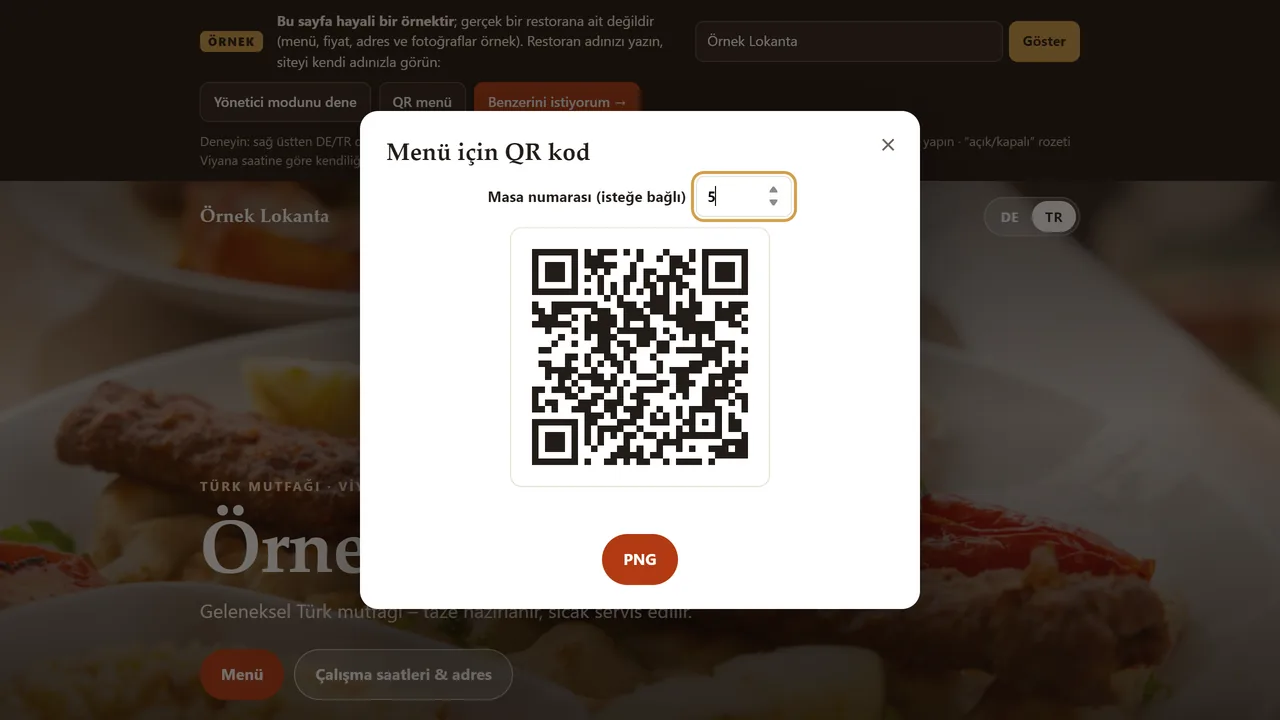
QR code with a table number
Enter a table number and a QR code for that table is made; it can be downloaded as a PNG.
- On screen (Turkish interface)
- “Menü için QR kod” — dialog title
- “Masa numarası (isteğe bağlı)” — table-number field, optional
-
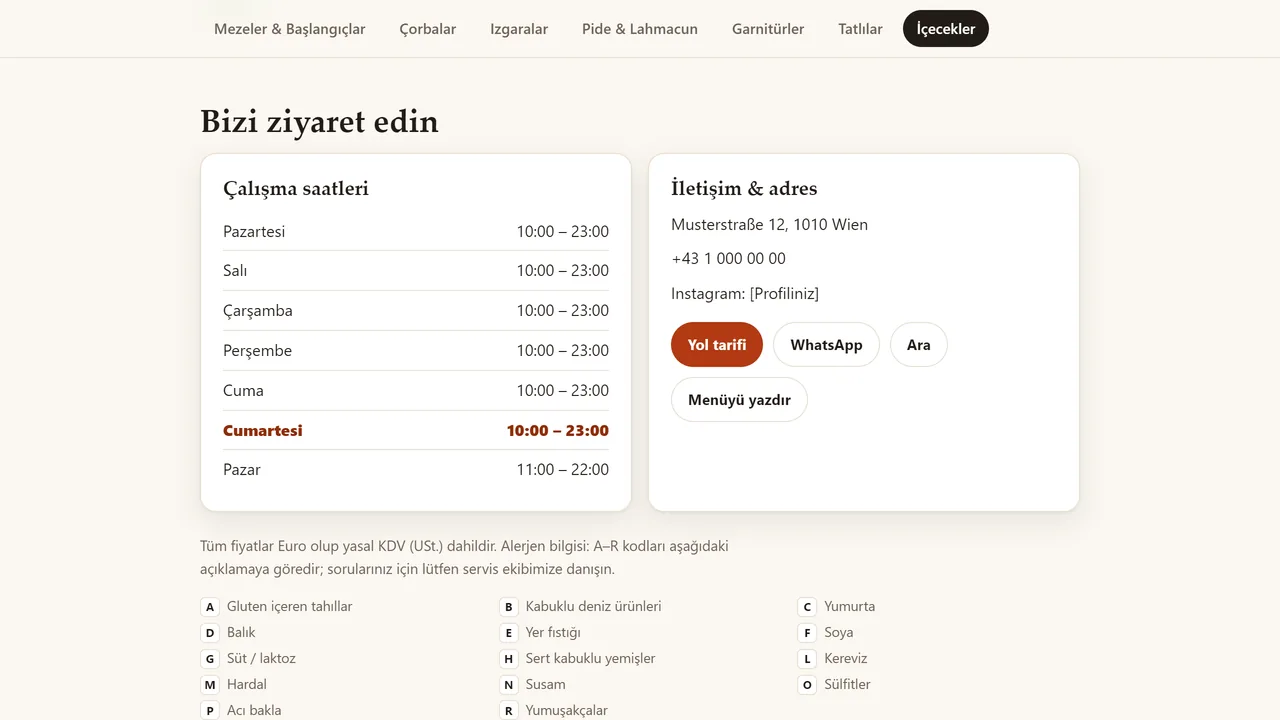
Opening hours
The hours and an “open now / closed” badge are shown by Vienna time.
- On screen (Turkish interface)
- “Bizi ziyaret edin” — section heading
- “Çalışma saatleri / İletişim & adres” — card headings
- “Yol tarifi / WhatsApp / Ara / Menüyü yazdır” — action buttons
- “Tüm fiyatlar Euro olup yasal KDV (USt.) dahildir.” — note: all prices in euros, VAT included
-
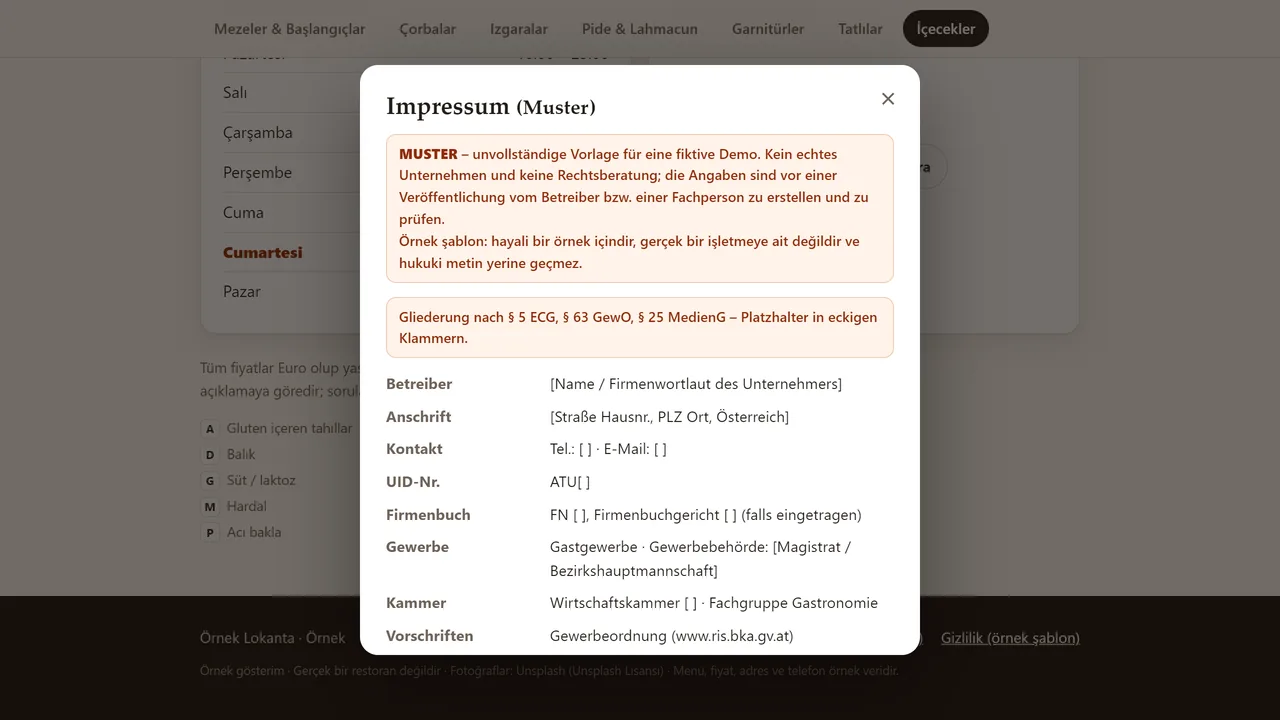
Impressum and privacy page
Sample templates to be filled in, not legal texts. They are in German because the restaurant in the example is in Austria.
- On screen (mixed: a German legal modal over the Turkish menu page behind it)
- “Impressum (Muster)” — German modal title: “Legal notice (sample)”, the standard site-owner-info page required in DE/AT
- “MUSTER – unvollständige Vorlage für eine fiktive Demo.” — German, inside the modal: “SAMPLE — an incomplete template for a fictional demo”
- “Betreiber / Anschrift / Kontakt / UID-Nr.” — German field labels in the modal: operator / address / contact / VAT ID
- “Mezeler & Başlangıçlar · Çorbalar · Izgaralar” — Turkish menu-category tabs, visible in the page behind the modal
- “Gluten içeren tahıllar · Balık · Süt / laktoz” — Turkish allergen legend, also visible behind the modal
- “Örnek gösterim · Gerçek bir restoran değildir” — Turkish site footer, likewise visible behind the modal
-
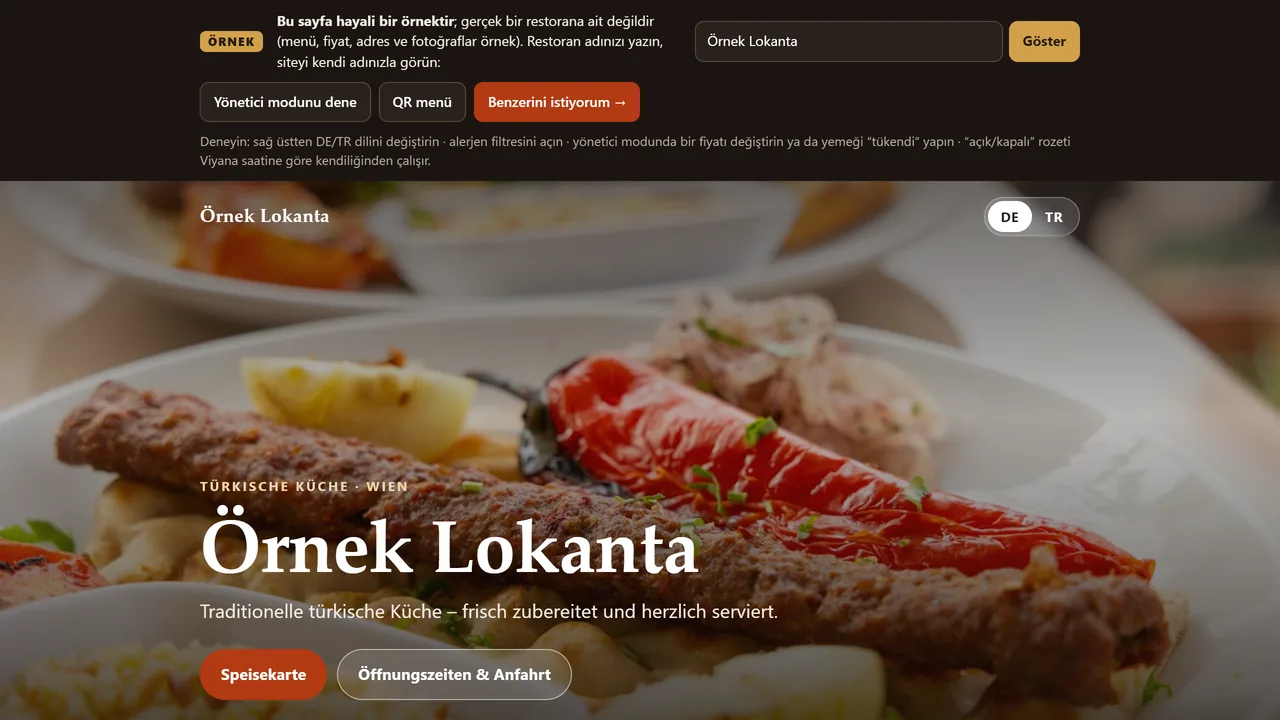
Switch the language
The language button turns the menu into German in one click.
- On screen (mixed: the Turkish demo banner stays Turkish; the restaurant page below it switches to German)
- “Deneyin: sağ üstten DE/TR dilini değiştirin” — Turkish instruction in the site’s own demo banner, telling you to use the DE/TR switch top right
- “DE / TR” — the language switch itself, shown with DE now selected
- “TÜRKISCHE KÜCHE · WIEN” — German, on the restaurant page below the banner: “Turkish cuisine · Vienna”
- “Speisekarte” — German: menu button
- “Öffnungszeiten & Anfahrt” — German: hours & directions button
-
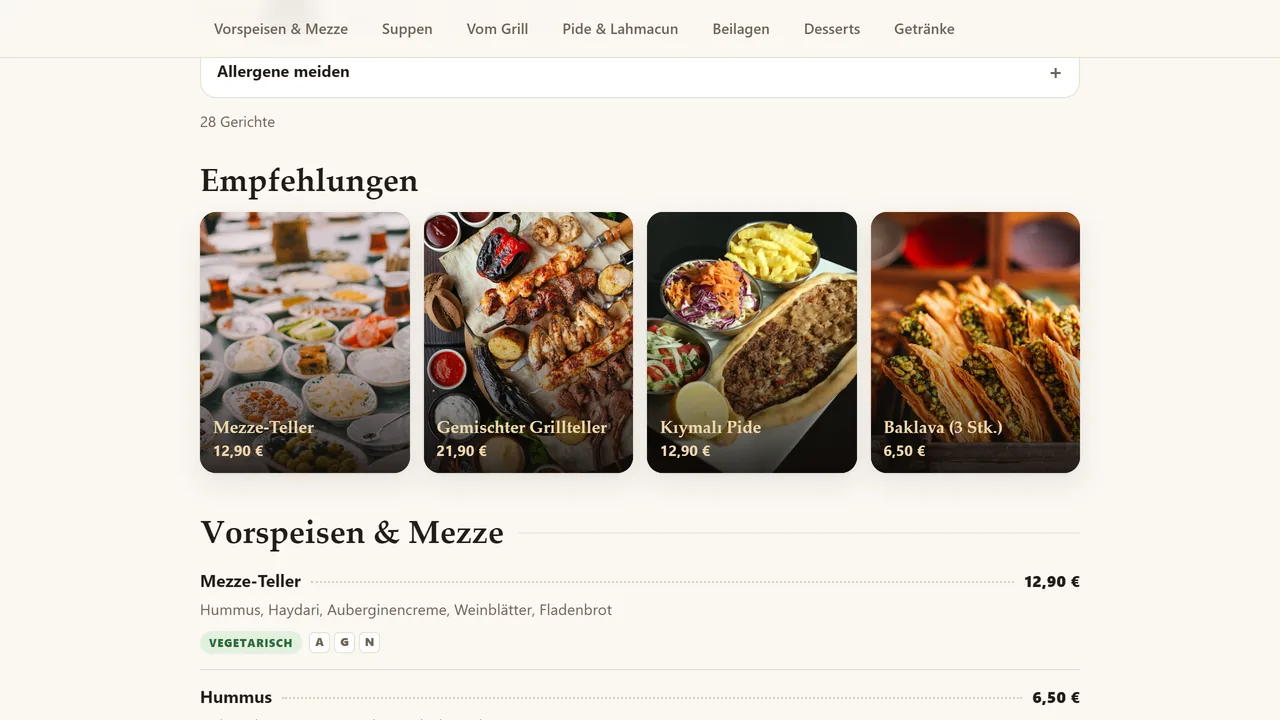
The same menu in German
Headings, descriptions and labels are shown in German.
- On screen (German interface — this step shows the switched page itself, scrolled past the Turkish demo banner)
- “Vorspeisen & Mezze · Suppen · Vom Grill · Pide & Lahmacun · Beilagen · Desserts · Getränke” — German category tabs
- “Allergene meiden” — German: avoid allergens
- “VEGETARISCH” — German: vegetarian badge
- What do they see at the end?
- The guest sees the dishes with their labels and allergen information. When the restaurant changes a price, “sold out” or the dish of the day, the menu updates at once (in the demo, only in this browser).
- What is it good for?
- Instead of reprinting a paper menu, a two-language, up-to-date menu with allergen information, opened from a QR code placed on the table.
Everything that is not included, and all limits
- Not delivered to a client and not used by a real restaurant; the sales package and price have not been set yet (details: the “Delivery and sales status” section).
- The demo has no server or permanent admin panel; changes in admin mode are stored only in that browser.
- These can only be scoped and built separately, based on your needs.
- Menu, prices and address are sample data; photos are from Unsplash.
- The order and business panel demo behind the second link is not a permanent installation: demo rooms are deleted after 24 hours; there are no real payments, no courier tracking and no automatic WhatsApp/SMS notifications to the restaurant (the WhatsApp button only opens a ready-made message on the customer’s own phone).
- The menu demo behind the first link has no English version: the fictional restaurant is in Vienna, so its menu is in German and Turkish, and the strip at the top of the demo is in Turkish. The demo opens in German by default and switches to Turkish with the language button (the screenshots in the gallery were taken with Turkish selected).
Delivery and sales status
There is no cart, customer account or online payment on this site for now. Reach out by phone, WhatsApp or the form; in a first conversation your need and the software’s fit are reviewed. The form does not create an order, a contract or a payment.
Possible delivery options
What the package contains
- A German and Turkish menu page with sample data and 5 photos (index.html, qr.js and the photos)
- Admin mode: price and “sold out” changes stay in that browser only; there is no permanent admin panel
- QR code with a table number (download as PNG)
- Not included: ordering, reservations and payment
Price
There is no list price yet; the price, package and payment method have not been set yet.
Requirements and version history
What you do
- You upload the files to your own web hosting.
- You change the menu, name and phone inside the files yourself, or have us do it; the scope of that work has not been set yet.
Installation requirements
- No server or database is needed.
- The page contains Google Maps and WhatsApp links; the QR code library is inside the page files.
- The example restaurant is in Vienna and the page is German/Turkish; it needs adapting for a business in Türkiye.
Release notes
- This work has no version number or version history; it is a one-page sample menu site. The source copy is dated 27 September 2026 and is identical file by file to the published demo (comparison of 3 October 2026). It has not been delivered to a client.
Decisions not made yet
- Rights to use, modify, transfer and receive the source code: to be set in a written agreement; not decided yet.
- How the terms of use of the QR code library and the example photos (Unsplash) will be stated in the sales package.
- The price and payment method have not been decided yet.