Workflow guide
Preventing double bookings and queue clashes in a barbershop
A record flow for keeping barber-specific bookings, phone bookings and the walk-in queue apart without mixing them up.
This guide is based on the record flow of the sample-data demo shown on this site. It is not a ready-made product or a customer deployment; a similar project needs its own agreed scope.
Tie each booking to a barber
Several customers want the same hour, and every barber works from a calendar of their own. In the sample application the customer picks the service (a haircut or a beard shave, say), the barber, the day and a free time. The application does not allow a second appointment for the same barber at the same time. When booking on the internet a customer can tick an extra service such as a beard shave next to the haircut (up to three); the minutes and prices are added up and it lands in the barber’s calendar as one booking. A booking entered in the panel is a single service; a frequent pairing such as “haircut and beard” can also be defined as a service of its own.
Keep phone and online bookings in one calendar
Add phone bookings from the calendar as well: choose the saved customer, the barber, the service and the time, and the app lists that barber’s free times. An online request waits in the box above the calendar to be approved or declined, and the customer sees the answer on their own booking link. Do not describe a “request received” screen as a confirmed booking. Approval is a setting: when it is on, an online request waits for “Onayla” (approve) or “Reddet” (decline); when it is off, the booking is confirmed at once and lands in the calendar. In new installations a booking is confirmed at once.
Keep a queue for walk-ins, apart from the calendar
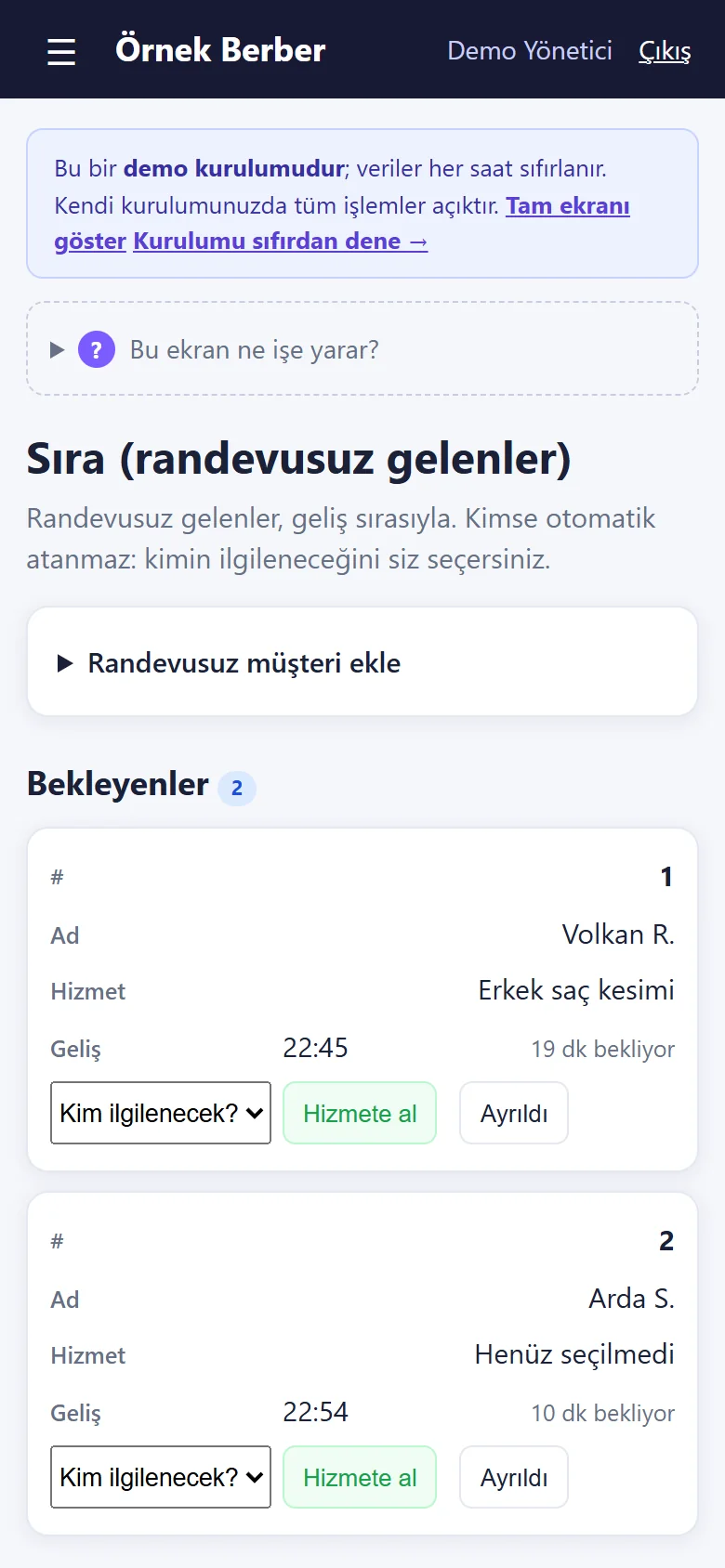
A customer without an appointment is added to the waiting list, which shows the arrival order and how long each person has waited. When it is their turn you press “Hizmete al” (take in) and the business chooses the barber; when the job is done, “Tamamla ve ödeme al” (finish and take payment) brings the service to the ticket ready. The waiting list does not write to the calendar; it warns when the chosen barber has an appointment coming up. There is no automatic barber assignment, no priority by service and no wait-time prediction; those can be scoped separately.
Fix slippage in short jobs by moving bookings
A shave or a beard trim turns over quickly, but one job that runs long pushes the following bookings back. In the calendar, the booking’s “Ertele / indirim” (postpone / discount) section takes a new day and time and moves it; check the barber’s new time when you do. To tell who came by appointment and who by queue, review the two lists together on the same barber’s screen.
Run a short check at the start and during the day
Review pending requests, see that phone bookings are in the calendar, and open tomorrow’s reminder list. It gives confirmed bookings with a ready WhatsApp message; the shop sends it from its own WhatsApp, and nothing is sent automatically. During the day, follow whoever is waiting and next in line on the waiting list.
Enter a barber’s leave or break over several days in one go
Annual leave, training or a lunch break at the same time every day is entered on the calendar with “İzin ekle” (add time off): pick the barber and the first and last day, then “all day” or a time range. Days the shop is closed are skipped; a day that already has a booking is not closed and the app says which days were skipped, so those bookings have to be moved separately. Entered time off sits in the “Yaklaşan izin ve kapalı saatler” (upcoming time off) list, each line with “Yanlış girdim, sil” (I made a mistake, delete). There is no leave entitlement or days-left counter.
Quick checklist
- Is each booking recorded with its barber?
- Was the phone booking entered in the calendar?
- Was the walk-in written into the queue, and who chose the barber?
- Were later bookings moved after a job ran long?
Related guide
Tracking daily barbershop cash and barber commission
Put short jobs on tickets with their barber, tie the queue’s payments to tickets, keep the till apart and check each barber’s monthly commission.
Read the guide →