- Who uses it?
- A customer who buys or asks for a quote in the shop; the shop owner, who installs the plugin and sets the number, button labels and message templates.
- Where do they start?
- The customer opens a product page, picks a colour and size if needed, enters a quantity and presses “WhatsApp’tan sipariş ver” (Order on WhatsApp) or “Teklif al” (Get a quote).
What do they do on screen? Step by step
-
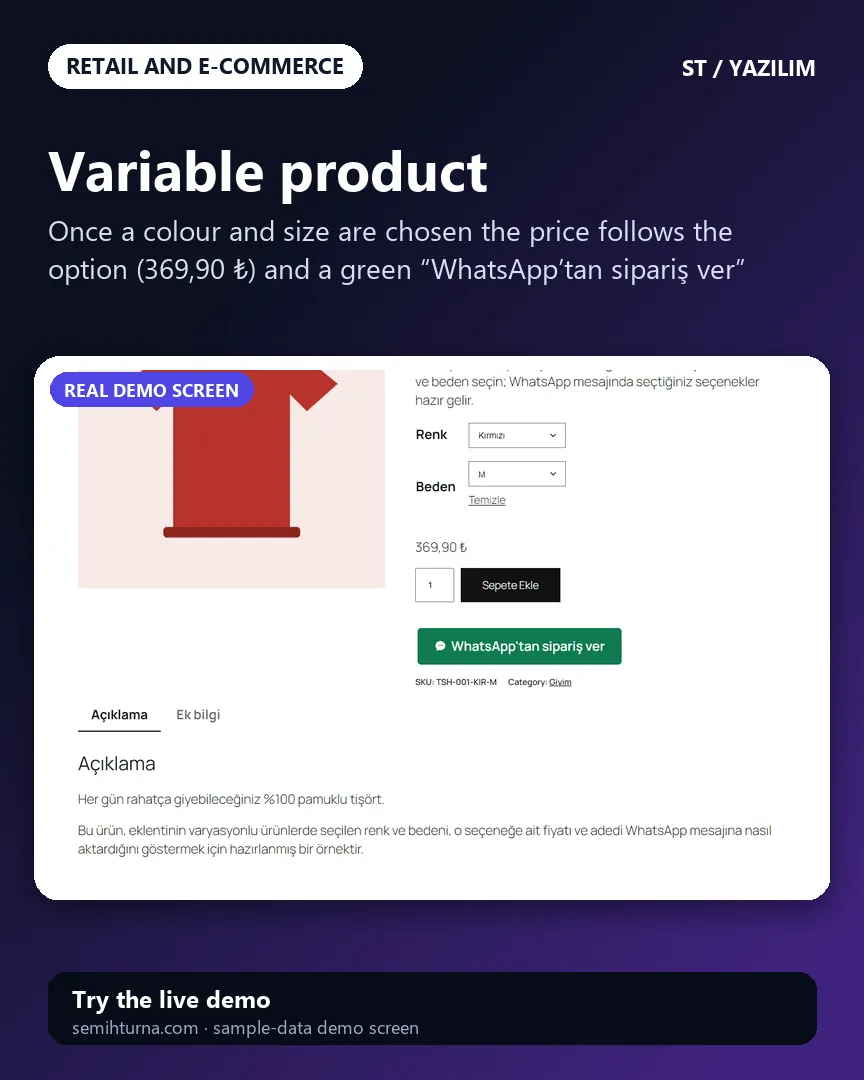
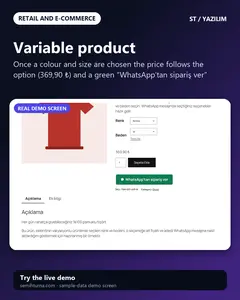
Variable product
Once a colour and size are chosen the price follows the option
-
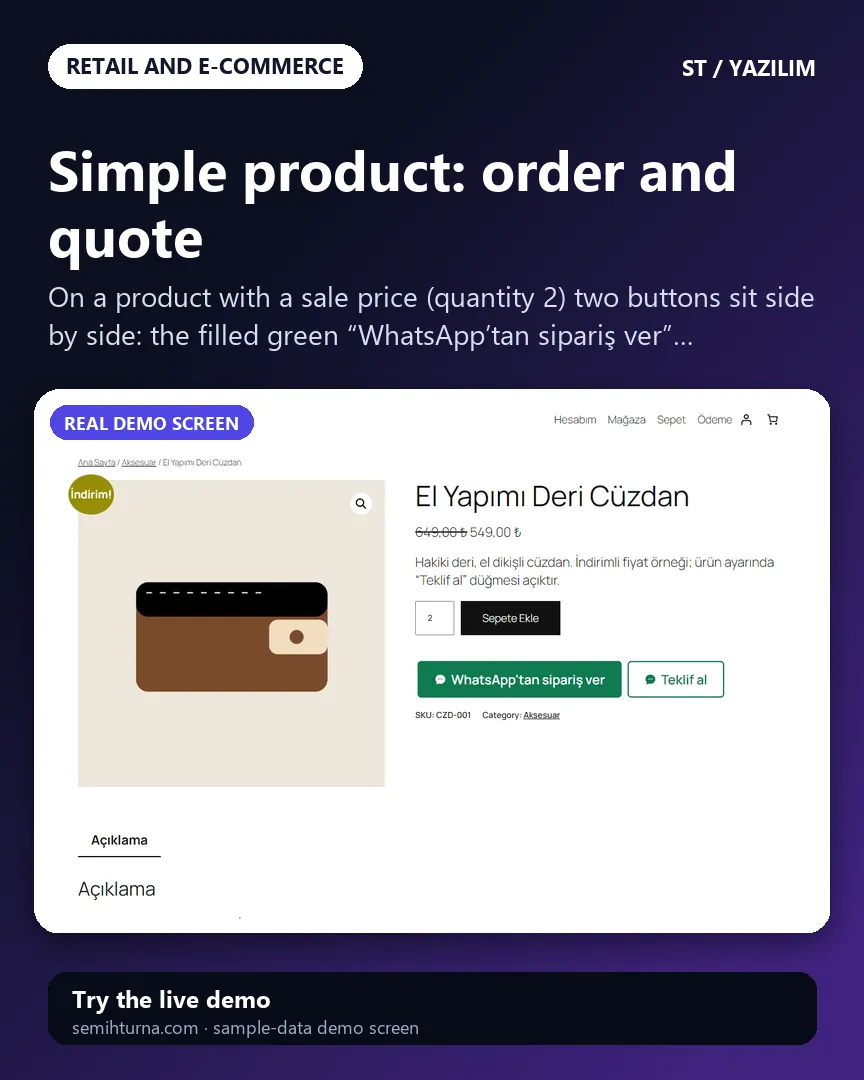
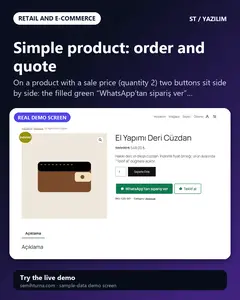
Simple product: order and quote
On a product with a sale price (quantity 2) two buttons sit side by side
-
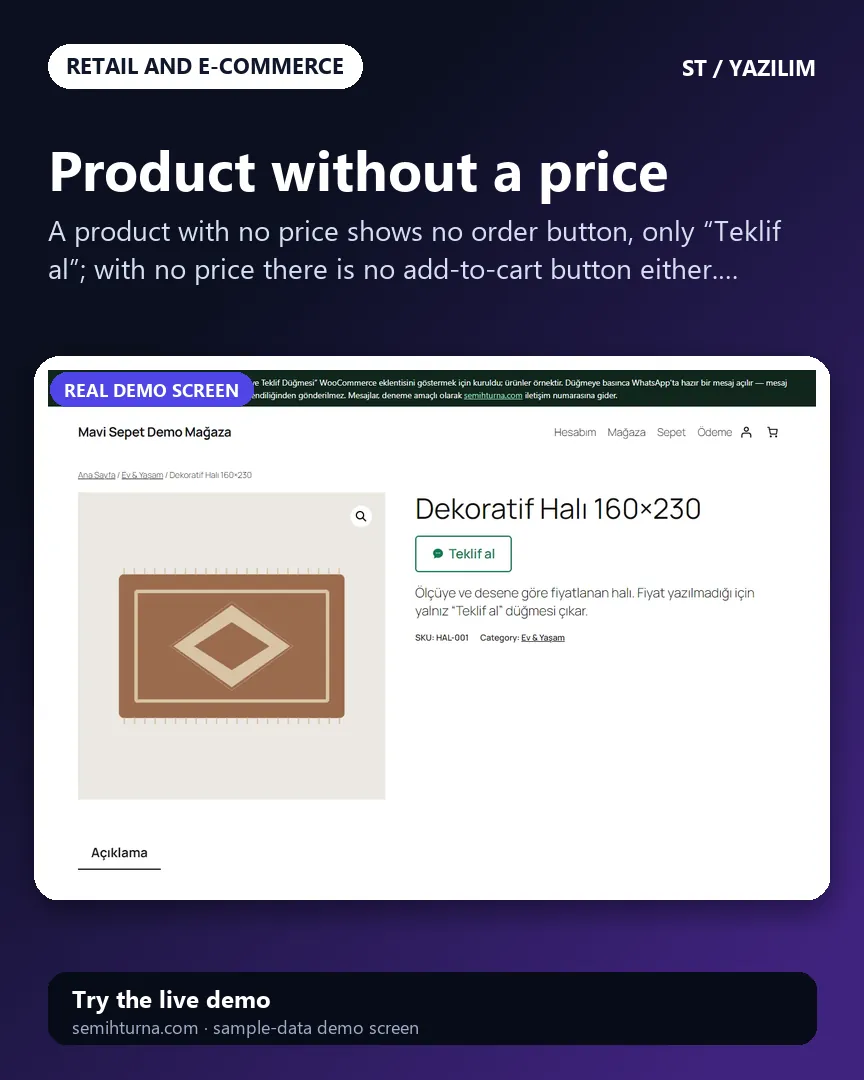
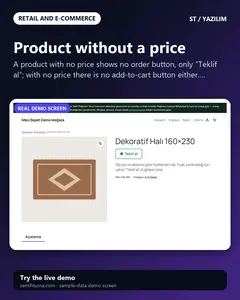
Product without a price
A product with no price shows no order button, only “Teklif al”
-
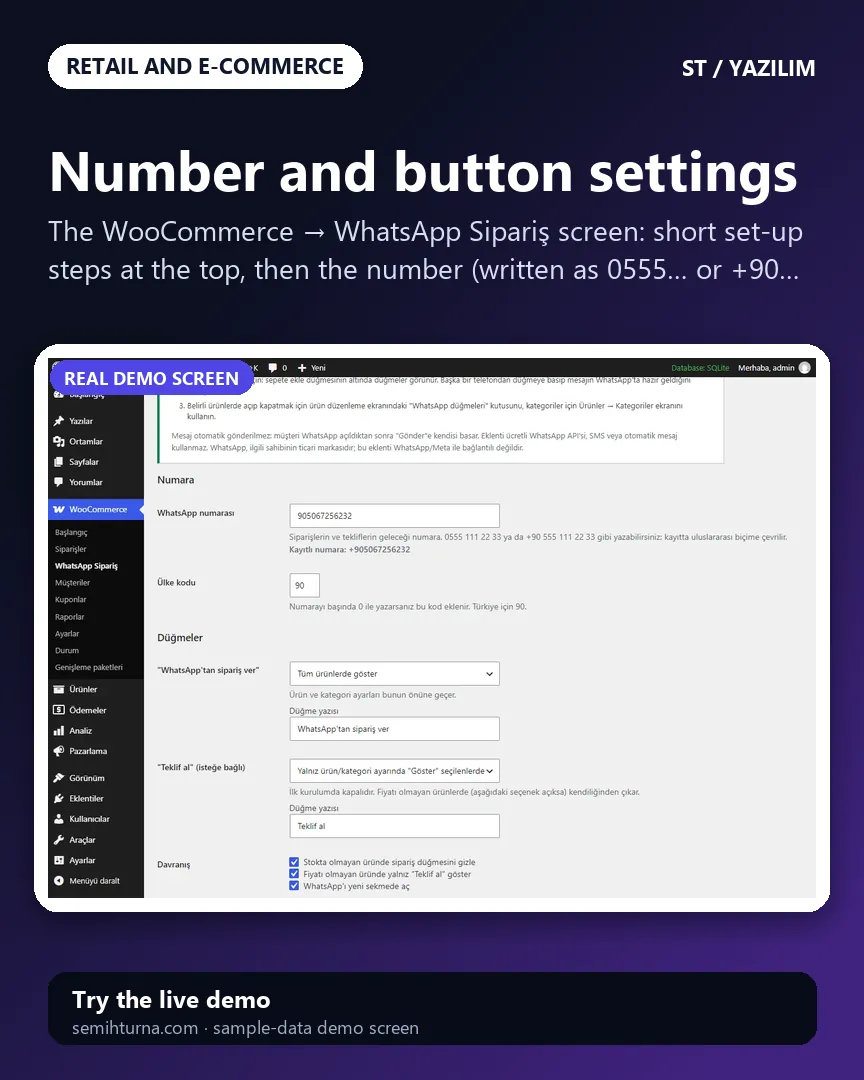
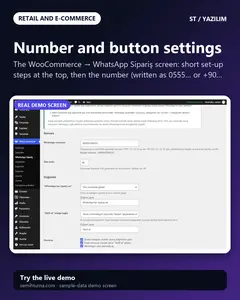
Number and button settings
The WooCommerce → WhatsApp Sipariş screen
-
Switching on and off per product
A “WhatsApp düğmeleri” box in the side column of the product edit screen
-
Product page on a phone
At a phone’s width the options, quantity and add-to-cart button stack
- What do they see at the end?
- WhatsApp opens with the product’s name, link, unit price, quantity, total and the chosen colour and size ready in the message box. The customer presses “Send” themselves; nothing is sent automatically.
- What is it good for?
- The customer does not type the product and option by hand and the seller sees which product was meant from the link; for products without a price the quote is asked for the same way.